انتقل إلى المحتوى
جدول المحتويات
You use an Ethernet Cable to connect things like computers, routers, TVs, and gaming consoles. The cable you pick changes how fast and steady your network is. Cat6a cables can go up to 10 Gbps and help stop interference. Cat8 cables can reach 40 Gbps and work very well in smart factories.
نوع الكابل | Speed (Gbps) | حالة الاستخدام | Impact on Reliability |
Cat6a Cable | Up to 10 | High-performance | Reduces EMI, stable connections |
كابل Cat7 | Up to 10 | Gaming, streaming | Significant reduction in latency |
كابل Cat8 | Up to 40 | 5G networks, smart factories | Excellent shielding, high reliability |
You should know about cable types and rules to keep your network safe and working well.
النقاط الرئيسية
- Pick the right Ethernet cable for your needs. Cat6 works well for simple jobs. Cat7 and Cat8 are better for fast internet.
- Learn why cable compliance matters. Certified cables keep things safe and make your network work well.
- Know how solid and stranded copper cables are different. Solid cables are best if you will not move them. Stranded cables are good if you need to bend them.
- Use color coding for your cables. This makes it easy to see what goes where. It also helps you make fewer mistakes when you set things up.
- Get cables with the right shielding for your space. Shielded cables stop interference in loud places. This keeps your connection strong.
- Plan your cable layout before you start. Measure how far you need to go. Pick the right cable length so you do not lose signal.
- Always check local building codes and safety rules. Following these rules keeps your network safe and avoids legal trouble.
- Test your cables after you put them in. Testing often helps your network stay strong. It also finds problems early.
Ethernet Cable Basics
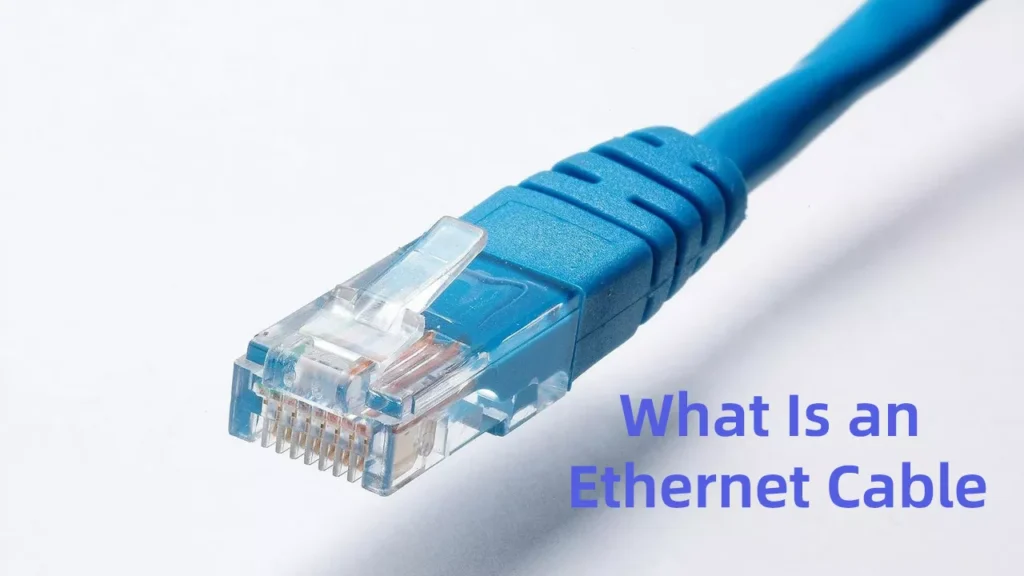
What Is an Ethernet Cable
Ethernet Cables made of twisted copper wires carry signals and send data between devices in your network. The cable looks simple but is very important. Inside. These signals are electrical and represent digital information. When you connect a computer or TV to a router, the cable moves data fast and reliably.
نصيحة: Ethernet cables have different categories. Each category supports certain speeds and protects against interference.
How Ethernet Cables Connect Devices
Ethernet cables change digital information into electrical signals. These signals move through twisted copper wires inside the cable. When you send data, the cable carries pulses to another device. That device reads the signals and turns them back into data. The twisted wires help stop interference and crosstalk. This keeps your connection clear and stable, even with many devices.
Devices you connect with Ethernet cables include:
- Computers and laptops
- Data Center Devices Connection
- Routers and network switches
- Smart TVs and streaming boxes
- Gaming consoles
- Printers and network storage devices
You see Ethernet cables in homes, offices, schools, and factories. They help build strong and fast networks for work, play, and learning.
Importance of Cable Type and Compliance
Picking the right Ethernet Cable helps with speed and safety. If you use cables that do not meet standards, your network can be slow and unreliable. Bad cables can cause problems like:
- Slow network performance for your whole system
- Device damage from poor connections
- More repairs and higher costs
There are also safety risks. Poor cables may not pass fire safety tests. These cables can burn and spread flames and smoke fast. This puts your property and life in danger. Building codes say you must use cables made from good materials. Always check for compliance before you install cables at home or work.
ملحوظة: Certified cables protect your network and keep you safe. Look for cables that meet local and national standards.
Ethernet Cable Types

5 Commons Network Cables
Ethernet Cable categories help you choose the right cable for your network. Each type supports different speeds and bandwidths. You need to match the cable to your needs for gaming, streaming, or business use.
نوع الكابل | Maximum Speed | Released Data | Frequency | Max Distance |
CAT5e Lan Cable | 1 Gbps | 2001 | 100 MHz | 100m (328ft) |
CAT6 Lan Cable | 10 Gbps (up to 55m) | 2008 | 250 MHz | 55m (180ft) |
10 Gbps (up to 100m) | 2009 | 500 MHz | 100m (328ft) | |
10 Gbps | 2002 | 600 MHz | 100m (328ft) | |
40 Gbps (up to 30m) | 2016 | 2000 MHz | 30m (98ft) |
CAT5e Cable
You use CAT5e cables for basic home networks. They support speeds up to 1 Gbps and work well for internet browsing and streaming. CAT5e cables have a bandwidth of 100 MHz and can reach up to 100 meters. They are affordable and easy to install.
CAT6 Cable
CAT6 cables work for faster networks. You get speeds up to 10 Gbps, but only for short runs up to 55 meters. The bandwidth is 250 MHz. CAT6 cables help reduce interference and are good for gaming and video calls.
CAT6a Cable
CAT6a cables improve on CAT6. You get 10 Gbps speeds over longer distances, up to 100 meters. The bandwidth is 500 MHz. CAT6a cables work well in offices and places with many devices.
CAT7 Cable
CAT7 cables support 10 Gbps speeds and have a bandwidth of 1000 MHz. You use them for high-performance networks and streaming. CAT7 cables have extra shielding to reduce interference.
CAT8 Cable
CAT8 cables offer the fastest speeds, up to 40 Gbps. The bandwidth is 2000 MHz. You use CAT8 cables for data centers and smart factories. They work best for short runs up to 30 meters.
Network Cable Shielding Options
Shielding protects your Ethernet Cable from electromagnetic interference (EMI). You need to pick the right shielding for your environment.
- UTP (Unshielded Twisted Pair)
UTP cables have no extra shielding. You use them in quiet places with little interference, like homes and small offices. UTP cables are flexible and easy to install. - STP (Shielded Twisted Pair)
STP cables have extra shielding around the wires. You use them in places with lots of electrical noise, like factories or near heavy machinery. STP cables give you the best protection against EMI and radio frequency interference (RFI). - FTP (Foiled Twisted Pair)
FTP cables have a foil shield around all pairs. You use FTP cables in moderate EMI environments. They offer more protection than UTP but less than STP.
نصيحة: Shielded cables help keep your signal strong in noisy areas. Unshielded cables work best in quiet spaces.
Network Cable Construction
The way your Ethernet Cable is built affects how it works and lasts.
Type | Advantages | Disadvantages |
Solid Wire | Transfers data over long distances with less signal loss | Not flexible, not good for frequent bending |
Durable, good for in-wall and outdoor installations | Not ideal for high vibration areas | |
Easy to terminate in wall jacks and patch panels | ||
Stranded Wire | Very flexible, great for patch cables | Not good for long-distance data transfer |
Handles bending and vibration well | Harder to terminate than solid wire | |
Less likely to break during crimping | Usually costs more |
You use solid copper cables for permanent installations inside walls. Stranded copper cables work best for patch cords and places where you move cables often.
Avoiding CCA and CCS
You should avoid cables made from Copper-Clad Aluminum (CCA) or Copper-Clad Steel (CCS). These cables look like real copper but do not perform as well. They can cause signal loss and may not meet safety standards. Always choose cables with pure copper conductors for the best results.
ملحوظة: Pure copper cables last longer and give you better network performance.
Wiring Standards (T568A vs. T568B)
When you install network cables, you need to follow a wiring standard. The two main standards are T568A and T568B. These standards tell you how to arrange the colored wires inside the Ethernet Cable. You use these standards to make sure both ends of the cable match, which keeps your network working right.
T568A and T568B look almost the same, but they swap the green and orange wire pairs. Here is how they differ:
- T568A connects the green pair to pins 1 and 2, and orange pair to pins 3 and 6
- T568B connects the orange pair to pins 1 and 2, and green pair to pins 3 and 6
- T568A matches older phone wiring, so it works well if you have legacy phone systems.
- T568A is required in US government buildings to keep networks consistent.
- T568B comes from the AT&T 258A standard and is common in many businesses.
- T568B is the most popular choice for commercial networks in the United States.
You can use either standard for your home or office, but you must use the same one on both ends of the cable. If you mix T568A on one end and T568B on the other, you create a crossover cable. Crossover cables connect two similar devices, like two computers, without a switch.
نصيحة: For most home networks, you can pick either T568A or T568B. Just make sure you use the same standard on both ends of every cable.
Here is a simple table to show the pin assignments for each standard:
رقم التعريف الشخصي | T568A Wire Color | T568B Wire Color |
1 | White/Green | White/Orange |
2 | Green | Orange |
3 | White/Orange | White/Green |
4 | Blue | Blue |
5 | White/Blue | White/Blue |
6 | Orange | Green |
7 | White/Brown | White/Brown |
8 | Brown | Brown |
Color Coding and Identification
Color coding makes your job much easier when you install or fix network cables. Each wire inside the cable has a different color. The color pattern follows the wiring standard you choose, either T568A or T568B. This helps you match the wires to the right pins on the connectors.
When you use color-coded cables, you can quickly see which cable goes where. This is very helpful in places with lots of cables, like offices or server rooms. Color coding lets you:
- Identify cable types and connections at a glance.
- Recognize the purpose of each cable, which reduces mistakes.
- Find and fix problems faster during troubleshooting.
- Avoid confusion, especially in complex setups with many cables.
- Lower the chance of connecting the wrong wires.
Some people also use different colored jackets for cables. For example, you might use blue for data, yellow for cameras, and red for phones. This system helps you manage your network and keeps everything organized.
ملحوظة: Good color coding saves time and prevents errors. Always follow the color pattern for the wiring standard you use.
Ethernet Cable Applications

Home Networking
Choosing the Right Cable
You want your home network to be fast and steady. The cable you pick helps you watch movies, play games, and surf the web without trouble. Here are some cables people use at home:
- Cat5e: Goes up to 1 Gbps. Good for browsing, streaming, and simple gaming. It is cheap and easy to buy.
- Cat6: Works for 1 Gbps over long wires and 10 Gbps for short ones. It gives better signals for HD video and online games.
- Cat6a: Can do 10 Gbps for 100 meters. It is great for media rooms and homes with lots of devices.
Pick a cable that matches your internet speed and how many devices you have. If you have gigabit internet, Cat5e or Cat6 is fine. For smart homes or lots of streaming, Cat6a or Cat 8 is better.
Common Installation Scenarios
Ethernet cables are used in many spots at home. You might put cables in walls to connect rooms. Some people use patch cables to hook devices to the router. You can hide cables under rugs or use clips to keep them neat.
Some common uses are:
- Hooking up a gaming console to the router for fast play.
- Connecting a smart TV for smooth streaming.
- Making a home office with a wired computer for good video calls.
- Running internet to a garage or basement with long cables.
نصيحة: Plan where your cables will go before you start. Measure how far you need and pick the right cable length. This stops signal loss and keeps things tidy.
Office and Commercial Use
Structured Cabling
Offices need networks for lots of people and devices. Structured cabling puts cables in racks and panels. This makes it easy to fix and upgrade your network.
نوع الكابل | Bandwidth | Maximum Distance | أداء |
Cat6 | 250 MHz | 55 meters (10 Gbps) | Standard applications |
Cat6A | 500 MHz | 100 meters (10 Gbps) | High-performance networks |
Cat6 works for most office jobs. Cat6A is better for big networks and fast speeds. You should follow building rules for cable jackets. Riser-rated cables work for most indoor places. Plenum-rated cables are needed in air spaces.
High-Density Environments
Busy offices have lots of computers, phones, and printers. You need cables that move lots of data and keep signals strong. Most Ethernet cables reach 100 meters, but Cat6 only does 10 Gbps for 55 meters. Cat6A keeps 10 Gbps for all 100 meters.
Use color-coded cables to keep things organized. Blue cables might be for data, yellow for cameras. This helps you fix problems fast.
ملحوظة: Always check local rules before you put in cables. The right ratings keep your network safe and legal.
Industrial and Outdoor Use
Rugged and Outdoor-Rated Cables
Factories and outdoor places need strong cables. Pick cables with jackets made from UV-resistant polyethylene or LSZH. These protect against sun, water, and chemicals. Shielded cables like FTP or STP block interference from big machines.
For outdoor cables, look for ones with gel-filled or flooded cores. These stop water from getting inside. Seal cable ends tight to keep out moisture.
Environmental Considerations
Heat, wetness, and sunlight change how long cables last. In tough places, cables wear out faster because of heat, shaking, and chemicals. In offices, cables last longer because things stay the same.
Factor | Impact on Lifespan |
Harsh Industrial Environments | Shorter life because of heat, shaking, chemicals, EMI |
Controlled Office Environments | Longer life because of steady conditions |
Protect outdoor cables with a strong cover. Sun, wind, and rain can hurt cables over time. PUR jackets fight wear and chemicals, so they are good for hard jobs.
نصيحة: Pick the right Ethernet Cable for your space. This keeps your network working well and lowers repairs.
Special Applications
Power over Ethernet (PoE)
Power over Ethernet (PoE) lets you send data and power in one cable. You can use PoE to power things like cameras, Wi-Fi points, and phones. You do not need extra wires for these devices. When you set up PoE, think about how much power each device needs. You also need to check how long your cable is.
The kind of Ethernet Cable you pick is important for PoE. Pure copper cables are best because they do not get too hot. They also let power move with less loss. Copper-clad aluminum cables can get hot and lose power. This can make your devices stop working. If you put cables in tight spots or use long cables, check if the cable can handle the heat and power. Each PoE standard gives a different amount of power. Match your cable to your device’s needs.
نصيحة: Always pick pure copper cables for PoE. This keeps your devices safe and your network strong.
Audio/Video and Security Systems
You can use Ethernet cables for audio, video, and security systems. These systems need fast and steady connections to send video, sound, and control signals. For example, you might connect IP cameras, smart speakers, or digital signs.
Shielded cables like STP or FTP help block noise from other electronics. In busy places with lots of electrical noise, shielded cables keep your video and sound clear. Color-coded cables help you see which wire goes to each device. You can use blue for data, yellow for cameras, and green for audio. This makes it easy to fix problems and keeps your setup neat.
ملحوظة: Pick shielded cables for busy places. This protects your signals and makes your system work better.
Data Centers
Data centers need cables that move lots of data very fast. You see Cat6a, Cat7, and Cat8 cables in these places. These cables support high speeds and wide bandwidths. This helps servers and switches talk to each other without delay.
In data centers, you must plan your cable layout well. Use short cables for the fastest speeds. Keep cables neat with racks and trays. Color coding helps you manage many connections. You can find problems faster and keep your network working well.
نوع الكابل | Max Speed | Best Use in Data Centers |
Cat6a | 10 Gbps | Server racks, backbone |
Cat7 | 10 Gbps | High-density switches |
Cat8 | 40 جيجابت في الثانية | Short runs, core links |
Callout: Data centers need good cables and careful planning. This keeps your network fast and reliable.
Ethernet Cable Code Compliance and Safety

Indoor vs. Outdoor Ratings
You need to know if cables are for inside or outside. Indoor cables work well in buildings. They do not handle weather or sunlight. Outdoor cables have strong jackets. These jackets protect from rain, sun, and heat.
Here is a table that shows the main differences:
ميزة | Indoor Ethernet Cables | Outdoor Ethernet Cables |
Jacket Material | Usually PVC. It is not fire-resistant. It makes toxic smoke when burned. | Often LLDPE or other tough materials. These are made for bad weather. |
Safety Considerations | Not good for outside because they do not block weather. | Made to handle very hot or cold places. You can bury them in the ground. |
Plenum and Riser
Plenum and riser ratings tell you where to put cables. Plenum cables go in air spaces, like above ceilings. Their jackets stop flames and make less smoke in fires. These jackets use special materials like FEP or low-smoke PVC. Plenum cables follow strict NFPA rules, especially NFPA 90A. This keeps smoke from moving through air ducts. Riser cables go between floors. They pass flame tests but do not need to meet smoke rules like plenum cables. You can use plenum cables instead of riser cables for extra safety. Plenum cables have the best fire and smoke protection. Riser cables focus on stopping flames.
نصيحة: Check your building plans before buying cables. Use plenum cables for air spaces. Use riser cables for vertical runs.
UV and Water Resistance
Outdoor cables need jackets that block sun and water. Sunlight can break regular jackets over time. Water can get inside and ruin wires. Outdoor cables use jackets made from LLDPE. These jackets block UV rays and rain. Some outdoor cables have gel or flooding stuff inside. This keeps water out. Seal the ends of outdoor cables to stop moisture. If you bury cables, pick ones marked for direct burial. These last longer in tough places.
ملحوظة: Using the right cable keeps your network safe and working well.
National and Local Codes
NFPA Standards
You must follow national codes when you put in cables. The NEC sets rules for electrical work and network wiring. The NFPA writes these codes to keep buildings safe from fire and electrical problems. NEC covers how you run cables, what types you use, and where you put them. NFPA 90A sets rules for cables in air spaces. CMP-rated cables meet plenum rules. CMR-rated cables meet riser rules.
Local Regulations
Local codes can add more rules. These rules change from place to place. You need to check with your city or county before starting work. Some cities want extra fire safety for cables. Local inspectors may ask for proof that your cables meet all standards. You must follow both NEC and local codes to pass checks.
Callout: Always learn your local codes before installing cables. This helps you avoid fines and keeps your building safe.
Safety Certifications
UL, ETL, RoHS
Safety marks show your cables meet strict rules. You see marks like UL, ETL, and RoHS on many cables.
شهادة | Impact on Safety and Compliance |
يو ال | Makes sure cables follow safety and fire rules. It is recognized in the US and Canada. |
ETL | Shows cables follow UL/CSA rules. It checks that cables are made right. |
حظر المواد الخطرة | Blocks dangerous materials. It keeps cables safe for the environment when made and thrown away. |
UL and ETL marks mean your cable passed fire and safety tests. RoHS means your cable does not have bad chemicals like lead or mercury.
Why Certifications Matter
You need certified cables to keep your network safe. Certified cables lower fire and toxic smoke risks. They also help the environment. If you use cables without these marks, you may fail checks or break the law. Certified cables last longer and work better. You avoid fines and legal trouble. You protect people and property from harm.
- Certified cables last longer and work better.
- You avoid fines and legal trouble.
- You protect people and property from harm.
نصيحة: Always look for UL, ETL, or RoHS marks when buying Ethernet Cable. Certified cables give you peace of mind and keep your network safe.
Risks of Non-Compliance
If you use Ethernet cables that do not meet safety codes, you put your network and property in danger. Bad cables can cause big problems for your safety, your devices, and your reputation.
Here are the main risks if you ignore code rules:
Risk Type | وصف |
Fire Safety | Cables that do not follow rules might fail fire tests. This makes fires more likely and lets smoke spread fast. |
Electrical Performance | Cables that break standards can make your network slow. You might get dropped connections or broken equipment. |
Legal Liabilities | Using cables that break laws can mean fines and failed checks. It can also hurt your reputation. |
You might think buying cheap cables saves money. But you risk much more than just your budget. Fires can move quickly in buildings with the wrong cables. Smoke from burning cables can hurt people and make it hard to get out. Bad cables can also make your network stop working when you need it most.
نصيحة: Always pick cables that follow national and local codes. This keeps your network safe and protects everyone in your building.
If you use cables without the right certifications, inspectors may not approve your work. You could pay for repairs or face legal trouble. Your business could lose trust if people find out you used unsafe cables.
You keep your network, property, and reputation safe when you follow code rules. Always make safety the most important thing when you install Ethernet cables.
How to Choose the Right Ethernet Cable Supplier

Picking the right Ethernet cable supplier is important for your business. You need cables that work well and last a long time. The cables must also follow all safety rules. If you buy a lot of cables for projects or to sell, a good supplier saves you time and money.
Evaluating and Selecting Quality Suppliers
Key Criteria for Supplier Selection
You should find suppliers who test their Ethernet cables for good performance. Good suppliers use strong materials and follow rules like ANSI/TIA and ISO/IEC 11801. They give proof that their cables pass important tests.
- Suppliers should give Fluke test reports for their cables.
- They must use pure copper, not CCA or CCS.
- They should follow known quality rules.
- They need to use the right tools and ways to test.
نصيحة: Ask for sample cables and try them yourself before you buy a lot.
Verifying Certifications and Compliance
You can check if a supplier follows all rules by asking for test reports for each cable. These reports, made with a Fluke tester, show the cable meets or beats the needed specs for its type. This helps you avoid cables that do not work as promised.
Assessing Production Capacity and Lead Time
You want a supplier who can fill your order and ship on time. Ask how many cables they can make and how fast they ship. Good suppliers give clear timelines and keep you updated.
Bulk Purchasing Considerations for Distributors and Contractors
Price vs. Quality Trade-offs
Low prices can look good, but cheap cables break more and cost more to fix. In hard places, bad cables stop working fast. Downtime from bad cables can cost a lot—sometimes $500,000 or more each hour in factories. One bad connector can stop a whole line for hours.
Negotiating Terms and After-Sales Support
You should talk about payment, returns, and support before you buy. Good suppliers help you fix problems after you buy. They answer questions and replace bad products.
Logistics and Delivery Reliability
Check if the supplier can ship on time and handle big orders. Ask about their packing and shipping steps. Good delivery keeps your projects moving.
Common Mistakes in Network Cable Supplier Selection
Overlooking Certification and Compliance
If you skip checking for certifications, you might buy lan cables that fail safety checks. Always ask for proof of compliance.
Ignoring Long-Term Partnership Potential
A good supplier works with you for a long time. They help you grow and fix problems. Do not pick a supplier just for one order.
Focusing Solely on Price
If you only care about price, you may get bad cables that break and cause costly downtime. Quality and reliability are more important in the long run.
Note: The right supplier gives you safe, reliable cables and helps your business grow.
خاتمة
You get a strong network when you pick the right Ethernet cable and follow safety rules. Always plan where your cables will go and measure how long they need to be. Look for things that might block your cables. Use good materials and put the cables in carefully.
Contact Cablink today to claim your price list!
التعليمات
What is the difference between Cat5e, Cat6, and Cat6a cables?
Cat5e can go up to 1 Gbps. Cat6 reaches 10 Gbps but only for short wires. Cat6a keeps 10 Gbps for longer wires. Pick a cable based on your network speed and how far you need to connect.
Can I use outdoor Ethernet cables inside my house?
You can use outdoor cables inside your house. They cost more and are not as bendy. Indoor cables are better for homes. Outdoor cables protect against rain and sunlight.
How do I know if my Ethernet cable is certified?
Check the cable jacket or box for UL, ETL, or RoHS marks. Certified cables meet safety and performance rules. Using certified cables keeps you safe and helps you pass inspections.
What does “plenum-rated” mean for Ethernet cables?
Plenum-rated cables have jackets that fight fire and make less smoke. You use them in air spaces above ceilings. These cables follow strict building safety codes.
Should I choose solid or stranded copper Ethernet cables?
Solid copper cables are best for wires inside walls. Stranded copper cables bend easily and work well for patch cords or places where you move cables a lot.
Why is shielding important in Ethernet cables?
Shielding stops electrical noise from machines or other wires. You get a stronger signal and fewer problems. Shielded cables are good for factories or busy offices.
What happens if I mix T568A and T568B wiring standards?
If you mix T568A and T568B, you make a crossover cable. Crossover cables connect two similar devices, like two computers. For most networks, use the same standard on both ends.
Can I run Ethernet cables next to power lines?
Do not put Ethernet cables next to power lines. Electrical noise can slow your network or drop connections. Use different paths or shielding for the best results.