انتقل إلى المحتوى

جدول المحتويات
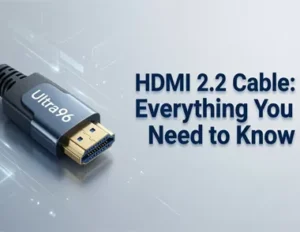
You may ask what an كابل HDMI 2.2 is. This is a new cable type that was announced in 2025. It helps you watch movies and play games in ultra-high-definition. The pictures look sharper and the sound is smoother. It can handle 4K to 16K video formats. This is possible because the cable has a much bigger bandwidth of 96 gigabits per second. You can see every detail in fast games with this cable. It also helps your home setup stay ready for the future. More people are buying HDMI cables as they get new devices and want better picture quality.
النقاط الرئيسية
- What are HDMI 2.2 cables & different between the last version?
- HDMI 2.2 cables key features.
- How HDMI 2.2 cables help wholesalers & Distributor’s earning trust & brand.
- HDMI 2.2 Cable industry certification and test requirements.
- When you buy HDMI 2.2 cables, check for the Ultra High Speed HDMI label. This label means the cable will work its best.
- HDMI 2.2 Cable Applications.
- HDMI 2.2 Cable Buying Guide
- Why the Cablink HDMI 2.2 Cable is a smart choice.
What Is HDMI 2.2 Cable?

HDMI 2.2 is the latest update to the HDMI specification (announced at CES 2025) that doubles the bandwidth of HDMI 2.1. It delivers up to 96 Gbps, enabling ultra-high resolutions and refresh rates.
The new spec supports resolutions up to 16K@60Hz (and also 10K/12K) and frame rates like 4K@240Hz and 8K@60Hz at full chroma. However, HDMI 2.2 is backward compatible with older HDMI ports (1.4/2.0/2.1), so it works with existing devices – but to unlock its full capabilities you need a new Ultra96 HDMI cable. The spec also introduces a new Latency Indication Protocol (LIP) to improve audio/video sync in multi-device systems, along with enhanced HDR metadata features (HDR10+, Static/Dynamic HDR, Source-Based Tone Mapping) for better picture quality.
HDMI 2.2 Vs HDMI 2.1 Vs HDMI 2.0 Cable, What’s New?
You might ask how HDMI 2.2 Cable compares to older cables. The main difference is speed and power. HDMI 2.2 offers much higher bandwidth than HDMI 2.1 or HDMI 2.0. This means you can watch sharper videos and play smoother games. Take a look at the table below to see the jump in performance:
HDMI version | Max bandwidth (Gbps) | Max data rate (Gbps) |
2.2 | 96.0 | 85.25 |
2.1 | 48.0 | 42.6 |
2.0 | 18.0 | 14.4 |
With HDMI 2.2 Cable, you get double the bandwidth of HDMI 2.1. This upgrade means less lag, better sound, and support for the newest features.
Besides the differences between HDMI 2.2 and previous versions, the biggest difference is the addition of Latency Indication Protocol (LIP) technology. This significantly improves the audio and video synchronization issues caused by different designs of multiple devices. For example, when using traditional 3.5mm speaker devices, delays inevitably occur during the analog-to-digital signal conversion, which can lead to problems such as lip-sync issues and ruin the viewing experience. LIP can calculate the total latency of each device and adjust the output compensation to achieve seamless and synchronized playback.
Key Features of HDMI 2.2 Cable

Bandwidth and Speed
HDMI 2.2 Cable gives you a huge boost in speed. The cable supports up to 96 Gbps. This high bandwidth lets you stream 16K video and enjoy refresh rates up to 480Hz. You will notice smoother action in fast games and clearer images in movies. Fixed Rate Link technology also helps send data more efficiently, so you get reliable performance every time.
Supported Resolutions
You can use HDMI 2.2 Cable with many devices. It supports resolutions up to 16K@60Hz (and also 10K/12K) and frame rates like 4K@240Hz and 8K@60Hz at full chroma. Importantly, HDMI 2.2 is backward compatible with older HDMI ports (1.4/2.0/2.1), so it works with older devices.
The Dynamic HDR makes the picture look even better by improving contrast and color accuracy. Your home theater or gaming setup will feel more lifelike.
Lip-Sync and Latency Improvements
You want your sound and picture to match perfectly. HDMI 2.2 Cable uses a Latency Indication Protocol (LIP) to keep audio and video in sync. This feature reduces delay, so you do not notice any lag between what you see and hear. Auto Low Latency Mode (ALLM) switches your TV to game mode automatically. Variable Refresh Rate (VRR) stops screen tearing and stuttering in games. Enhanced Audio Return Channel (eARC) gives you better sound for movies and music.
Here is a quick look at some of the top features and their benefits:
ميزة | فائدة |
Latency Indication Protocol (LIP) | Keeps audio and video in sync for a smooth experience. |
Fixed Rate Link technology | Sends data efficiently for reliable performance. |
Bandwidth capacity of 96 Gbps | Supports 16K video and high refresh rates for top quality. |
Dynamic HDR (HDR10+) | Improves contrast and color for a better picture. |
Variable Refresh Rate (VRR) | Makes games smoother by reducing screen tearing. |
Auto Low Latency Mode (ALLM) | Switches to low latency mode for faster gaming response. |
Enhanced Audio Return Channel (eARC) | Delivers high-quality sound for home theaters. |
نصيحة: If you want the best experience for gaming or movies, choose HDMI 2.2 Cable. You will see and hear the difference right away.
You now know why HDMI 2.2 Cable stands out. It gives you double the bandwidth and supports new features for sharper video and smoother sound. Check the table below for a quick comparison:
ميزة | HDMI 2.1 | HDMI 2.2 | فائدة |
Bandwidth | 48 Gbps | 96 Gbps | Higher resolutions, faster speeds |
Max Refresh Rate | 4K@120Hz | 4K@480Hz | Fluid motion for gaming |
Audio Sync | eARC | eARC + LIP | Better sound and video match |
- Always choose certified cables for best results.
- Make sure your devices support the latest standard.
- Avoid common buying mistakes.
Stay alert for new HDMI 2.2 devices. You will enjoy the best experience as technology grows.
Why Certified HDMI 2.2 Cable Matters for Wholesaler & Distributor?

Distributors selling products to high-end home theater installers or professional AV integrators need to prioritize HDMI-certified in-stock cables, and the latest HDMI 2.2 cable is naturally the first choice.
Building Trust with Customers and Partners
If your business uses HDMI 2.2 Cable, people know you care about good quality. Certified HDMI 2.2 cables are tested in hard ways. These tests make sure the cables work well and follow new rules. You can see the main good things in the table below:
فائدة | وصف |
Ensuring cable performance | Certified cables pass tough tests, so video and sound stay smooth. |
Eliminating unnecessary truck rolls | You do not need extra service calls because the cables work right away. |
Avoiding safety hazards | Good materials keep your devices safe from getting too hot or breaking. |
Using certified HDMI 2.2 Cable helps people trust you. Customers know your products will work. Partners feel good working with you. You do not have problems from fake or bad cables. This trust helps your business get bigger and keeps your name strong.
Ensuring Compliance with Industry Standards
You must follow industry rules to do well. HDMI 2.2 Cable follows strict rules made by experts. These rules talk about speed, safety, and new things. The table below shows what these rules cover:
Specification Feature | وصف |
Bandwidth | Up to 96Gbps, so you can watch 12K video and fast games. |
Ultra96 HDMI Cable | Works for all HDMI 2.2 needs and keeps signal clear. |
امتثال | Every cable must pass the newest HDMI 2.2 tests. |
التوافق مع الإصدارات السابقة | Works with old HDMI devices, so you do not need to buy new ones. |
Enhanced Features | Gives LIP, VRR, ALLM, and HDR10+ for better games and movies. |
If you pick cables that follow these rules, you stay out of legal trouble. You also make sure your products work with both new and old things. This makes customers happy and keeps your business safe.
Reducing Returns and Warranty Claims
Fake cables cause lots of trouble for sellers and stores. You might see bad video, lost signals, or broken devices. These problems make people return things and ask for repairs. The table below lists common problems with fake cables:
Issue Type | وصف |
Poor performance | Bad video and lost signals make customers upset. |
Compatibility issues | Fake cables often do not work with new devices. |
Safety concerns | Bad cables can get too hot and hurt your electronics. |
When you use certified HDMI 2.2 Cable, you have fewer problems like these. You spend less time on returns. You save money on fixing and replacing things. Your customers are happier, and your business works better.
Enhancing Brand Reputation and Marketability
You want your brand to stand out in the electronics world. When you choose certified HDMI 2.2 Cable for your products, you show everyone that you care about quality and honesty. This choice helps your brand look strong and trustworthy.
Certification does more than just meet rules. It helps your brand in many ways:
- The HDMI Licensing Administrator checks the whole supply chain. This means every part of your product, from start to finish, follows the right steps. You keep your brand safe from fake or low-quality cables.
- The certification process makes sure your products are real and work well. When people see your cables have passed tough tests, they trust your brand more.
- You can tell your customers that your cables give them the best picture and sound. This makes your brand look smart and up-to-date.
- When you follow HDMI rules, you help bring new ideas to the market. Your brand becomes known for using the latest technology.
You also get new chances to sell your products. Certified HDMI 2.2 Cable can be sold as a premium choice. People who want the best for their 4K or UltraHD devices will look for your cables. You can use special labels and logos to show your cables are certified. This helps your products stand out in stores and online.
Here are some ways certification helps your brand and business:
- You build trust with customers who want real, high-quality products.
- You lower the risk of someone selling fake cables with your brand name.
- You can charge more for certified cables because people know they are worth it.
- You open doors to new markets that only accept certified products.
نصيحة: Always use the official HDMI certification labels on your packaging. This makes it easy for buyers to see that your cables are the real deal.
When you use certified cables, you protect your brand and make it easier to grow your business. You show that you care about your customers and want to give them the best. Over time, this helps your brand become a leader in the market.
HDMI 2.2 Cable Standards and Testing

HDMI.org Certification
You want to make sure your HDMI cable is good. HDMI.org has tough rules for certification. These rules help you get great sound and picture. There are different programs for certification. Each program has its own rules and features. You can see them in the table below:
Certification Program | Supported Features | Requirements |
Premium HDMI® Cable Certification Program | 4K@60Hz, 18Gbps bandwidth | Must pass EMI testing at HDMI ATCs; packaging must display the Premium HDMI Cable Certification Label. |
The Ultra High Speed HDMI® Cable Certification Program | 8K@60, 4K@120, 48Gbps bandwidth | Mandatory testing at HDMI Forum ATCs; must meet EMI requirements; packaging must display the Ultra High Speed HDMI Certification Label with QR code. |
The Ultra96 HDMI® Cable | 8K@60/4:4:4 and 4K@240/4:4:4 at 10-bit and 12 bit color, 96Gbps bandwidth. | HDMI 2.2 Test Specification (CTS): Cables must support up to 96 Gbps, pass Latency Indication Protocol (LIP) and strict low-EMI testing. The packaging must display the Ultra96 HDMI® Cable Certification Label with QR code. |
Look for the certification label on your cable box. This label means the cable passed all the tests. It also shows the cable supports new features. If you see the Ultra High Speed HDMI Certification Label, your cable is ready for fast video and sound.
Testing Requirements
Testing checks if your cable works with new devices. You want a cable that passes every test. HDMI 2.2 Cable goes through many checks before it gets certified. Here are the main steps for testing:
- Differential Insertion Loss checks if the cable loses signal.
- Differential Impedance checks if the cable matches the signal.
- Attenuation to Crosstalk checks if signals mix and cause problems.
- Intra-pair and Inter-pair Skew checks if signals arrive together.
- Audio Return Channel (ARC) features must also pass special tests.
- Vector Network Analyzers (VNA) & Time Domain Reflectometers (TDR) test.
Cablink will tests cables and connectors before manufacturing. The HDMI Forum uses a big document to list all the rules. It shows what materials to use and how to test. Certified cables must pass every rule.
Pro Tip: Want to know more about the HDMI cable standard and code compliance like an expert? Read our expert guide for the link above.
Industry Compliance
You want your cable to work with all your devices. Industry compliance means the cable follows every expert rule. HDMI Licensing Administrator and HDMI.org check every cable. When you buy a certified cable, it works with new TVs, game consoles, and sound systems.
Certified cables help you avoid bad signals or broken devices. You also stay safe from fake cables. If you see the certification label, your cable is ready for the future.
ملحوظة: Buying a certified HDMI 2.2 Cable gives you peace of mind. You get the best performance and keep your devices safe.
HDMI 2.2 Cable Use Cases and Application

The HDMI 2.2 cable is designed for high-end AV systems and future-proof installations. Typical use cases and application include:
Next-Gen Home Theaters
Following the popularization of 8K, doubling the resolution means that ultra-high-definition home video is becoming a reality. Moreover, this is not just about increasing resolution; compatibility with larger screens in the future is also on the agenda, opening up possibilities for future large-screen applications or multi-screen combination solutions.
Medical Imaging
16K resolution isn’t just for gaming; it allows surgeons to see microscopic details during robotic surgery with zero latency.
This is significant for the medical field. Problems that were previously difficult to observe due to resolution limitations can now be clearly seen at 16K resolution, providing a basis for precise surgical decisions.
Furthermore, for brain-computer interface projects like Musk’s, 16K resolution allows surgical robots to have clearer and more impactful reference data, thereby improving the efficiency and precision of surgeries.
Industrial & Machine Vision
Using HDMI 2.2 for high-speed automated inspection lines is undoubtedly the future trend. High-speed operating machinery requires high-precision images as the basis for judgment and analysis; this is essential for every movement of the machinery or for monitoring anomalies.
For large-scale unmanned factories or industrial facilities, higher-resolution images mean more specific analytical data, preventing losses caused by erroneous data.
Automotive
Integrating HDMI 2.2 into “Spatial Reality” cockpits and next-generation infotainment for EVs. With the widespread adoption of electric vehicles, spearheaded by Tesla, the level of in-car intelligence has significantly improved. It now enables not only simple applications like voice control and navigation but also entertainment functions such as remote control and video playback, all relying on high-speed transmission of images and data within the vehicle.
While intelligent driving hasn’t yet reached Level 4, the perception of the vehicle’s surroundings has evolved from relying on ‘invisible’ signals like sensors and radar to ‘visible’ visual signals like panoramic cameras. Combined with built-in automotive-grade high-speed computing chips, this allows for higher levels of assisted driving. All of this depends on clearer image transmission, which HDMI 2.2 cables can perfectly handle.
Gaming Rigs
Connecting PS5/PS6, Xbox Series X/S, and future gaming PCs to high-refresh 4K/8K monitors—but is that really enough?
Our pursuit of game graphics is endless, and 16K resolution is undoubtedly the latest goal. Imagine playing games with twice the resolution of 8K—what would that be like? This isn’t just an upgrade in image quality; it’s a further exploration of visual detail. It allows gamers to be more immersive and enjoy the game more fully, while also placing higher demands on gaming devices (such as graphics cards).
Professional AV/Pro AV:
Professional AV/Pro AV: Corporate AV setups, conference rooms, and simulators require uncompressed video over long runs, which undoubtedly puts a strain on transmission cables and standards. HDMI 2.2 cable can handle this perfectly.
By the way, for video processing, film and television, and related industries, the HDMI 2.2 standard also offers a more efficient solution. The latest HDMI 2.2 cables offer more possibilities for processing and playing audio-visual materials or videos.
Broadcast & Production
12K/16K video editing suites, VR studios, and live events require the latest HDMI specification. These applications demand larger real-time data transmission volumes, even uncompressed data transmission. Furthermore, they have higher requirements for real-time synchronization, which naturally places greater demands on the stability and reliability of data transmission.
Latest technologies in HDMI 2.2 cables, such as the Latency Indication Protocol (LIP), can significantly improve synchronization during data transmission, enhancing the user experience.
Virtual Reality & Simulation
Virtual Reality & Simulation: VR headsets and simulators that demand ultra-low latency and high bandwidth are also a major application scenario.
For VR applications, which are highly sensitive to latency, the requirements for data transmission bandwidth and stability are extremely high. The latest HDMI 2.2 cable is undoubtedly the first choice, offering a high transmission speed of 96Gbps and Latency Indication Protocol (LIP) to improve audio and video quality, which can greatly enhance the user experience.
General Use
Any HDMI device (laptops, TVs, cameras, Blu-ray, set-top boxes) – the cable is fully compatible with HDMI 1.4/2.0/2.1 for all lower resolutions and features, offering broad compatibility.
While the HDMI 2.2 cable may not fully utilize the performance of older devices, over time, newer devices or peripherals can provide a completely new experience for them. As HDMI 2.2 becomes mainstream, suppliers and integrators can differentiate by offering Ultra96-certified cables. Wholesalers and OEMs who stock these cables will be ready for the next wave of HDMI 2.2 devices, ensuring customers get full performance out of their new TVs, consoles, GPUs, and AV equipment.
HDMI 2.2 Cable Buying Guide

How to Choose an HDMI 2.2 Cable
You want the best picture and sound for your devices. Choosing the right HDMI 2.2 Cable helps you get the most from your TV, gaming console, or home theater. Start by checking what your devices need. If you watch 4K, 8K, or even 10K content, you need a cable that supports high data rates. Look for cables that match the newest HDMI standard. This ensures you get sharp images and smooth sound.
Think about where you will use the cable. Some cables work better for short distances, while others can handle longer runs. You should also check the design. Strong connectors and thick shielding help prevent signal loss and keep your setup working well.
Here are some important things to look for:
- The right HDMI version for your device
- Cable length that fits your space
- Strong connectors and thick shielding
- Support for features like VRR, ALLM, and eARC
Certification and Labeling
You want to make sure your cable is real and certified. Many cables look the same, but only certified ones guarantee top performance. Let’s take Ultra High Speed HDMI cable as an example:
Always check the packaging for the official Ultra High Speed HDMI certification label. This label has a QR code and a hologram. You can scan the QR code with the HDMI Cable Certification app on your phone. If the app confirms it, your cable is certified and ready for high-speed use.
Follow these steps to verify your cable:
- Find the Ultra High Speed HDMI label on the box.
- Scan the QR code using the HDMI Cable Certification app.
- Check the app result to confirm your cable is certified.
Certified cables support up to 48Gbps bandwidth. This means you can enjoy 4K@120Hz or 8K@60Hz video and advanced audio features. You also avoid problems with fake or low-quality cables.
نصيحة: Always buy from trusted brands like Cablink. These brands offer certified cables that work well with new devices.
Cable Length and Quality
Cable length affects how well your HDMI 2.2 Cable works. Shorter cables (under 3 meters or 10 feet) keep the signal strong and clear. Longer cables may lose signal or not support full bandwidth. If you need a longer cable, choose one with extra shielding and strong connectors.
Quality matters too. Look for gold-plated connectors. These resist rust and keep the connection tight. Thicker cables have better shielding. This helps block outside signals and keeps your picture and sound perfect.
Here is a quick table to help you choose:
ميزة | ما الذي تبحث عنه |
Length | Under 3 meters for best performance |
الموصلات | Gold-plated, tightly fitted ends |
Thickness | Thicker cables for better shielding |
شهادة | Ultra High Speed HDMI label and QR code |
ملحوظة: If you want to use advanced features like VRR or ALLM, make sure your cable and devices support them. Check your device settings to enable these modes.
Choosing the right HDMI 2.2 Cable helps you enjoy the best video and audio. You get a setup that works now and stays ready for future upgrades.
3 Common Mistakes Need Avoid
When you shop for an HDMI 2.2 cable, you want to get the best value and performance. Many people make simple mistakes that can lead to wasted money or poor results. You can avoid these problems by learning what to look for and what to skip.
Here is a table that shows the most common mistakes people make when buying HDMI 2.2 cables:
Mistake | Why It Happens | How to Avoid It |
Ignoring certification | Some buyers skip checking for official certification. | Always look for the Ultra High Speed HDMI label. |
Choosing cables that are too long | Longer cables can weaken the signal, especially over 25 ft. | Use the shortest cable that fits your setup. |
Believing higher price means better | Expensive cables do not always work better. | Pick a trusted brand, not just a high price tag. |
You might think all HDMI cables are the same, but that is not true. Certified HDMI 2.2 cables pass strict tests. These tests make sure the cable can handle high speeds and new features. If you skip certification, you risk getting a cable that cannot support 4K, 8K, or 12K video. Always check for the Ultra High Speed HDMI label and scan the QR code if you see one.
Cable length is another area where mistakes happen. You may want a long cable to reach across your room, but longer cables can cause signal loss. If your cable is longer than 25 feet, you might see a drop in picture or sound quality. Try to use the shortest cable possible. If you need a long run, look for active HDMI cables or signal boosters.
Price can also trick you. Some stores sell very expensive HDMI cables and claim they are better. In reality, a high price does not always mean high quality. Many affordable cables from trusted brands work just as well as costly ones. Focus on certification and brand reputation instead of price.
Tip: Always buy from a reputable store or website. This helps you avoid fake cables and ensures you get a real, certified product.
You can avoid most problems by following these simple steps:
- Check for certification and the HDMI Certified label.
- Choose the shortest cable that fits your needs.
- Do not pay extra for fancy packaging or gold plating unless you need it.
- Stick with brands that have good reviews and clear certification.
By watching out for these common mistakes, you make sure your HDMI 2.2 cable works well and lasts a long time. You get the best picture and sound without wasting money.
Introducing the CABLINK HDMI 2.2 Cable

CABLINK HDMI 2.2 Cable (16K @ 60Hz): Our latest CABLINK cable is HDMI Forum certified and meets the Ultra96 standard. It delivers up to 96 Gbps data transfer, supporting resolutions up to 16K@60Hz with HDR10+ and Dolby Vision capabilities.
The cable is built with premium materials: zinc-alloy connectors, oxygen-free copper wires, and advanced shielding to prevent signal loss. It comes in custom lengths (0.5–10m) to fit any setup and has gold-plated HDMI plugs for reliable connections. Because it’s fully backwards compatible, the CABLINK HDMI 2.2 cable works seamlessly with HDMI 2.1/2.0 devices (e.g. 8K/4K TVs, gaming consoles, AV receivers) and is optimized for next-gen hardware (future GPUs, 16K monitors).
Certified High-Speed
HDMI Ultra96 certified for full 96 Gbps bandwidth and Latency Indication Protocol (LIP) feature support.
High Resolutions
Supports 4K@240Hz, 8K@120Hz, 10K@120Hz, and 16K@60Hz.
HDR & Audio
Full HDR10+ and Dolby Vision support, plus eARC for surround sound. Built-in Ethernet channel and 32-channel audio support for home theaters.
Durable Construction
Sturdy nylon-braided jacket and robust strain reliefs make it abrasion-resistant. The cable is rated for 30V/80°C and has passed UL20276 and VW-1 flame tests.
Customizable
Available with custom logos, packaging, or lengths on request. Backed by multiple certifications (UL, CE, RoHS, etc.) and 17+ years of cable-manufacturing expertise.
Cablink offers wholesale pricing and OEM/ODM services, making this cable ideal for B2B buyers. We serve over 1,000 companies worldwide, so you can trust CABLINK for quality and volume.
اتصال
For any other questions or to request samples, contact our sales team. We are a leading HDMI cable manufacturer with 17+ years of experience and hundreds of satisfied B2B customers worldwide.
التعليمات
What devices work with HDMI 2.2 cables?
HDMI 2.2 cables work with new TVs and game consoles. They also work with home theater systems. Most devices made after 2025 support HDMI 2.2. Always check your device’s manual to be sure.
Do I need HDMI 2.2 for 4K or 8K video?
You need HDMI 2.2 cables for the best 4K to 16K video. Old cables might not show high resolutions or cool features. Upgrade your cable to get sharper pictures and smooth video.
How do I know if my cable is certified?
Find the HDMI certified label on the box. Scan the QR code using the HDMI Cable Certification app. Certified cables give you great performance and keep things safe.
Can I use HDMI 2.2 cables with older devices?
You can use HDMI 2.2 cables with old HDMI devices. The cable works with backward compatibility HDMI 2.1 ,2.0 and 1.4. You get a good connection, but old devices may not use all the new features.
What is the maximum length for HDMI 2.2 cables?
The max length is 3 meters (10 feet) for passive and 15 meters (50 feet) for active. Short cables under 10 feet work best. Long cables can lose signal quality. If you need a long cable, pick one with extra shielding or use an active HDMI cable.
Are expensive HDMI 2.2 cables better?
You do not have to buy the most expensive cable. Certified cables from trusted brands work well. Price does not always mean better quality. Look for certification and a good brand name such as Cablink.
What features does HDMI 2.2 support for gaming?
HDMI 2.2 cables support Variable Refresh Rate, Auto Low Latency Mode, and high refresh rates. You get smoother games and faster response times.
How can I avoid buying fake HDMI 2.2 cables?
Buy from trusted stores or websites. Check for the real certification label and scan the QR code. Fake cables might not work with high speeds or new features.
When will HDMI 2.2 devices and cables be available?
The HDMI 2.2 standard was finalized in mid-2025, and Ultra96 cables (like the CABLINK HDMI 2.2 cable) are ready now. The first HDMI 2.2-ready devices (GPUs, TVs) are expected by late 2025, though broad adoption may take a few years (similar to the HDMI 2.1 rollout.
Do I need a new cable if I have HDMI 2.1 gear?
Only if you require the higher data rate. For standard 4K/8K use the HDMI 2.1 Ultra High Speed cables suffice. If you plan on uncompressed 8K/16K video or 4K@240Hz with no DSC, you’ll need an Ultra96 HDMI 2.2 cable to carry the 96 Gbps bandwidth.
What is an Ultra96 HDMI cable?
It’s the new Ultra High Speed cable category defined for HDMI 2.2. Ultra96 cables are tested to support up to 96 Gbps. Look for the “Ultra96” label (and HDMI 2.2 marking) on cable packaging. Only these guarantee the full spec; standard Ultra High Speed cables (48 Gbps) can not reached.
How can I verify a genuine HDMI 2.2 cable?
Certified cables include a unique label and QR code. You can scan the code to confirm certification via the HDMI Forum’s database. Trusted brands (like CABLINK) will also advertise HDMI Forum certification and carry official logos.
What lengths and custom options are available?
The CABLINK HDMI 2.2 cable comes in multiple lengths (0.5 m, 1 m, 1.5 m, 2 m, 3 m, 5 m, 10 m) and can be customized for OEM/ODM projects. We offer various packaging (blister, box, bag) and cable jacket colors. Custom connector logos and over-molding are also available.
Is the HDMI 2.2 cable backward compatible?
Yes – it works with any HDMI device (including HDMI 2.1, 2.0, 1.4). When used with older gear, it simply operates at the lower bandwidth those devices allow. This means you can use it now for 4K/8K setups, and it will automatically handle 2.1 signals until 2.2 hardware is in place.