Saltar al contenido
Tabla de contenido
USB 4.0 cable represents a leap forward in connectivity, offering unmatched speed and versatility. With data transfer rates reaching up to 40 Gbps, it doubles the speed of USB 3.2 and is eight times faster than USB 3.0 cables. You can upload and download files simultaneously, saving time and boosting productivity. Its backward compatibility ensures seamless connections with older USB and Thunderbolt 3 devices.
The USB 4 cable simplifies your tech setup by combining data, video, and power delivery into one solution. It supports multiple protocols, enabling connections to external graphics cards, monitors, and more. The table below highlights key advancements:
Característica | USB 4.0 Benefits |
Speed | Transfers data at 40 Gbps, twice as fast as USB 3.2. |
Two-way Data Transfer | Allows simultaneous uploads and downloads. |
Backward Compatibility | Works with USB 2.0, USB 3.x, and Thunderbolt 3 devices. |
Power Delivery | Delivers up to 100 watts, ideal for high-power devices. |
Multi-Display Support | Connects multiple 4K or 8K monitors for enhanced productivity. |
Connector | Exclusively uses USB-C, offering a reversible and universal design. |
This technology transforms how you interact with devices, whether you’re transferring files, gaming, or managing multiple displays. USB 4.0 ensures faster, smarter, and more efficient performance for modern needs.
Conclusiones clave
- USB 4.0 can transfer data at speeds up to 40 Gbps. This is twice as fast as USB 3.2, making file transfers quicker for work and gaming.
- The USB 4 cable lets you upload and download at the same time. This helps you do more tasks without slowing down.
- USB 4.0 works with older USB versions, so you can use it with your current devices without buying new ones.
- The USB-C connector works with many devices. It makes charging, moving files, and connecting screens simple with one cable.
- Buying certified USB 4 cables gives you the best speed and power. It also works well with future devices.
What is USB 4.0?

Overview of USB 4.0 technology
USB 4.0 represents the latest evolution in universal connectivity. It builds on the foundation of previous USB versions while introducing groundbreaking features. This technology offers a maximum data transfer speed of 40 Gbps, which is twice as fast as USB 3.2. It also supports bidirectional data flow, allowing you to send and receive data simultaneously. USB 4.0 uses the USB-C connector, a universal and reversible design that simplifies connections across devices.
Unlike earlier versions, USB 4.0 integrates multiple protocols, such as PCIe (Peripheral Component Interconnect Express) and DisplayPort. This means you can connect a variety of devices, from external GPUs to high-resolution monitors, with a single cable. Additionally, it includes smart bandwidth allocation, ensuring optimal performance for all connected devices.
Especificación | USB 4.0 | Earlier Versions |
Maximum Data Transfer Speed | 40 Gbps | Up to 20 Gbps (USB 3.2) |
Bidirectional Data Flow | Yes | No |
Backward Compatibility | USB 2.0, USB 3.x, TB3 | Limited |
Support for Multiple Protocols | Yes (PCIe, DP) | Limited |
Smart Bandwidth Allocation | Yes | No |
Connector Type | USB-C | Various |
Key advancements in USB 4.0
USB 4.0 introduces several advancements that set it apart from its predecessors. It delivers a seamless experience by combining data transfer, video output, and power delivery into one solution. With support for up to 100 watts of power, it can charge high-power devices like laptops and monitors efficiently. The integration of Thunderbolt 3 technology enhances its performance, making it faster and more versatile.
This version also prioritizes compatibility. It works with older USB standards and Thunderbolt 3 devices, ensuring you don’t need to replace all your existing peripherals. Its ability to support multiple 4K or even 8K displays makes it ideal for professionals and gamers alike.
Why USB 4.0 is essential for modern devices
Modern devices demand faster speeds, higher power, and greater versatility. USB 4.0 meets these needs by offering a unified solution for data, video, and power. Whether you’re transferring large files, connecting multiple displays, or charging your devices, USB 4.0 ensures optimal performance. Its backward compatibility also makes it a practical choice for upgrading your tech setup without discarding older devices.
For users who rely on high-speed data transfer or multi-display setups, USB 4.0 is a game-changer. It simplifies your workspace by reducing the number of cables needed, while its universal USB-C connector ensures ease of use. With a USB 4 cable, you can future-proof your devices and enjoy cutting-edge performance.
Key Features of USB 4 Cable
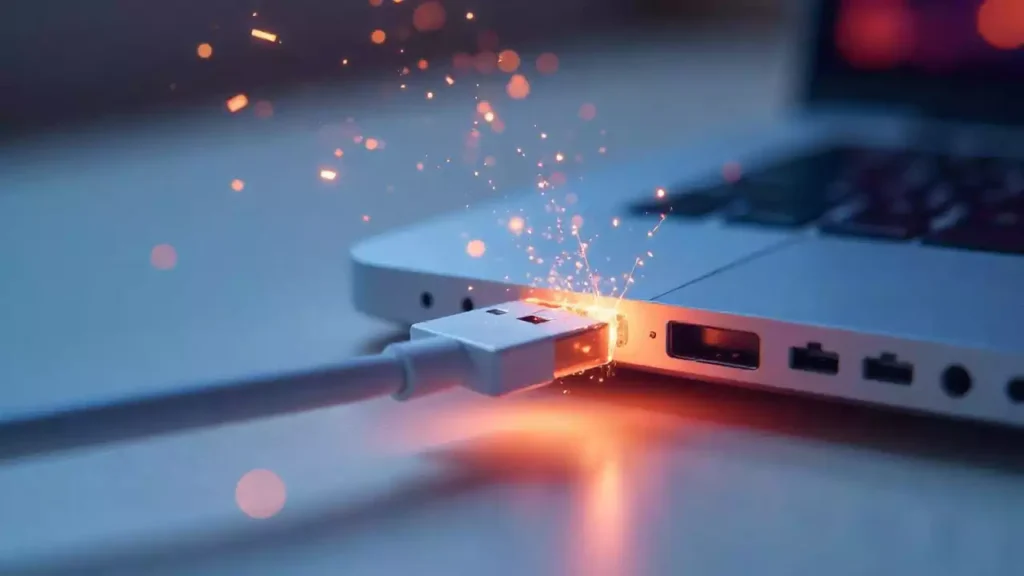
Here are 5 key features of USB 4 cable,
The USB 4 cable offers blazing-fast data transfer speeds of up to 40 Gbps. This speed is twice as fast as USB 3.2 and significantly faster than older USB standards. With this capability, you can transfer large files, such as 4K videos or high-resolution images, in seconds. Whether you’re a professional working with massive datasets or a gamer downloading large updates, this feature saves you time and enhances productivity.
The high-speed performance also supports simultaneous data transfer and video output. For example, you can connect an external monitor while transferring files without experiencing any lag. This makes the USB 4 cable an excellent choice for multitasking and high-performance setups.
Advanced power delivery for faster charging
USB 4 cables redefine power delivery by supporting up to 240 watts of power. This is a significant improvement over USB 3.0, which only delivers up to 4.5 watts. The table below highlights the difference:
| USB Standard | Power Delivery Capability |
| USB 3.0 | Up to 900 mA at 5 V |
| USB 4.0 | Up to 240 W (5A at 48V) |
With this advanced power delivery, you can charge high-power devices like laptops, monitors, and even some gaming systems faster than ever. This feature is especially useful for professionals who rely on quick charging to stay productive. You no longer need multiple chargers for different devices, as the USB 4 cable handles it all efficiently.
Compatibility with Thunderbolt 3 and 4
USB 4 cables are designed with compatibility in mind. They work seamlessly with Thunderbolt 3 and 4 devices, ensuring you can use your existing peripherals without any issues. Here are some key compatibility features:
- Thunderbolt 4 and USB 4 cables are interchangeable.
- USB 4 cables are backward compatible with all previous generations of USB-C.
- High-quality Thunderbolt 3 cables work with USB 4, providing optimal performance.
USB 4 technology is derived from Thunderbolt 3, which means most Thunderbolt 3 devices will work with USB 4 devices. The type of cable you use, whether USB 4 or Thunderbolt 3 compliant, does not affect compatibility. This ensures a smooth transition to USB 4 without the need to replace your current setup.
Support for 4K/8K video and multi-display setups
USB 4.0 takes video output to the next level by supporting 4K and 8K resolutions, along with multi-display setups. This capability makes it ideal for professionals and enthusiasts who need high-quality visuals or additional screen space. Whether you’re editing videos, designing graphics, or gaming, USB 4.0 ensures a seamless and immersive experience.
The technology behind this feature is impressive. USB 4.0 is compatible with DisplayPort 2.0, which allows you to connect multiple 4K monitors or a single 8K display using just one cable. This eliminates the need for multiple connections and simplifies your workspace. Thunderbolt 3, which USB 4.0 integrates, requires at least DisplayPort 1.2 for 4K at 60 Hz output. However, USB 4.0’s higher bandwidth enables even better performance, making it a game-changer for video output.
Here’s a quick comparison of USB 4.0’s video capabilities:
Característica | USB 4.0 | USB 3.2 |
Maximum Resolution | 8K | 4K |
Multi-Display Support | Yes (up to 2-3 displays) | Limited |
DisplayPort Compatibility | DisplayPort 2.0 | DisplayPort 1.4 |
This feature is particularly beneficial for creative professionals. For instance, video editors can preview their work on multiple screens, while graphic designers can use the extra space for tools and palettes. Gamers also benefit from smoother visuals and higher resolutions, enhancing their overall experience.
Consejo: To fully utilize USB 4.0’s video capabilities, ensure your devices and cables support DisplayPort 2.0. This ensures optimal performance for 4K/8K displays.
Simplified and universal USB Type-C connector
The USB 4 cable exclusively uses the USB Type-C connector, which simplifies connectivity across devices. Unlike older USB connectors, USB-C is reversible, so you no longer need to worry about plugging it in the wrong way. This small but significant improvement saves time and reduces frustration.
USB-C’s universal design makes it compatible with a wide range of devices, from laptops and smartphones to monitors and external drives. This means you can use a single cable for multiple purposes, such as charging, data transfer, and video output. The USB 4 cable enhances this convenience by combining all these functions into one solution.
Here are some key benefits of the USB Type-C connector:
- Reversible Design: Plug it in any direction without hassle.
- Universal Compatibility: Works with most modern devices, reducing the need for multiple cables.
- Compact Size: Smaller than previous connectors, making it ideal for slim devices.
The USB-C connector also supports advanced features like power delivery and high-speed data transfer. For example, you can charge your laptop while transferring files or streaming video to an external monitor. This versatility makes USB 4 cables an essential tool for modern tech setups.
Nota: While USB-C is universal, not all USB-C cables support USB 4.0 features. Look for certified USB 4 cables to ensure compatibility and performance.
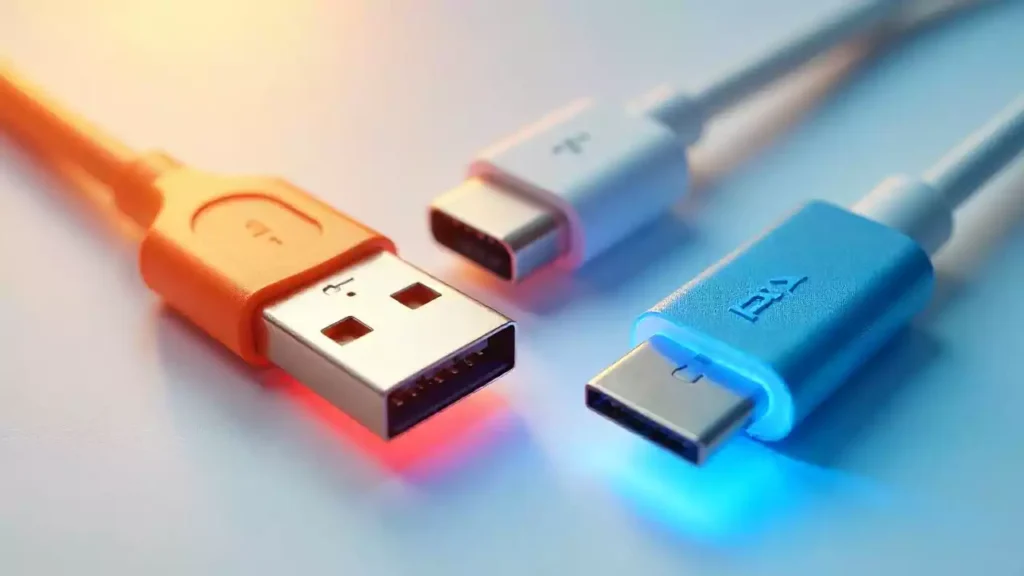
USB Type-C vs. USB Type-A
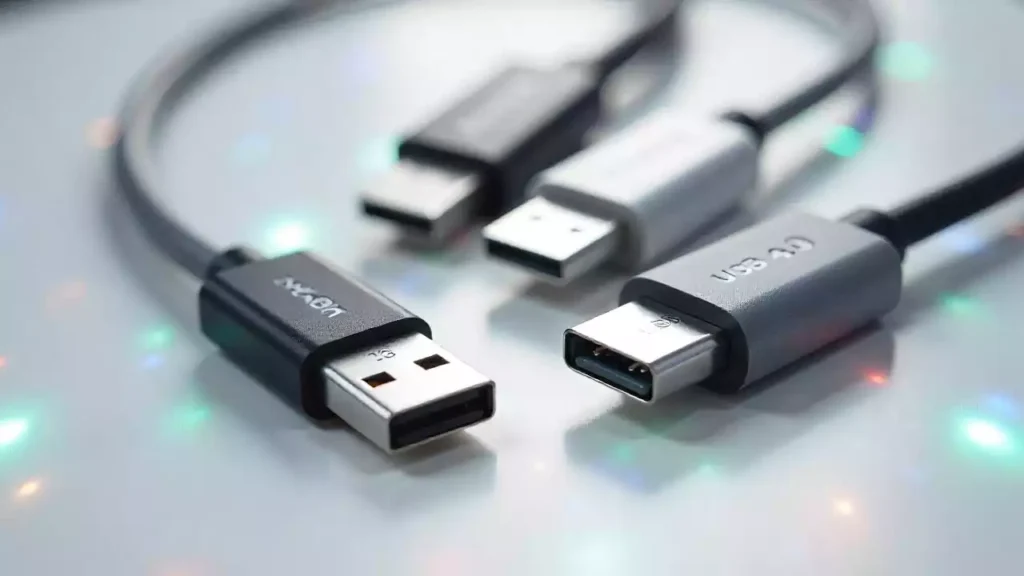
When choosing a USB 4 cable, understanding the difference between USB Type-C and USB Type-A is essential. USB Type-C is the standard connector for USB 4.0. It features a compact, reversible design, making it easier to plug in without worrying about orientation. Type-C supports faster data transfer, higher power delivery, and compatibility with advanced features like 4K/8K video output.
On the other hand, USB Type-A is the older, rectangular connector found on many legacy devices. While USB 4.0 primarily uses Type-C, some adapters or cables may include Type-A connectors for backward compatibility. However, these cables may not support the full capabilities of USB 4.0, such as 40 Gbps speeds or advanced power delivery.
Característica | USB Type-C | USB Type-A |
Design | Reversible, compact | Non-reversible, larger |
Speed Support | Up to 40 Gbps | Limited to older standards |
Power Delivery | Up to 240 W | Lower power capabilities |
Compatibilidad | Dispositivos modernos | Dispositivos heredados |
ConsejoPara disfrutar de todas las funciones de USB 4.0, elija siempre USB Tipo-C.
Cables activos frente a cables pasivos
Los cables USB 4 se presentan en dos tipos: activos y pasivos. Los cables activos incorporan componentes electrónicos para potenciar la señal a distancias mayores. Estos cables mantienen un alto rendimiento, incluso al extenderse más allá de su longitud estándar. Son ideales para configuraciones que requieren conexiones largas, como sistemas con múltiples pantallas o dispositivos de almacenamiento externo.
Los cables pasivos, en cambio, carecen de componentes de amplificación de señal. Son más cortos y económicos, pero su rendimiento puede no ser el mismo en largas distancias. Por ejemplo, los cables pasivos suelen admitir velocidades de 40 Gbps solo hasta 0,8 metros. Más allá de esta longitud, su rendimiento puede disminuir.
Tipo de cable | Características | Mejor caso de uso |
Activo | Amplificación de la señal, mayor alcance | Configuraciones de múltiples pantallas |
Pasivo | Asequible, menor alcance | Uso diario, distancias cortas |
NotaSi necesita un cable de más de 1 metro, considere utilizar un cable USB 4 activo para evitar la pérdida de rendimiento.
Cómo elegir el cable USB 4.0 adecuado
La elección del cable USB 4 adecuado depende de tus necesidades. Primero, verifica la compatibilidad con tu dispositivo. La mayoría de los dispositivos modernos usan USB Tipo-C, así que prioriza los cables con este conector. A continuación, considera la longitud del cable. Para conexiones cortas, un cable pasivo funciona bien. Para distancias más largas, elige un cable activo para mantener la velocidad y la fiabilidad.
Busque cables USB 4 certificados para garantizar la calidad y el rendimiento. Los cables certificados cumplen con los estándares de la industria y son compatibles con todas las funciones de USB 4.0, incluyendo velocidades de 40 Gbps, suministro de energía de 240 W y salida de video 4K/8K. Evite los cables no certificados, ya que podrían no ofrecer el rendimiento esperado.
Consejo profesionalCompruebe el embalaje o la descripción del producto para asegurarse de que cuenta con la certificación "USB 4.0" y así garantizar la compatibilidad y el rendimiento.
Cable USB 4 frente a versiones USB anteriores
USB 4.0 frente a USB 3.2: Velocidad y funcionalidad
Al comparar USB 4.0 con USB 3.2, las diferencias en velocidad y funcionalidad son significativas. USB 4.0 ofrece una velocidad máxima de transferencia de datos de 40 Gbps, que es el doble de rápida que USB 3.2. 20 Gbps. Esto significa que puedes transferir archivos grandes, como vídeos 4K, en la mitad de tiempo. USB 4.0 también admite la transferencia de datos bidireccional, lo que te permite enviar y recibir datos simultáneamente, mejorando así la eficiencia.
Otra mejora clave es la asignación dinámica de ancho de banda. USB 4.0 ajusta el ancho de banda según los dispositivos conectados, lo que garantiza un rendimiento óptimo. En cambio, USB 3.2 utiliza un ancho de banda fijo, lo que puede limitar su eficiencia en configuraciones con varios dispositivos. Además, USB 4.0 admite hasta dos monitores 4K o uno 8K, mientras que USB 3.2 solo admite una pantalla 4K.
Característica | USB 3.2 | USB 4.0 |
Velocidad máxima | 20 Gbps | 40 Gbps |
Tipo de puerto | USB-A, USB-B, USB-C | USB-C |
Soporte de pantalla | 1 monitor 4K | 2 monitores 4K o 1 monitor 8K |
Compatibilidad | Thunderbolt 3 limitado | Compatible con Thunderbolt 3 |
Asignación de ancho de banda | Fijado | Dinámica |
ConsejoSi necesitas mayor velocidad y mejor compatibilidad con pantallas, actualizar a USB 4.0 es una opción inteligente.
USB 4.0 frente a USB 2.0: Cerrando la brecha.
USB 4.0 cierra la enorme brecha entre los estándares USB modernos y los antiguos. USB 2.0, introducido en el año 2000, ofrece una velocidad máxima de tan solo 480 Mbps. En comparación, USB 4.0 es 80 veces más rápido, con velocidades de hasta 40 Gbps. Esto hace que USB 4.0 sea ideal para transferir archivos grandes, transmitir vídeo de alta resolución y alimentar dispositivos exigentes.
USB 4.0 también admite funciones avanzadas como suministro de energía y configuraciones de múltiples pantallas, de las que carece por completo USB 2.0. Mientras que USB 2.0 utiliza conectores más antiguos como USB-A y USB-B, USB 4.0 utiliza exclusivamente el conector USB-C, que es reversible y más versátil. A pesar de estas diferencias, USB 4.0 sigue siendo compatible con versiones anteriores de USB 2.0, lo que permite conectar dispositivos más antiguos.
Característica | USB 2.0 | USB 4.0 |
Velocidad máxima | 480 Mbps | 40 Gbps |
Connector Type | USB-A, USB-B | USB-C |
Power Delivery | No | Up to 240 W |
Soporte de pantalla | No | Compatibilidad con 4K/8K |
Backward Compatibility | USB 1.x | USB 3.x, 2.0, Thunderbolt 3,4 |
NotaAunque USB 4.0 funciona con dispositivos USB 2.0, no se pueden aprovechar todas sus ventajas a menos que ambos dispositivos sean compatibles con USB 4.0.
USB 4.0 frente a Thunderbolt 3 y 4: Diferencias clave
USB 4.0 comparte muchas características con Thunderbolt 3 y 4, ya que incorpora la tecnología Thunderbolt. Los tres ofrecen velocidades de transferencia de datos de hasta 40 Gbps y admiten suministro de energía de hasta 100 vatios. Sin embargo, USB 4.0 destaca por su mayor compatibilidad. Funciona con dispositivos USB y Thunderbolt, lo que lo convierte en una opción más versátil.
Thunderbolt 4 mejora Thunderbolt 3 al requerir compatibilidad con pantallas 4K duales y estándares de rendimiento más estrictos. USB 4.0 ofrece capacidades similares, pero a un costo potencialmente menor, dependiendo del cable y el dispositivo. Si ya utiliza Thunderbolt 3 o 4, USB 4.0 le brinda una actualización sencilla.
Característica | Thunderbolt 3 | Thunderbolt 4 | USB 4.0 |
Velocidad de transferencia de datos | Up to 40 Gbps | Up to 40 Gbps | Up to 40 Gbps |
Power Delivery | Hasta 100 W | Hasta 100 W | Hasta 100 W |
Compatibilidad con múltiples pantallas | Yes | Yes | Yes |
Compatibilidad | USB limitado | USB limitado | USB y Thunderbolt de amplio espectro |
Consejo profesionalSi necesitas un cable que funcione tanto con dispositivos USB como Thunderbolt, un cable USB 4 es tu mejor opción.
Ventajas prácticas del cable USB 4
Transferencias de archivos más rápidas para profesionales y creativos.
Los cables USB 4 revolucionan la transferencia de archivos para profesionales y creativos. Con velocidades de hasta 40 Gbps, puedes transferir archivos grandes en segundos. Por ejemplo, mover una película 4K o un álbum de fotos de alta resolución se convierte en una tarea rápida. Esta velocidad aumenta significativamente la productividad, especialmente para quienes manejan grandes cantidades de datos o contenido de alta resolución.
Los creadores de contenido y los editores de vídeo son los que más se benefician. Las transferencias de archivos más rápidas se traducen en flujos de trabajo más fluidos y menos tiempo de espera para la carga de archivos. Tanto si editas vídeos como si gestionas grandes conjuntos de datos, los cables USB 4 garantizan que tus operaciones se ejecuten de forma eficiente.
ConsejoPara maximizar la velocidad, asegúrese de que tanto su dispositivo como su cable sean compatibles con las funciones USB 4.0.
Configuraciones multipantalla mejoradas para trabajar y jugar.
Los cables USB 4 simplifican las configuraciones de múltiples pantallas, lo que los hace ideales para el trabajo y los videojuegos. Admiten hasta dos monitores 4K o una pantalla 8K, ofreciendo imágenes nítidas y mayor espacio en pantalla. Esta función es perfecta para profesionales que necesitan varias pantallas para realizar múltiples tareas o para jugadores que buscan una experiencia inmersiva.
Por ejemplo, puedes conectar un monitor para editar y otro para previsualizar tu trabajo. Los jugadores pueden disfrutar de una experiencia de juego más fluida con resoluciones más altas y menos distorsión de imagen. La posibilidad de gestionar varias pantallas con un solo cable reduce el desorden y optimiza tu espacio de trabajo.
Característica | Cable USB 4 | Versiones USB anteriores |
Maximum Resolution | 8K | 4K |
Multi-Display Support | Yes (up to 2-3 displays) | Limited |
Rendimiento de juego mejorado y latencia reducida.
Los jugadores notarán una mejora significativa en el rendimiento con los cables USB 4. La transferencia de datos de alta velocidad reduce la latencia, lo que garantiza una experiencia de juego más fluida. Esto es especialmente importante para los juegos competitivos, donde cada milisegundo cuenta.
Los cables USB 4 también son compatibles con tarjetas gráficas externas, lo que mejora tu experiencia de juego. Al conectar una tarjeta gráfica externa, puedes lograr una mayor velocidad de fotogramas y una calidad visual superior. Ya sea que juegues a juegos de disparos frenéticos o explores juegos de mundo abierto, los cables USB 4 te brindan una experiencia fluida.
NotaPara desbloquear todo su potencial de juego, conecta tu cable USB 4 a un dispositivo compatible.
Compatibilidad universal para carga y transferencia de datos.
Los cables USB 4 ofrecen compatibilidad universal, lo que los convierte en una opción versátil tanto para cargar como para transferir datos. Con un solo cable puedes conectar una amplia gama de dispositivos, desde portátiles y smartphones hasta consolas de videojuegos y discos duros externos. Esto elimina la necesidad de usar varios cables, simplificando tu espacio de trabajo y reduciendo el desorden.
El cable USB 4 utiliza el conector USB-C, que ahora es el estándar para la mayoría de los dispositivos modernos. Su diseño reversible garantiza que nunca tendrás que preocuparte por conectarlo incorrectamente. Este conector admite funciones avanzadas como transferencia de datos de alta velocidad, suministro de energía y salida de video, lo que lo convierte en una solución integral para tus necesidades de conectividad.
Una de las características más destacadas de los cables USB 4 es su capacidad para suministrar hasta 240 vatios de potencia. Esto significa que puedes cargar dispositivos de alta potencia, como portátiles y monitores, de forma rápida y eficiente. Además, el cable admite velocidades de transferencia de datos de hasta 40 Gbps, lo que te permite transferir archivos grandes en segundos. Ya sea que estés cargando tu teléfono o transfiriendo archivos a una unidad externa, el cable USB 4 garantiza un rendimiento óptimo.
Característica | Cable USB 4 | Estándares USB antiguos |
Connector Type | USB-C | USB-A, USB-B |
Power Delivery | Up to 240 W | Limited |
Velocidad de transferencia de datos | Up to 40 Gbps | Más lento |
Compatibilidad | Amplia conectividad (USB y Thunderbolt) | Limited |
ConsejoComprueba siempre si tus dispositivos son compatibles con USB 4.0 para aprovechar al máximo las capacidades del cable.
La retrocompatibilidad de los cables USB 4 garantiza su funcionamiento sin problemas con dispositivos USB más antiguos. Por ejemplo, puedes conectar un cable USB 4 a un puerto USB 3.0 y seguir disfrutando de un rendimiento fiable, aunque a menor velocidad. Esta característica hace que actualizar a cables USB 4 sea una opción práctica, ya que no tendrás que reemplazar todos tus dispositivos actuales.
Casos de uso del cable USB 4.0

Hay 3 aplicaciones para el cable USB 4,
Para jugadores
Los cables USB 4 mejoran tu experiencia de juego al ofrecer una transferencia de datos más rápida y una menor latencia. Estos cables son compatibles con tarjetas gráficas externas, lo que te permite optimizar el rendimiento gráfico de tu sistema. Con una tarjeta gráfica externa, puedes lograr una mayor fluidez de fotogramas y una calidad visual superior, incluso en portátiles o dispositivos con gráficos integrados limitados.
La posibilidad de conectar varias pantallas de alta resolución supone un cambio radical. Puedes configurar dos monitores 4K o una pantalla 8K para disfrutar de una experiencia de juego totalmente inmersiva. Esta función es especialmente útil para juegos de simulación o competitivos, donde cada detalle cuenta. La transferencia de datos de alta velocidad garantiza que tus periféricos, como teclados y ratones para juegos, respondan al instante, lo que te da una ventaja competitiva.
ConsejoPara desbloquear todo su potencial de juego, conecta tu cable USB 4 a un dispositivo compatible.
Para creadores de contenido
Los cables USB 4 optimizan tu flujo de trabajo, convirtiéndose en una herramienta esencial para los creadores de contenido. La velocidad de transferencia de datos de 40 Gbps reduce drásticamente el tiempo necesario para transferir archivos grandes. Ya sea que trabajes con videos 4K o imágenes de alta resolución, puedes transferir tus proyectos en segundos, ahorrando un tiempo valioso.
La integración con la tecnología Thunderbolt permite conectar varios periféricos y pantallas a través de un único puerto. Esto simplifica la configuración y reduce el desorden de cables. Por ejemplo, puedes conectar un disco duro externo, un monitor 4K y una cámara simultáneamente. Esta versatilidad aumenta tu productividad y mantiene tu espacio de trabajo organizado.
- Beneficios clave para los creadores de contenido:
- Transferencias de archivos más rápidas para contenido multimedia de alta resolución.
- Compatibilidad con múltiples periféricos y pantallas.
- Configuraciones simplificadas y libres de desorden.
NotaPara aprovechar al máximo estas funciones, asegúrese de que sus dispositivos sean compatibles con la tecnología USB 4.0 y Thunderbolt.
Para empresas y profesionales
Los cables USB 4 ofrecen ventajas prácticas para empresas y profesionales que dependen de una tecnología eficiente y versátil. La posibilidad de conectar varias pantallas mejora la productividad en entornos de oficina. Se puede usar una pantalla para presentaciones y otra para análisis de datos, lo que facilita la multitarea.
La avanzada función de suministro de energía permite la carga rápida de portátiles y otros dispositivos. Esto garantiza que tengas batería durante toda tu jornada laboral sin necesidad de varios cargadores. Además, la retrocompatibilidad de los cables USB 4 te permite conectar dispositivos antiguos, facilitando la actualización de tu equipo sin tener que reemplazarlo todo.
Característica | Beneficios para profesionales |
Multi-Display Support | Multitarea mejorada |
Carga rápida | Mantiene los dispositivos encendidos todo el día. |
Backward Compatibility | Funciona con dispositivos antiguos |
Consejo profesionalInvierte en cables USB 4 certificados para garantizar la fiabilidad y el rendimiento en entornos profesionales.
Compatibilidad y actualización a cable USB 4
¿Necesitas cables nuevos para USB 4.0?
Quizás te preguntes si actualizar a USB 4.0 implica reemplazar todos tus cables actuales. La respuesta depende de tu configuración actual. USB 4.0 utiliza exclusivamente el conector USB-C, por lo que los cables antiguos con conectores USB-A o USB-B no serán compatibles con todas sus funciones. Si tus dispositivos ya usan cables USB-C, podrían funcionar con USB 4.0, pero solo si cumplen con las especificaciones requeridas de velocidad y suministro de energía.
Los cables USB 4 certificados están diseñados para soportar la velocidad máxima de transferencia de datos de 40 Gbps y hasta 240 vatios de potencia. El uso de cables USB-C no certificados o antiguos podría limitar el rendimiento. Por ejemplo, un cable que no sea USB 4 podría no ser compatible con la salida de vídeo 8K ni con la carga rápida. Para disfrutar plenamente de las ventajas de USB 4.0, invertir en cables certificados es una decisión acertada.
ConsejoBusque la etiqueta "USB 4.0 Certified" al comprar cables nuevos para garantizar la compatibilidad y el rendimiento.
¿Funcionará USB 4.0 con dispositivos antiguos?
USB 4.0 es compatible con versiones anteriores de USB, incluyendo USB 3.2, USB 3.0 e incluso USB 2.0. Esto significa que puedes conectar un cable USB 4 a dispositivos antiguos, pero el rendimiento se ajustará a las capacidades de dichos dispositivos. Por ejemplo, si conectas un cable USB 4 a un puerto USB 3.0, la velocidad de transferencia de datos se limitará a 5 Gbps, que es la velocidad máxima de USB 3.0.
Esta retrocompatibilidad garantiza que no necesite reemplazar todos sus dispositivos de inmediato. Sin embargo, para aprovechar al máximo el potencial de USB 4.0, tanto el cable como los dispositivos conectados deben ser compatibles con las funciones de USB 4.0.
USB Standard | Velocidad máxima con cable USB 4 | Soporte de suministro de energía |
USB 2.0 | 480 Mbps | Limited |
USB 3.0 | 5 Gbps | Limited |
USB 3.2 | 20 Gbps | Moderado |
USB 4.0 | 40 Gbps | Up to 240 W |
Identificación de dispositivos y cables compatibles con USB 4.0
Identificar dispositivos y cables compatibles con USB 4.0 es sencillo si sabes qué buscar. La mayoría de los dispositivos y cables USB 4.0 tienen una etiqueta o logotipo que indica claramente su compatibilidad. Consulta las especificaciones del producto para ver términos como "Certificado USB 4.0" o "Velocidad de 40 Gbps". En el caso de los cables, asegúrate de que sean compatibles con funciones avanzadas como la salida de vídeo 8K y la entrega de alta potencia.
También puedes verificar la compatibilidad comprobando los puertos del dispositivo. USB 4.0 utiliza exclusivamente puertos USB-C, por lo que los dispositivos con puertos USB-A o USB-B no serán compatibles con las funciones de USB 4.0. Además, los dispositivos Thunderbolt 4 son totalmente compatibles con USB 4.0, ya que comparten la misma tecnología subyacente.
Consejo profesional: Usar Cables USB 4 certificados para evitar problemas de rendimiento y garantizar la compatibilidad con sus dispositivos.
Prepara tu equipo tecnológico para el futuro con USB 4.0
Preparar tu equipo tecnológico para el futuro significa que tus dispositivos y accesorios se mantendrán actualizados a medida que la tecnología evoluciona. USB 4.0 ofrece una solución eficaz para lograrlo. Sus funciones avanzadas garantizan la compatibilidad de tus dispositivos con las innovaciones futuras, a la vez que ofrecen un rendimiento excepcional en la actualidad.
Por qué USB 4.0 es una opción a prueba de futuro
USB 4.0 combina velocidad, versatilidad y compatibilidad. Admite velocidades de transferencia de datos de hasta 40 Gbps, lo que lo prepara para futuras aplicaciones de alta velocidad. Su capacidad para manejar salida de video 4K y 8K garantiza que pueda satisfacer las exigencias de las pantallas de próxima generación. El conector USB-C universal simplifica la conectividad, reduciendo la necesidad de múltiples cables.
Característica | Ventajas de USB 4.0 para el futuro |
Speed | Gestiona las futuras necesidades de datos de alta velocidad (40 Gbps). |
Video Support | Supports 8K displays and multi-monitor setups. |
Power Delivery | Charges high-power devices (up to 240 W). |
Compatibilidad | Works with older USB and Thunderbolt devices. |
Steps to Future-Proof Your Setup
- Upgrade to USB 4.0 Cables: Replace older cables with certified USB 4.0 cables. These ensure compatibility with modern and future devices.
- Check Device Ports: Look for USB-C ports on your devices. USB 4.0 exclusively uses USB-C, so devices with older ports may need adapters.
- Invest in Multi-Functional Devices: Choose devices that support USB 4.0 features like high-speed data transfer, power delivery, and video output.
- Plan for Long-Term Use: Select cables and devices with certifications to guarantee durability and performance.
Consejo: Certified USB 4.0 cables often have labels like “USB 4.0 Certified” or “40 Gbps.” Always check before purchasing.
The Long-Term Benefits
USB 4.0 ensures your tech setup stays relevant for years. Its backward compatibility allows you to use older devices while enjoying the benefits of cutting-edge technology. By upgrading now, you reduce the need for frequent replacements, saving money and reducing electronic waste. With USB 4.0, you prepare your workspace for the future of connectivity.
Consejo profesional: Pair USB 4.0 cables with Thunderbolt 4 devices for maximum performance and compatibility.
Should You Upgrade to USB 4 Cable?
Who benefits the most from USB 4.0?
You will benefit from USB 4.0 if you rely on high-speed data transfer, multi-display setups, or fast charging. Professionals like video editors, graphic designers, and photographers will find it invaluable. The ability to transfer large files at 40 Gbps saves time and boosts productivity. Gamers also gain an edge with reduced latency and support for external GPUs, which enhance graphics performance.
If you use multiple monitors, USB 4.0 simplifies your setup. It supports up to two 4K displays or one 8K display, making it ideal for multitasking or immersive gaming. Even casual users will appreciate its universal compatibility and faster charging for laptops and smartphones.
Consejo: If your work or hobbies involve handling large files or high-resolution displays, upgrading to a USB 4 cable is a smart move.
Cost considerations for upgrading
Upgrading to USB 4.0 involves some cost, but it depends on your current setup. If your devices already have USB-C ports, you may only need to purchase certified USB 4 cables. These cables typically cost more than older USB versions, but their advanced features justify the price.
For older devices with USB-A or USB-B ports, you might need adapters or entirely new devices to fully utilize USB 4.0. This can increase the overall cost. However, the long-term benefits, such as faster speeds and universal compatibility, make it a worthwhile investment.
Upgrade Component | Estimated Cost Range |
Certified USB 4 Cable | $20 – $50 |
USB-C Adapter | $10 – $30 |
New USB 4-Compatible Device | Varies by device type |
Nota: Consider your usage needs and budget before upgrading. For basic tasks, older USB standards may still suffice.
The future relevance of USB 4.0 in tech advancements
USB 4.0 is designed to meet the demands of future technology. Its 40 Gbps speed supports next-generation applications like 8K video streaming and virtual reality. The universal USB-C connector ensures compatibility with upcoming devices, reducing the need for frequent upgrades.
As more devices adopt USB 4.0, its relevance will only grow. It bridges the gap between USB and Thunderbolt technologies, offering a unified solution for data, video, and power. By upgrading now, you prepare your tech setup for years of innovation.
Consejo profesional: Investing in USB 4 cables today ensures your devices stay compatible with future advancements in connectivity.
Choosing the Best USB 4.0 Cable (Tips and Recommendations)
Consider Device Compatibility
When selecting a USB 4 cable, you need to ensure it matches your device’s requirements. Start by checking if your device has a USB-C port, as USB 4 cables exclusively use this connector. Devices with older USB-A or USB-B ports will require adapters, which may limit performance.
Next, confirm that your device supports USB 4.0 features like 40 Gbps data transfer or 240 W power delivery. While USB 4 cables are backward compatible, older devices may not utilize their full potential. For example, connecting a USB 4 cable to a USB 3.0 port will limit speeds to 5 Gbps.
Compatibility Check | What to Look For |
Tipo de puerto | USB-C port for full USB 4.0 functionality |
Device Specifications | Support for USB 4.0 features |
Backward Compatibility | Works with older USB standards |
Consejo: Always verify your device’s specifications to avoid compatibility issues.
Brand Quality & Certifications
The quality of your USB 4 cable plays a crucial role in performance and durability. Look for cables from reputable brands that meet industry standards. Certified USB 4 cables ensure reliable performance, supporting features like 40 Gbps speeds and 8K video output.
Check for certifications such as “USB-IF Certified” (USB Implementers Forum). This label guarantees the cable has passed rigorous testing for safety and functionality. Avoid uncertified cables, as they may not deliver the expected performance or could even damage your devices.
Certification Label | What It Ensures |
USB-IF Certified | Meets USB 4.0 standards for speed, power, and safety |
Thunderbolt Certified | Ensures compatibility with Thunderbolt devices |
Nota: Certified cables may cost more but provide better reliability and longevity.
Recommended Brands
Choosing a trusted brand ensures you get a high-quality USB 4 cable. Some of the most reliable brands include:
- Anker: Known for durable and high-performance cables.
- Belkin: Offers USB-IF certified cables with excellent compatibility.
- Cablink: Provides affordable yet high quality USB 4 cables.
- CalDigit: Specializes in premium cables for professional setups.
These brands consistently deliver cables that support USB 4.0 features like high-speed data transfer, advanced power delivery, and multi-display setups.
Consejo profesional: Check customer reviews and product specifications before purchasing to ensure the cable meets your needs.
3 Common Issues with USB 4.0 Cables
Compatibility Challenges
You may encounter compatibility issues when using USB 4.0 cables, especially with older devices. While USB 4.0 is backward compatible with USB 3.x and USB 2.0, the performance depends on the device’s capabilities. For example, connecting a USB 4.0 cable to a USB 3.0 port limits the speed to 5 Gbps, even though the cable supports 40 Gbps.
Another common challenge involves identifying whether your devices fully support USB 4.0. Many devices use USB-C ports, but not all USB-C ports are USB 4.0 compatible. This can lead to confusion and reduced functionality. To avoid this, check your device’s specifications or look for labels like “USB 4.0 Certified.”
Issue | Cause | Solution |
Reduced speed | Device supports older USB versions | Verify device compatibility |
Limited features | Non-USB 4.0 ports or uncertified cables | Use certified USB 4.0 cables |
Confusion with USB-C ports | Not all USB-C ports support USB 4.0 | Check device specifications carefully |
Consejo: Always confirm your device’s USB version before purchasing a USB 4.0 cable.
Cable Quality Issues
Not all USB 4.0 cables are created equal. Poor-quality cables can lead to slower speeds, overheating, or even damage to your devices. Uncertified cables often fail to meet the required standards for data transfer and power delivery. This can result in unreliable performance or safety risks.
You should always choose cables from reputable brands with proper certifications. Look for labels like “USB-IF Certified” to ensure the cable meets industry standards. High-quality cables use better materials, which improve durability and performance.
- Signs of Poor-Quality Cables:
- Inconsistent data transfer speeds.
- Overheating during use.
- Physical damage, such as frayed wires or loose connectors.
Nota: Investing in a certified cable may cost more upfront, but it ensures long-term reliability and safety.
Cable Length and Signal Loss
Cable length plays a crucial role in USB 4.0 performance. Longer cables often experience signal loss, which reduces data transfer speeds and power delivery. Passive USB 4.0 cables typically support 40 Gbps speeds only up to 0.8 meters. Beyond this length, the performance may drop significantly.
Active cables solve this issue by including built-in electronics to boost the signal. These cables maintain high performance over longer distances, making them ideal for setups requiring extended connections.
Tipo de cable | Maximum Length for Full Speed | Mejor caso de uso |
Pasivo | Up to 0.8 meters | Short connections |
Activo | Over 1 meter | Long-distance or multi-display setups |
Consejo profesional: Use active cables for connections longer than 1 meter to avoid performance loss.
How to Optimize Your USB 4.0 Experience
Keeping Your USB 4.0 Cables in Top Condition
Proper care extends the life of your USB 4.0 cables and ensures consistent performance. Start by storing your cables correctly. Avoid bending them at sharp angles or wrapping them too tightly, as this can damage the internal wiring. Use cable organizers or Velcro straps to keep them neat and tangle-free.
Keep your cables clean. Dust and debris can accumulate on the connectors, leading to poor connections. Use a soft, dry cloth to wipe the connectors regularly. For stubborn dirt, a small amount of isopropyl alcohol on a cotton swab works well.
Avoid exposing your cables to extreme temperatures or moisture. High heat can weaken the cable’s insulation, while moisture can cause corrosion. If you notice frayed wires or loose connectors, replace the cable immediately to prevent damage to your devices.
Consejo: Invest in high-quality, certified USB 4.0 cables. They last longer and provide better performance.
Using USB 4.0 with Other Devices
USB 4.0 cables work seamlessly with a wide range of devices, but you need to ensure compatibility. Check if your device has a USB-C port and supports USB 4.0 features like 40 Gbps speed or 240 W power delivery. If your device uses an older USB standard, the cable will still work, but performance will be limited.
For Thunderbolt 3 or 4 devices, USB 4.0 cables provide full compatibility. You can connect external GPUs, monitors, or storage devices without any issues. However, always verify the specifications of your devices to avoid unexpected limitations.
Device Type | Compatibility with USB 4.0 Cable |
USB 4.0 Devices | Full compatibility |
Thunderbolt 3/4 Devices | Full compatibility |
USB 3.x or 2.0 Devices | Limited performance |
Nota: Use certified cables to ensure optimal performance with all devices.
Adapting to Future USB Standards
USB technology evolves rapidly, and staying prepared for future standards is essential. USB 4.0 already supports cutting-edge features like 8K video output and high-speed data transfer. These capabilities ensure your setup remains relevant for years.
To adapt to future standards, focus on upgrading your devices and cables strategically. Look for devices with USB-C ports and support for USB 4.0 or Thunderbolt 4. Certified USB 4.0 cables will likely remain compatible with upcoming USB versions, making them a smart investment.
Consejo profesional: Regularly check for firmware updates for your devices. Updates often improve compatibility with newer USB standards.
USB 4 cables redefine connectivity with their unmatched speed, power delivery, and universal compatibility. Features like 40 Gbps data transfer, support for 8K displays, and up to 240 watts of power make them essential for modern devices. These advancements simplify your tech setup while boosting performance.
Upgrading to USB 4 ensures your devices stay relevant as technology evolves. Its backward compatibility and future-ready features make it a smart investment.
Final Recommendation: If you value speed, efficiency, and versatility, USB 4.0 is worth every penny in 2025. Future-proof your setup today!