跳至内容
跳至内容 
目录
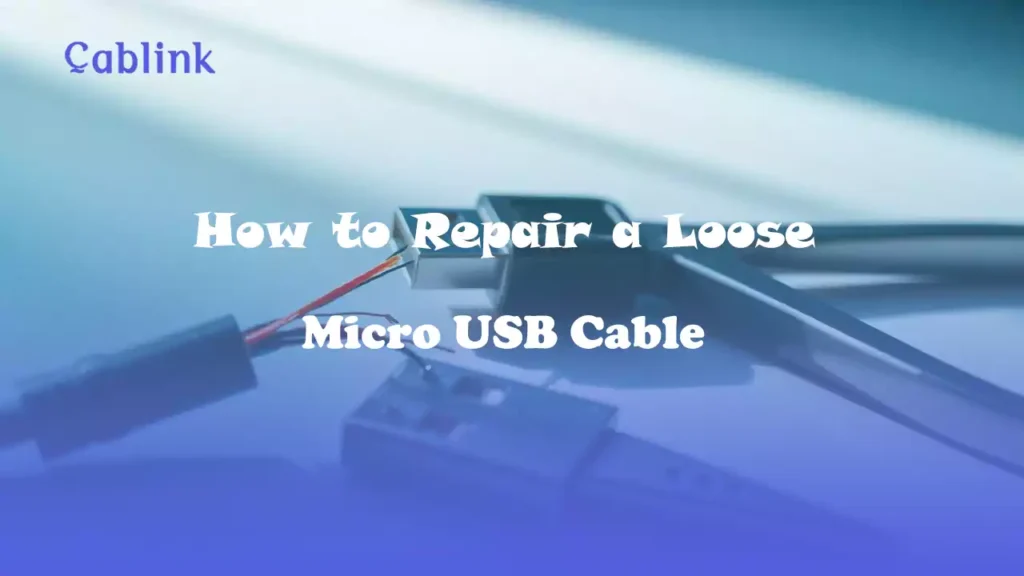
A loose Micro USB connection is usually caused by worn-out retaining latches (the two tiny hooks on the plug) or a bent metal housing. While a temporary fix involves gently prying these latches back up, a loose fit often indicates the cable has reached its mechanical lifespan (typically 10,000 cycles). For mission-critical devices, replacing it with a reinforced stainless steel connector is the only way to prevent port damage.
Micro USB cables are indispensable in our daily lives, powering everything from smartphones to external devices. Over time, however, these cables may start to feel loose or fail to connect properly, leaving you frustrated. The good news? Repairing a loose micro USB cable is often simple and inexpensive, requiring only a few tools and some patience.
In this guide, we’ll explain everything you need to know to fix your cable, save money, and prolong the lifespan of your accessories.
What Causes a Loose Micro USB Cable?
Before diving into the repair process, it’s helpful to understand what might cause your micro USB cable to feel loose:
- Port Wear and Tear: Frequent plugging and unplugging can wear out the metal connectors in your device’s USB port.
- Cable Connector Damage: The connectors inside the cable can bend or become worn over time.
- Debris Buildup: Dust or dirt lodged inside the cable head or device’s port can obstruct proper connection.
- Improper Use: Bending the cable too sharply or yanking it out incorrectly can lead to damage.
By identifying the root cause, you can better address the problem and prevent future issues.
Tools and Materials You'll Need
Gather the following items before you start:
- Small pliers or precision tweezers
- Toothpick or soft-bristled brush
- Compressed air canister
- Isopropyl alcohol (90% or higher)
- Microfiber cloth
- Heat shrink tubing or electrical tape
Safety Note
When working with electronics, always disconnect the device from power sources and take precautions to avoid damage or injury.
Why Micro USB Connections Loosen Over Time
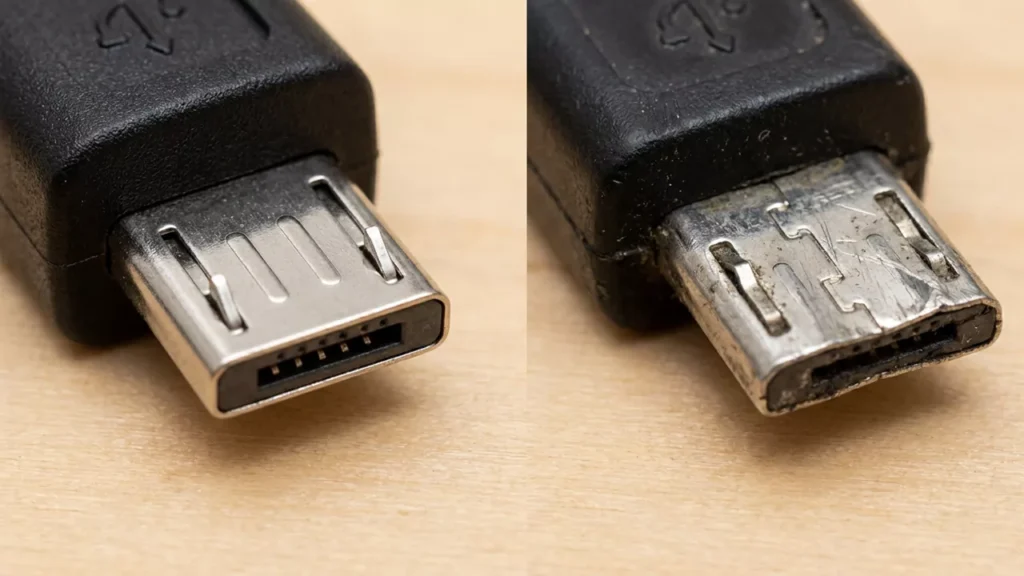
As a professional cable manufacturer, we analyze the mechanical lifecycle of every connector. The Micro USB interface is governed by the USB-IF standard, which ratings it for approximately 10,000 insertion cycles. However, low-quality manufacturing often causes failure long before this milestone.
Mechanical Fatigue of Retaining Latches: The security of a Micro USB connection depends on two tiny retaining latches (the spring-loaded “hooks” on the bottom). Over time, the high-carbon steel loses its elasticity through “work hardening.” Once these hooks stay depressed, the friction-lock fails.
Structural Stretching: The outer metal shell of the plug is often made of nickel-plated brass. With repeated “wiggling,” this shell physically expands, creating “play” (mechanical gap) between the plug and the device’s port.
Step-by-Step Guide to Repairing a Loose Micro USB Cable
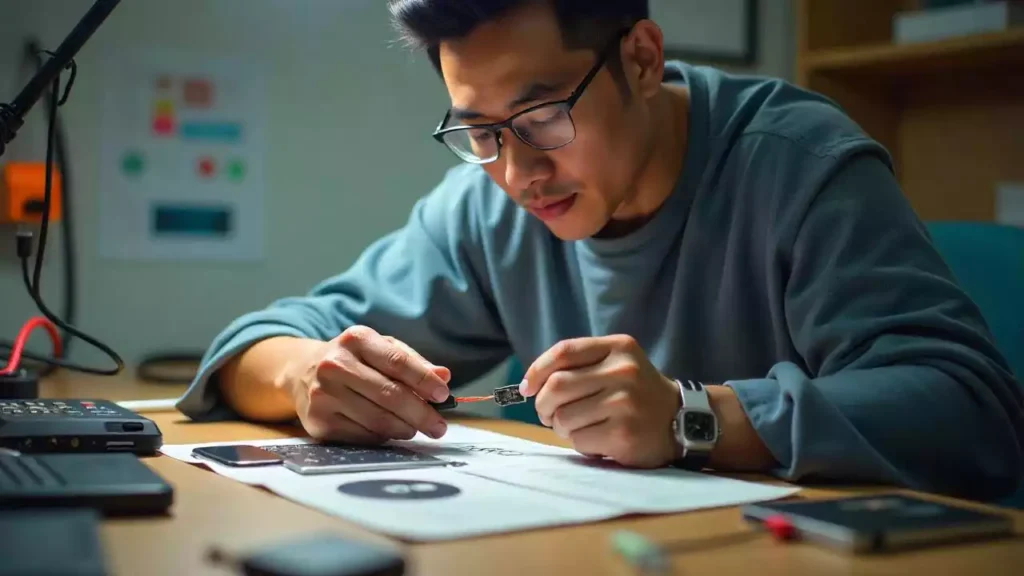
Step 1: Inspect the Cable and Port
Before attempting repairs, thoroughly examine the cable and port to locate the issue:
- Check the cable connector: Look for signs of wear, bending, or debris inside the connector.
- Inspect the device’s USB port: Use a flashlight to check for obstructions or signs of damage within the port.
Step 2: Clean the Micro USB Port and Connector
Dirty connectors or ports are common culprits behind loose connections.
- Remove debris:
- Gently use a toothpick or soft-bristled brush to clean the device’s USB port.
- Blow out dust using compressed air, ensuring no dirt remains.
- Clean with alcohol:
- Dampen a microfiber cloth or cotton swab with isopropyl alcohol.
- Wipe the connectors on the cable and inside the port to remove any residue. Allow it to dry completely before use.
Step 3: Adjust the Cable’s Metal Connector
If the cable connector is bent or misaligned, minor adjustments can improve its fit:
- Use small pliers or tweezers to gently realign the metal casing around the connector. Avoid over-bending, which can cause further damage.
- If the inner tabs are loose, use the pliers to carefully pinch them back into position.
🛠️ The Manufacturer’s Professional Caution
While prying up the latches can temporarily restore a snug fit, you must follow these engineering safeguards to avoid permanent hardware damage:
Use Non-Conductive Tools: Always use a plastic spudger or a wooden toothpick. Using a metal needle or screwdriver while the device is on (or the cable is plugged in) risks an electrical arc.
The “Pin-Bend” Trap: Inside the Micro USB plug, the pins are extremely delicate. 警告: Do not over-compress or over-bend the internal pins. If the signal pins accidentally touch the metal shell or each other, it can cause a VBUS-to-GND short circuit, which will instantly fry the charging IC on your device’s motherboard.
Step 4: Reinforce the Cable
To improve durability and prevent future damage:
- Apply heat shrink tubing:
- Slide a piece of tubing over the cable’s connector.
- Use a hairdryer or heat gun to shrink it securely in place.
- Wrap with electrical tape:
- If heat shrink tubing isn’t available, tightly wrap electrical tape around the connector’s base for added reinforcement.
Step 5: Test the Repair
After completing the steps above:
- Connect the cable to your device and test its stability.
- Wiggle the cable gently to ensure it stays securely in place.
- Check for normal functionality, including charging or data transfer.
Common Mistakes to Avoid
To ensure a successful repair, steer clear of these common errors:
- Using force: Forcing the connector into the port can worsen the problem or cause additional damage.
- Ignoring safety precautions: Always work with devices powered off and disconnected.
- Using harsh materials: Avoid abrasive tools or cleaning agents that can damage sensitive components.
- Skipping inspections: Failing to identify the real issue may lead to ineffective repairs.
When to Replace Your USB Cable
While many loose cables can be repaired, there are situations where replacement is the better option:
- Physical Damage: If the cable’s insulation is frayed or the connectors are broken, replacement is safer.
- Persistent Issues: If repairs don’t resolve the looseness, the cable may be beyond repair.
- High Stakes Devices: For critical devices, it’s better to err on the side of caution and invest in a new cable.
Choosing a Quality Replacement
Look for cables with:
- Reinforced connectors
- Durable insulation
- Warranty or satisfaction guarantee
Pro Tips to Avoid Future Issues
Follow these tips to keep your micro USB cables in top condition:
- Handle with care: Avoid yanking the cable out of ports and use gentle insertion/removal techniques.
- Store properly: Use cable organizers to prevent tangling and bending.
- Clean regularly: Periodically clean your device’s USB ports and cable connectors to prevent debris buildup.
- Avoid over-bending: Use protective cable sleeves or clips to reduce strain on connectors.
Why Cheap Micro USB Cables Fail in Bulk Deployments?
For individual users, a loose cable is an annoyance; for repair shops, hospital integrators, and electronics distributors, it is a financial drain.
In bulk deployments, cheap cables fail due to “manufacturing shortcuts” that aren’t visible to the naked eye. Low-cost factories use thinner metal for the plug housing and minimal gold-plating (less than 1μ”) on the pins. This leads to rapid oxidation and poor mechanical retention, resulting in high RMA (Return Merchandise Authorization) rates and increased Total Cost of Ownership (TCO).
Are you a USB cable whoesaler or brand owner? Stop dealing with high failure rates and “wobbly” connections. If you are looking for low-defect, stable-connection USB cables for professional use, explore our Cablink B2B Wholesale & OEM Services. We utilize increased gold-plating thickness (3μ” to 30μ”) and reinforced stainless steel housings to ensure absolute connection stability for your clients.
结论
Repairing a loose micro USB cable is a practical and cost-effective way to extend its life. By identifying the issue, cleaning thoroughly, and making small adjustments, you can restore a reliable connection and avoid unnecessary expenses.
For more DIY tech tips or to explore a range of high-quality, durable USB cables, visit our blog or contact Cablink today!
常见问题解答
Can I repair a completely broken cable?
Completely severed cables may be repairable with soldering, but it’s often better to replace them for safety and reliability.
Is it safe to use a loose cable temporarily?
While it may work temporarily, loose cables can cause intermittent connections, potentially damaging your device. Repair or replace the cable promptly.
How often should I clean my USB ports?
Clean USB ports every 3-6 months or as needed, especially if your device is exposed to dusty environments.
Is the "10,000 insertion cycles" rating a guarantee for all Micro USB cables?
No, it is a theoretical benchmark. Under USB-IF standards, a certified connector is tested to withstand 10,000 cycles. However, low-cost “tier-3” factories often use recycled brass for the shell, which may deform after only 2,000-3,000 cycles. As a manufacturer, we utilize high-tensile stainless steel and precision-stamped latches to ensure the cable meets or exceeds the 10,000-cycle threshold in real-world professional use.
How does a loose Micro USB cable cause a VBUS/GND short circuit?
Micro USB pins are spaced only 0.65mm apart. When a cable becomes loose, the internal “tongue” can tilt at an extreme angle. If a user tries to “wiggle” a loose cable to get a charge, the VBUS (5V power) pin can accidentally bridge with the Ground (GND) pin or the metal shield. This creates a low-resistance short circuit that can instantly fry the device’s charging IC or Motherboard.
Why do my bulk-purchased cables have a high failure rate after only 3 months?
This is usually due to “Latent Defects” in the manufacturing process. Many wholesale cables use minimal gold-plating thickness (less than 1 micro-inch). Within months, atmospheric moisture causes the base metal to oxidize, increasing contact resistance and making the connection feel “loose” or “intermittent.” For B2B clients, we recommend a minimum of 3μ” to 15μ” gold plating to ensure long-term conductivity.
Can a repaired "loose" cable be safely used in a commercial environment?
We strongly advise against it. While “prying up the hooks” is a common DIY fix on Reddit, it weakens the metal’s structural integrity. In a commercial or medical setting, the risk of a VBUS short circuit damaging expensive equipment far outweighs the cost of a replacement. For B2B deployments, the goal should be Total Cost of Ownership (TCO) reduction through high-quality inventory, not temporary repairs.
What is the "Manufacturer's Secret" for a cable that never feels loose?
It’s all about the Retaining Latch Tension. High-quality cables use heat-treated spring steel for the two bottom hooks. This ensures they “snap” back into place every time. Additionally, a precision-molded Internal Plastic Core prevents the pins from shifting, which is the primary cause of the “wobbly” feeling in cheap cables.
Does the cable jacket material affect the lifespan of the Micro USB connector?
Indirectly, yes. A stiff jacket puts constant leverage stress on the connector head when the device is moved. We recommend TPE or High-Density Nylon Braiding with an elongated Strain Relief (SR). This absorbs the bending force, preventing the metal shell from stretching and becoming loose over time.
For B2B: How can I verify the quality of a Micro USB shipment without a lab?
Perform a “Retention Force Test.” A professional-grade Micro USB cable should require a minimum of 10 Newtons (approx. 1kg) of force to unplug. If the cable slides out with zero resistance, the manufacturing tolerances are poor, and you will face high return rates (RMAs) from your customers.
Is Micro USB still a viable product for brand owners in 2026?
Absolutely. While USB-C is the consumer standard, billions of legacy IoT devices, medical sensors, and industrial controllers still rely on Micro USB. The market is shifting from “volume” to “reliability.” Brand owners who offer “Industrial-Grade” Micro USB cables—marketed on durability rather than price—are seeing higher margins and lower competition.
What are the risks of using Non-Conductive tools vs. Metal tools for quick fixes?
Metal needles can create a bridge between the live 5V pin and the grounded shell. Even if the device is “off,” many modern electronics have residual capacitance in their circuits. Using a metal tool to pry latches can cause a micro-spark that triggers a protection circuit or damages the port permanently. Always use a plastic or wooden tool.
Why should a distributor choose OEM "Reinforced" cables over generic ones?
Generic cables are designed for the lowest price point, often sacrificing the shielding layer. A reinforced cable from a reputable manufacturer like Cablink includes Full-Coverage Al-Mylar Foil and Braid shielding. This doesn’t just make the cable “stronger”—it prevents Electromagnetic Interference (EMI) from disrupting data sync, a major complaint among pro-AV and industrial B2B buyers.