跳至内容
跳至内容 

目录
Quick Navigation & Key Takeaways [2026 Updated]
- For Consumers (Home Setup): Apple TV 4K requires a true 48Gbps HDMI 2.1 cable to support 4K@120Hz, Dolby Vision, and eARC without screen blackouts. [👉 Jump to Consumer Buying Guide]
- For Commercial & AV Integrators (B2B Sourcing): Deployment in server racks or hotel infrastructures demands strict EMI shielding (Al-Mylar + 90% TC Braid), CL3 in-wall fire ratings, and verified TDR eye-diagram tests to prevent voltage drop over distance. [👉 Jump to Engineering Specs & Bulk Sourcing]
- Minimum Requirement: 99.9% OFC (Oxygen-Free Copper) is mandatory to prevent VBUS (5V) power delivery failure.
Introduction: The Importance of the Right HDMI Cable for Apple TV 4K
If you’ve invested in an Apple TV 4K, you’ve already set yourself up for a premium viewing experience. With 4K resolution, HDR support, and Dolby Vision, Apple TV 4K can deliver lifelike images and stunning sound. But to enjoy all of these features, it’s crucial to choose the right HDMI cable.
The HDMI cable serves as the bridge between your Apple TV and your TV or sound system. A subpar cable can lead to issues like signal drops, poor resolution, and audio sync problems, diminishing the experience that your Apple TV 4K is capable of providing.
In this guide, we’ll help you understand what makes an HDMI cable right for Apple TV 4K and how to avoid common mistakes when choosing one.
What is HDMI and Why Does It Matter for Apple TV 4K?
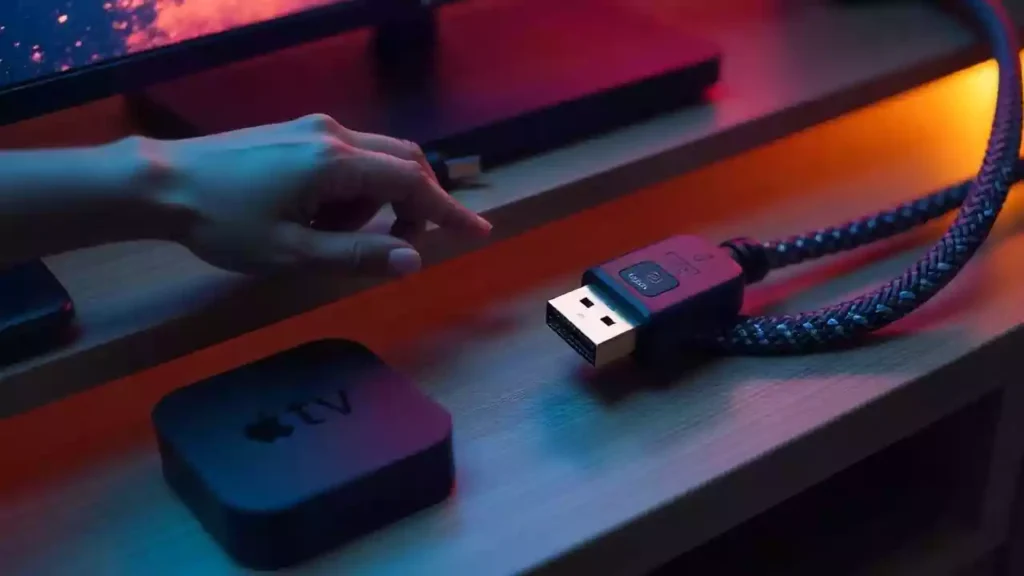
Before diving into the specifics of choosing the right cable, it’s important to understand what HDMI is and why it matters for Apple TV 4K.
HDMI (High-Definition Multimedia Interface) is the standard technology used to transmit high-definition video and audio from one device to another. With Apple TV 4K, HDMI handles the heavy lifting of delivering stunning 4K video, rich HDR content, and high-quality audio, such as Dolby Atmos sound.
For Apple TV 4K, not all HDMI cables are created equal. Standard HDMI cables may not support the bandwidth required for 4K video, HDR, or advanced audio formats. You’ll need an HDMI cable that’s capable of handling these demands to get the most out of your Apple TV 4K experience.
Key Features to Look for in an HDMI Cable for Apple TV 4K
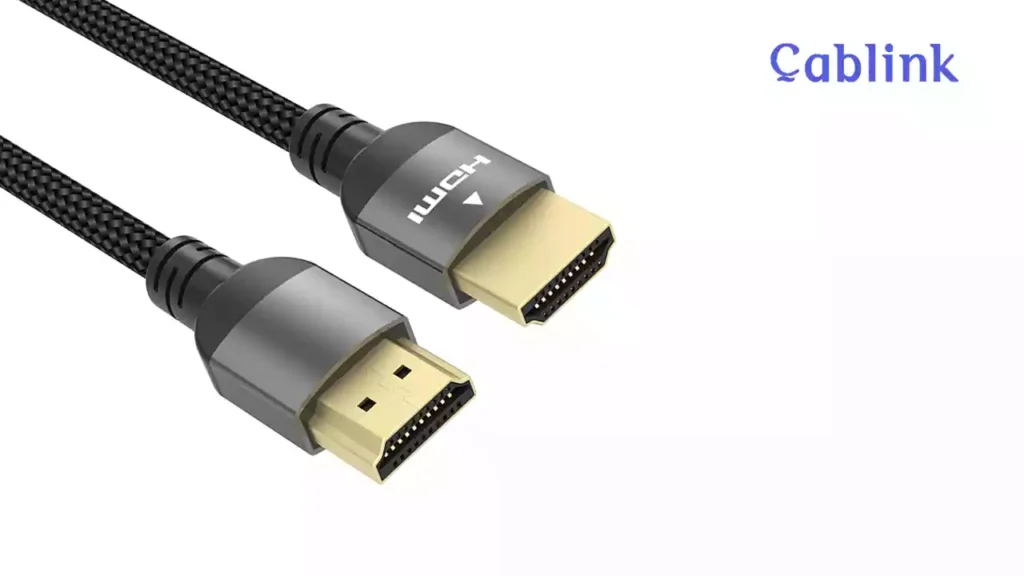
Choosing the right HDMI cable for Apple TV 4K involves understanding the key specifications that will ensure optimal performance. Here are the features you should look for:
HDMI版本
The version of HDMI plays a crucial role in determining whether your cable can handle the 4K content you want to watch. For Apple TV 4K, you’ll want an HDMI cable that supports HDMI 2.0 或者 HDMI 2.1. HDMI 2.1 线缆 is the latest standard, supporting higher resolutions (up to 8K) and higher frame rates (up to 120Hz). However, HDMI 2.0 can still support 4K at 60Hz, which is sufficient for most users.
带宽要求
Bandwidth refers to the amount of data the cable can transfer per second. For 4K content with HDR, you’ll need a cable that supports 18 Gbps of bandwidth (HDMI 2.0 线缆) or 48 Gbps (HDMI 2.1 Cable). HDMI 2.1 cables allow for more data transfer, enabling 4K content at higher frame rates and more vibrant color profiles.
High Dynamic Range (HDR) and Dolby Vision Support
HDR and Dolby Vision provide enhanced contrast, brightness, and color depth, delivering a more lifelike picture. To take full advantage of these features, you need an HDMI cable that supports HDR10 和 Dolby Vision. Not all cables do, so be sure to check the specifications when choosing your cable.
Audio Return Channel (ARC) & eARC Support
ARC and eARC are features that allow audio to travel from your TV back to your soundbar or AV receiver. If you’re setting up a home theater system with Apple TV 4K, look for a cable that supports 电子ARC, the enhanced version of ARC, for superior audio quality.
Durability & Build Quality
Since HDMI cables are often moved or bent, durability is an important consideration. Look for cables with strong connectors (gold-plated is best) and reinforced construction, such as braided cables, to prevent fraying or signal loss over time.
Engineering a Large-Scale Deployment?
2026 Commercial HDMI Sourcing Matrix for Apple TV
✅ Wholesale Tier Pricing: 2026 Updated Price List.
✅ Technical Compliance: EMI, CMP-Rating, & 48Gbps Metrics.
✅ OEM Options: Logo Branding & Precision Lengths.
✅ Case Studies: Luxury Hotel & Corporate Boardroom Specs.
HDMI Cable Specifications for Apple TV 4K: A Quick Guide
Now that you understand the key features, let’s break down the specific specifications you’ll want in an HDMI cable for Apple TV 4K:
解决方案支持
The HDMI cable should be capable of handling 4K resolution at 60Hz or higher. Some high-end cables even support 120赫兹 for ultra-smooth motion, which can be particularly useful for fast-paced sports or gaming.
Refresh Rate
A higher refresh rate means smoother motion. For most users, 60Hz is fine, but if you plan on using your Apple TV 4K for high-performance gaming or if you want the smoothest video experience, look for a cable that supports 120赫兹.
颜色深度
For vibrant, true-to-life colors, the HDMI cable should support at least 10-bit color depth, which allows for a broader range of colors. 12-bit color depth is even better and can provide more subtle gradations in shades, especially for HDR content.
Audio Formats
Apple TV 4K supports a variety of high-end audio formats, including 杜比全景声 (Dolby Atmos) 和 杜比 TrueHD. To ensure the best sound quality, choose an HDMI cable that can handle high-bitrate audio formats without any loss in quality.
Length of the HDMI Cable
While longer cables may seem more convenient, shorter cables (typically 3 to 6 feet) are often better for 4K and HDR. Longer cables can result in signal degradation, especially if you are running them across long distances.
Evolution of HDMI Standards: Selecting the Right Tier for Apple TV 4K
Selecting the ideal cable requires understanding the bandwidth demands of modern tvOS features and upcoming display technologies. Below is the updated technical breakdown of how HDMI generations—including the cutting-edge HDMI 2.2—interact with your Apple TV 4K and future-proof home theater setups:
| HDMI版本 | Marketing Name | 最大带宽 | Max Resolution & Refresh Rate | Apple TV 4K Compatibility |
| HDMI 1.4 | High Speed | 10.2 Gbps | 4K @ 30Hz | Not Recommended. Lacks HDR and high-frame-rate support. |
| HDMI 2.0 | Premium High Speed | 18.0 Gbps | 4K @ 60Hz | Baseline. Supports standard 4K HDR, but may hit bottlenecks with Dolby Vision. |
| HDMI 2.1 | 超高速 | 48.0 Gbps | 8K @ 60Hz / 4K @ 120Hz | Standard Choice. Ideal for all current Apple TV 4K features including eARC and QMS. |
| HDMI 2.2 | Ultra96 | 96.0 Gbps | 16K @ 60Hz / 8K @ 240Hz | Extreme Performance. Future-proofs your setup for 16K/8K uncompressed video and ultra-high refresh rates. |
Why Cablink HDMI 2.2 is the Ultimate Future-Proof Solution
While the current Apple TV 4K operates primarily within the HDMI 2.1 bandwidth envelope, the introduction of HDMI 2.2 (Ultra96) marks a revolutionary leap for pro-AV integrators and tech enthusiasts.
16K & 8K Uncompressed Mastery: 我们的 Cablink HDMI 2.2 cables support up to 16K @ 60Hz (with DSC) 和 8K @ 240Hz, ensuring that your signal chain remains the strongest link even as source devices evolve.
The Power of 96Gbps: By doubling the bandwidth of HDMI 2.1, HDMI 2.2 utilizes an enhanced Fixed Rate Link (FRL) architecture. This massive overhead ensures that even the most demanding 12-bit Dolby Vision signals from an Apple TV 4K are transmitted with zero compression artifacts and absolute stability.
Next-Gen Sync with LIP: HDMI 2.2 introduces the Latency Indication Protocol (LIP). For Apple TV users connecting through complex AV receivers or soundbars, LIP provides superior audio-video synchronization compared to standard eARC, eliminating the slight “lip-sync” delays often found in high-end theater Atmos setups.
Ultra96 Certification: Just as “Ultra High Speed” defined the 2.1 era, Ultra96 is the new benchmark for excellence. Our cables are engineered to meet these 96Gbps requirements, featuring enhanced EMI shielding to handle the increased frequency without interfering with your home Wi-Fi or Bluetooth peripherals.
Behind the Scenes: Engineering the Ultimate Apple TV 4K Connection

Unlike standard tech review sites that rely on unboxing aesthetics, we analyze HDMI performance from a manufacturing and engineering perspective. The Apple TV 4K is notorious for being “picky” with cables, often due to high-bandwidth demands and sensitive HDCP (High-bandwidth Digital Content Protection) handshaking.
The Science of Signal Integrity: Our laboratory uses advanced Eye Diagram Analysis 和 Time-Domain Reflectometry (TDR) to ensure every HDMI 2.1 cable maintains a “clean eye” at 48Gbps. This indicates zero jitter and minimal bit-error rates (BER). For Apple TV users, this translates to an instantaneous HDR handshake and zero flickering.
Combatting EMI with Triple Shielding: The Apple TV 4K is often placed near Wi-Fi routers and soundbars, which are major sources of Electromagnetic Interference (EMI). We utilize High-density Al-Mylar foil combined with 90% coverage Tinned Copper braiding. This industrial-grade shielding is the only way to prevent the “sparkles” or sudden signal dropouts often misidentified as hardware failure.
The “Cheap Cable” Trap – HDCP Handshake Failures: Many budget cables use copper-clad steel (CCS) or narrow-gauge wiring that increases electrical resistance. This causes a voltage drop during the HDCP handshake, leading to the dreaded “No Signal” or “Unsupported Content” error on your Apple TV. By prioritizing 99.9% Oxygen-Free Copper (OFC), we ensure the 5V power line remains stable for flawless HDCP authentication.
Beyond the Basics: Engineering Specifications for Commercial Apple TV 4K Integration
| Engineering Parameter | Cablink Factory Standard | Impact on Apple TV 4K & AV Systems |
|---|---|---|
| Transmission Protocol | HDMI 2.1a FRL (Fixed Rate Link) | Eliminates TMDS bottlenecks; ensures stable 4K@120Hz 4:4:4. |
| High-Frequency Testing | Keysight TDR Eye Diagram Pass | Minimizes Jitter; zero dropped frames in Dolby Vision. |
| Pin Termination (VBUS/GND) | Automated impedance-matched soldering | Prevents Pin 18 (5V) & Ground shorts; protects device logic boards. |
| Compression Standard | VESA DSC 1.2a Native Support | Future-proofs in-wall routing for up to 10K resolution infrastructures. |
| EMI/RFI Shielding | Al-Mylar Foil + 90% Tinned Copper Braid | Blocks 802.11ax (Wi-Fi 6) interference in dense server racks. |
1. FRL Architecture & Jitter Mitigation
Apple TV 4K utilizes the Fixed Rate Link (FRL) architecture introduced in the HDMI 2.1 specification, completely replacing the legacy TMDS protocol. At 48Gbps, the signal travels at 12 Gbps per lane across four lanes. At these ultra-high frequencies, signal Jitter becomes the primary cause of screen blackouts and HDCP 2.3 handshake failures. Cablink ensures extreme precision in our wire twisting pitch, passing strict Keysight TDR (Time Domain Reflectometry) Eye Diagram tests to maintain minimal Bit-Error Rate (BER) over extended lengths.
2. VBUS & GND Short-Circuit Protection
A common point of failure in sub-standard cables is the improper termination of Pin 18 (VBUS 5V power) and Pin 17/19 (DDC/Hot Plug Detect Ground). In commercial setups where cables are pulled through conduits, mechanical stress can cause internal shorts, potentially damaging the Apple TV’s logic board. Our automated soldering process guarantees strict impedance matching and incorporates rigorous anti-short-circuit testing at the connector level, ensuring zero risk of cross-pin shorts under mechanical stress.
3. DSC 1.2a Support for Future-Proof Topologies
While the current Apple TV 4K outputs uncompressed 4K@120Hz, enterprise AV infrastructures must be future-proofed. Our HDMI 2.1 cables natively support Display Stream Compression (DSC 1.2a). This visually lossless compression algorithm allows the cable to handle multi-display commercial topologies and future 8K/10K signal routing without needing a cable infrastructure overhaul.
Top 5 HDMI Cable Manufacturers for Apple TV 4K (2025 Edition)

There are many brands to choose from when shopping for HDMI cables, but some stand out for their quality, performance, and compatibility with Apple TV 4K. Here’s a breakdown of the top five HDMI cable manufacturers:
安克
Anker is known for producing high-quality, durable cables at a reasonable price. Their HDMI cables are designed to support 4K, HDR, and Dolby Vision, making them a solid choice for Apple TV 4K. Anker cables are widely regarded for their durability and performance, offering great value for the price.
贝尔金
Belkin is a premium brand in the HDMI cable market, offering high-performance cables that are designed to handle the demands of 4K and HDR content. Their cables are built to last and are often used by professional videographers and audio enthusiasts. If you’re looking for a high-end cable to match your Apple TV 4K setup, Belkin is a trusted option.
A rising star in the HDMI cable market, 卡布林克 offers high-performance HDMI cables designed specifically for 4K HDR video and audio. Known for their strong construction and reliable signal delivery, Cablink provides excellent value at a more affordable price point compared to premium brands.
Cable Matters
Cable Matters provides excellent value for money with HDMI cables that support 4K, HDR, and Dolby Vision. Their cables are engineered to deliver consistent performance without the premium price tag of higher-end brands. For those looking for a budget-friendly but reliable cable, Cable Matters is an excellent choice.
AmazonBasics
If you’re on a budget, AmazonBasics offers an affordable range of HDMI cables that still support 4K and standard HDR formats. While not as premium as other brands, AmazonBasics cables provide decent performance for those who don’t need the absolute best but still want good quality.
Common Mistakes to Avoid When Choosing HDMI Cables for Apple TV 4K
Choosing the wrong HDMI cable can lead to a frustrating experience. Here are some common mistakes to avoid:
- Choosing Cheap or Outdated HDMI Cables: Avoid cables that don’t support HDMI 2.0 or 2.1, as they may not provide the necessary bandwidth for 4K, HDR, or Dolby Vision.
- Ignoring HDMI Version Compatibility: Always check the HDMI version supported by the cable to ensure it matches the requirements for Apple TV 4K.
- Overestimating Cable Length: Longer cables can cause signal degradation, so opt for shorter cables unless you absolutely need extra length.
- Not Checking for 4K HDR Compatibility: Some HDMI cables are not designed to handle high-end features like 4K HDR or Dolby Vision, so make sure the cable supports these formats.
How to Set Up Your HDMI Cable with Apple TV 4K for Optimal Performance
Setting up your HDMI cable is simple but important for achieving the best performance from your Apple TV 4K. Here’s how to do it:
- Connect the HDMI Cable: Plug one end of the HDMI cable into your Apple TV 4K and the other end into your TV or sound system.
- Adjust Apple TV Settings: Go to Settings > Video and Audio > Format, and select the optimal resolution and HDR settings.
- Configure Audio: If you’re using a soundbar or AV receiver, make sure your HDMI cable supports ARC or eARC for seamless audio integration.
- Test Video and Audio: Play a 4K HDR video to test both the picture and sound quality. Adjust settings as needed.
Strategic Sourcing for Professional Integrators & Distributors

Why Commercial Integrators Choose Lab-Certified Cables
When deploying Apple TV 4K in commercial environments—such as boutique hotels, luxury villa automation systems, or corporate boardrooms—the stakes are significantly higher than in residential setups. Signal dropouts or EMI (Electromagnetic Interference) issues can lead to unacceptable maintenance costs and poor guest experiences.
As a direct OEM manufacturer, we understand that professional integrators don’t just buy cables; you invest in system stability. Our bulk HDMI 2.1 cables undergo rigorous 48Gbps bandwidth testing and stringent EMI shielding protocols, ensuring flawless 4K@120Hz Dolby Vision performance even in complex, high-density AV racks.
为什么选择 Cablink
If you are a professional AV installer, hotel procurement manager, or a consumer electronics distributor, the “cost” of a cable isn’t just the purchase price—it’s the Total Cost of Ownership (TCO).
A high failure rate in bulk deployments leads to expensive truck rolls, RMAs, and damaged brand reputation.
Reliability at Scale: Our HDMI 2.1 cables are manufactured under strict ISO 9001:2015 standards and are ATC (Authorized Testing Center) Certified.
Reduced Post-Sale Support: By providing your clients with cables that exceed Apple TV 4K’s rigorous requirements, you virtually eliminate “black screen” support tickets.
OEM/ODM Customization: We offer tailored solutions for length, jacket materials (CL3/CMP for in-wall installations), and custom branding to align with your project’s technical specifications.
Looking to source 1000+ units for your next project? Contact our B2B sales team for wholesale pricing and technical compliance documentation.
结论
Selecting the right HDMI cable is critical for maximizing your Apple TV 4K’s performance. Consider factors like HDMI version, bandwidth, HDR and Dolby Vision support, and durability when making your choice. Top brands like Anker, Belkin, and Cablink offer excellent cables for 4K streaming, while budget-friendly options like AmazonBasics still provide decent performance for everyday use.
Investing in the best HDMI cable will ensure that you enjoy every pixel, frame, and sound your Apple TV 4K can offer.
常见问题解答
我需要为 Apple TV 4K 配备特殊的 HDMI 线缆吗?
如何判断我的HDMI线缆是否支持4K?
我可以使用普通的HDMI线连接Apple TV 4K吗?
HDMI线缆会影响Apple TV 4K的音频质量吗?
我的 Apple TV 4K 设置可以使用 10 米长的 HDMI 线缆吗?
Apple TV 上的"检查 HDMI 连接"错误是什么意思?如何解决?
如果我的电视只支持 HDMI 2.0,那么 HDMI 2.1 能否提升 Apple TV 的画质?
Apple TV 的 $5 和 $50 HDMI 线缆有什么区别?
我在 Apple TV 4K 上使用杜比全景声时需要特殊的 HDMI 线缆吗?
"超高速认证"对 Apple TV 用户意味着什么?
使用 HDMI 2.1 线缆能否降低 Apple TV 游戏(Apple Arcade)的输入延迟?
如何批量采购高质量的HDMI 2.1线缆?
如何解决商用 Apple TV 4K 部署中出现的信号闪烁或"黑屏"问题?
在高密度AV机架中,EMI屏蔽对Apple TV的性能有何影响?
你们的 HDMI 2.1 线缆是否适用于墙内或天花板安装(通风管道/立管)?
Cablink是否支持为特殊OEM项目定制线缆长度?
How can brand distributors verify the 48Gbps integrity of a bulk cable order?
Engineering a Large-Scale Deployment?
2026 Commercial HDMI Sourcing Matrix for Apple TV
✅ Wholesale Tier Pricing: 2026 Updated Price List.
✅ Technical Compliance: EMI, CMP-Rating, & 48Gbps Metrics.
✅ OEM Options: Logo Branding & Precision Lengths.
✅ Case Studies: Luxury Hotel & Corporate Boardroom Specs.