跳至内容
跳至内容 
目录
Introduction
Sourcing high-quality HDMI and USB cables is critical for brands, wholesalers, and distributors in industrial, consumer electronics, automotive, and medical sectors. With HDMI now used in 4K/8K video systems and automotive infotainment, and USB powering everything from PCs to medical devices, the right supplier ensures reliable signal and safety. For example, wholesalers stress that “certified HDMI cables are clear” because uncertified cables often fail or leak data. In this guide we explain cable types, certifications, and sourcing strategies.
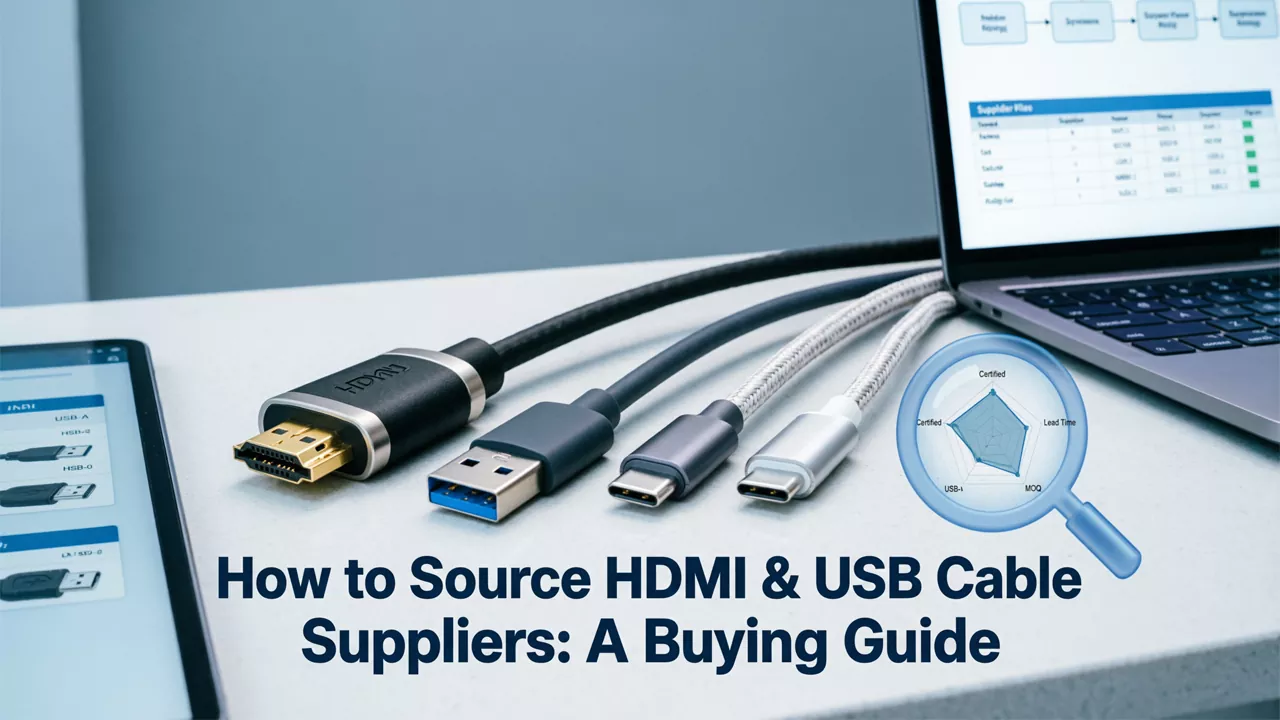
The guide that accompanies this image underlines why certified high-speed HDMI cables are vital for reliable performance. When sourcing cables, always match the cable spec to the application (e.g. 8K video or 240W USB Power Delivery) and verify quality. Key takeaways include: choose certified cables, match cable categories (HDMI 2.1, USB4, etc.) to needs, and vet suppliers carefully for quality and compliance.
- Cable importance: HDMI/USB are ubiquitous in modern electronics – from industrial machinery to consumer AV systems. For instance, UL notes HDMI is used in “healthcare, automotive… and surveillance” applications. USB-C is being mandated for chargers (EU law).
- Performance demands: New standards (HDMI 2.1, USB4) support very high bandwidth (HDMI 2.1 ≈48 Gbps, USB4 up to 40 Gbps). Longer cable runs or specialized uses (e.g. long-distance fiber HDMI) require appropriate design.
- Industries: Medical-grade cables must meet ISO 13485, UL 94 V-0 flammability and IEC 60601 patient-safety rules. Automotive cables often require IATF 16949 and extra ruggedness. Always confirm industry-specific certifications when relevant.
1. HDMI and USB Cable Types
HDMI Cable Categories

HDMI cables come in standardized categories tied to performance:
– Standard HDMI Cable: Up to 1080i/720p (roughly 5 Gbps). Suits legacy HD devices.
– High-Speed (Category 2) Cable: Up to 4K@30Hz and 3D (≈10 Gbps). Good for mid-tier 4K.
– Premium High-Speed Cable: 4K@60Hz, HDR, enhanced EMI shielding (18 Gbps). Often used in modern home theater.
– Ultra High-Speed (HDMI 2.1) Cable: Supports uncompressed 8K60, 4K120 (up to 48 Gbps). Required for 8K TVs, VRR, eARC and other latest features. All Ultra High-Speed cables must pass strict EMI compliance tests before market entry. The latest one is an HDMI 2.2 cable – Ultra96 (U96).
– Specialty: Fiber Optic HDMI for very long runs (maintains signal quality over distance) and Automotive HDMI with extra shielding.
Each higher category is backward-compatible, but picking the lowest suitable grade can save cost without sacrificing quality.
USB Cable Types and Specs
USB cables vary by data rate, connector, and purpose:
– USB 2.0 (High Speed) Cable: 80 Mbps, legacy devices. Cheap but limited.
– USB 3.x (SuperSpeed) Cable: 5 Gbps (3.0/3.1 Gen1) or 10 Gbps (3.1 Gen2). Suits USB SSDs, peripherals.
– USB 4 Cable: Up to 40 Gbps, supports video (like a simplified Thunderbolt) and up to 240W Power Delivery. The EU now requires USB-C ports on many devices, making USB-C the future standard.
– Connectors: Type-A/B (legacy), Micro/Mini (older mobile), and Type-C (reversible, high-speed). Most new USB cables (and devices) use USB-C for both charging and data.
– Power Cables: Some USB-C cables are optimized for high power (up to 100–240W) and fast charging. Ask suppliers if they support USB PD and EPR (Extended Power Range) safety standards.
Key Point: Always specify the cable version and connector type you need. For example, if end-products include 4K monitors and USB-C phones, request USB-C cables with the latest USB4/PD compliance and HDMI Premium/Ultra High-Speed grades.
2. Industry-Specific Requirements
Certain industries impose extra requirements:
Medical:
Cables must be biocompatible and sterilizable. Medical-grade wires use silicone or FEP jackets and often require ISO 13485:2016 manufacturing. Standards like UL 94 V-0 flammability 和 IEC 60601-1 insulation (2×MOPP) are mandatory. For example, medical USB cables are engineered to remain flexible after autoclave sterilization.
However, Electromagnetic interference (EMI) poses a marked challenge in the medical area. Interfaces such as HDMI, USB 3.0, and Ethernet transmit at frequencies ranging from hundreds of MHz to 10 GHz, making them prone to becoming common-mode radiation sources through cables, interfering with other critical circuits. Therefore, the industry employs stringent EMC standards such as IEC 60601-1-2, CISPR 11, and EN 55011, which place extremely high demands on cable design.
the Always follow medical certifications like ISO 13485, IEC 60601 and EN 55011 compliance.
Automotive:
Suppliers should follow IATF 16949 (automotive QMS) and test for vibration, temperature extremes, and chemical resistance. Many custom-cable makers note “ISO 9001:2015, IATF 16949:2016, CE, UL” among their credentials. If you need automotive HDMI/USB (e.g. in-car infotainment), specify rugged shielding and mention automotive-grade certification.
Industrial:
寻找 UL or IEC industrial ratings, robust shielding against EMI/RFI, and cable jackets like PUR or LSFH (for machinery). Vibration resistance and longer cable life can be crucial.
Consumer Electronics/AV:
Ensure compliance with CE (for EU/UK sales) and local regulations (FCC in the US, IC in Canada, RCM in Australia). For example, reliable consumer HDMI cables are often UL-listed or CE-marked for safety.
In all cases, align your specs with application. If in doubt, list out environmental (temperature, flex, EMI), electrical (bandwidth, PD), and compliance (RoHS, REACH, halogen-free) requirements in your RFQ.
3. Certifications & Quality Standards

“Buyers must ensure cables meet strict standards”. Key certifications to check:
HDMI Licensing:
Cables should ideally be certified by HDMI.org (look for “Premium” or “Ultra High Speed” labels on packaging). While many generic cables exist, only certified ones are tested for performance.
USB-IF (USB Implementers Forum):
For USB-C cables, USB-IF maintains certification programs and assigns Test IDs (TID). A compliant cable will have a USB-IF TID printed (e.g. “USB4 TID:9115”). UL Solutions lab notes they are authorized to test USB2.0/3.x/4 and USB PD compliance. Always ask suppliers to provide USB-IF test reports for high-speed USB cables.
专业提示: Want to learn more details for USB-IF certification? Read our expert guide for the link above.
Safety Marks:
UL (for North America), CE (Europe), FCC, RoHS, REACH. For example, a reputable manufacturer will list RoHS, CE, FCC, sometimes UL or ETL recognition. These marks indicate tested safety (flame, EMC) and absence of banned substances.
Cable-Specific Standards:
HDMI Ultra High-Speed cables must also pass stringent EMI tests (to avoid wireless interference). – USB cables (especially for high-power PD) must comply with IEC 62680 and USB4 specifications. – Automotive HDMI/USB might require MIL-STD or OEM specs.
Always demand documentation: test reports, certification copies, and photos of label markings. Many buyers verify UL or CE numbers on official databases. Be especially wary of counterfeit “certs” – the HDMI guide notes many fake cables misuse UL/ETL logos.
Industry certification plaques (image) remind us to verify marks like UL, CE, USB-IF IDs, and ISO. Suppliers who display certificates (ISO9001, IATF, UL listed) are usually more trustworthy. For example, a leading cable maker lists ISO 9001, IATF 16949, ISO 13485, UL Recognition, CE, FCC, USB4 TID, etc.
4. Key HDMI & USB Cable Supplier Selection Rules
When evaluating an HDMI/USB cable supplier is reliable or not, the follow 8 points need to be considered:
Manufacturing Capability:
Do they have extrusion, braiding, molding and assembly in-house? A full factory with modern equipment is ideal. However, Does this cable manufacturer have data on daily and monthly production capacity? Do they have a complete set of data reports or production schedules?
Experience & Capacity:
Years in business and annual volume. A stable firm (with many years of operation and employees) typically handles large orders better. Although we cannot directly see the manufacturer’s or factory’s orders, we can verify them by querying shipping records or customs data.
Certifications and Quality System:
Look for ISO 9001, IATF 16949 (if automotive), ISO 13485 (if medical), and UL/CE listings. These show commitment to quality. Also check if they do 100% electrical testing and signal integrity checks on each cable. In practice, buyers can verify this by checking the production line inspection records or the batch inspection records of the shipped products.
Product Range:
Suppliers offering both HDMI and USB (and related cables) can be more reliable – they have broader expertise. They may also supply related connectors or converters. However, the more products a manufacturer can produce, the less of a good thing it is sometimes. It often means they ‘can do it all,’ but not necessarily ‘can do it all well.’
Customization Capability:
Ability to do custom lengths, color jackets, overmolding, logos, or specialty features (like gold-plating, braided shielding). This is vital for branding. Ask if they can produce right-angle or slim HDMI, or high-flex automotive USB cables. Another secret is that by understanding the actual number and experience of the manufacturer’s developers, one can also judge the supplier’s R&D and customization capabilities.
Pricing vs Quality:
Extremely low prices can signal poor quality. Balance cost with specifications (e.g. ask if price drop is due to thinner copper, lighter shielding, or fewer tests). As buyers, lower procurement costs mean better profits and pricing power, which we, as manufacturers, fully understand. However, Cablink still recommends that wholesalers choose reasonably priced products to avoid compromising on quality and thus reduce after-sales service and other hidden costs.
Track Record:
Check if they export to your region (USA/Canada/Australia/Middle East) and industry. Suppliers with clients in your market or industry (e.g. references in AV or automotive) are preferable. Of course, this is not absolute. If the manufacturer has compliance certifications for your region, that is also something to consider.
Customer Feedback:
Seek reviews or testimonials, especially from similar buyers. A quality-first supplier will have positive references or online reviews. Verified buyer networks or industry forums can provide leads. In the cable wholesale area, this might not be feasible, as our customers are mostly distributors or wholesalers. We can learn about a manufacturer’s stable customer base offline or by checking their export records.
By using these criteria, you avoid “bad products” and align with industry norms. For example, our last guide advises researching supplier reputation and demanding full specs to ensure transparency.
5. HDMI & USB Cable Sourcing Strategies

Decide whether to source locally/regional 或者 globally:
Regional Sourcing:
For US/Canada/Australia, you might find North American factories or distributors.
Pros: shorter shipping, easier communication, and knowledge of local standards. Cons: higher cost. Regional trade shows or directories (e.g. ThomasNet in US) can help.
Cons: Price and volume delivery capabilities may not be better than suppliers in other regions, such as China. As for product quality, we only need to find suppliers that meet local certifications. We will discuss how to find suppliers locally or globally in Chapter Seven.
Global Sourcing:
Many cable factories are in Asia (China, Southeast Asia). This often gives cost advantage and a wide supplier pool. Use online platforms (Alibaba, GlobalSources) to start. When sourcing from far, plan for longer lead times and ensure strict quality checks (possibly via third-party inspectors).
Pros:
A wider selection of suppliers and more competitive pricing, and the ability to find multiple suppliers simultaneously to reduce supply chain risks.
Cons:
Longer shipping times and time required to screen suitable suppliers, such as verifying their qualifications.
Outsourcing vs Insourcing:
If you have product assembly, you could outsource cable production to ODM/OEM manufacturers. Alternatively, some companies “insource” by investing in their own cable line (usually only big OEMs do this). So you just need to choose according to your business.
Hybrid Approaches:
Maintain a mix – e.g. a few domestic suppliers for small/urgent orders, plus offshore factories for volume. This diversifies risk.
Like USB cables, choosing the right mix (“regional vs global”) depends on balancing cost, lead time, and reliability. Always ensure whichever strategy, the selected suppliers meet your quality criteria.
Therefore, there is no single best purchasing strategy, only the one that best fits your business. In any case, adjusting your buying strategy based on your business needs is the smart choice.
6. Tips for Evaluating Cable Suppliers
Apply these practical tips when vetting candidates (adapted from proven sourcing guides):
Assess Overall Strength:
Review their factory size, employee count, and registered capital. A robust facility (with extrusion machines and labs) signals capability. For USB and HDMI manufacturers, simply looking at these figures isn’t enough; you also need to understand the level of their intelligent manufacturing processes. For example, do they have automated machinery for production or large-scale automated testing equipment?
Check Years of Operation:
Longer-operating firms have more track record. Beware very new companies unless linked to established manufacturers. In China, there are websites that provide relevant business information. You can easily find information such as the company’s founding date, number of employees, and registered capital by searching the supplier’s name.
R&D and Technical Expertise:
Leading suppliers invest in R&D. They continuously update products (e.g. new HDMI versions) and solve design challenges. Ask if they contributed to any HDMI/USB standards or launched new cable types recently.
Wide Product Range:
A broad lineup (HDMI, USB-A, USB-C, DisplayPort, etc.) suggests stability. It means they can handle diverse demands and won’t disappear after one order. Again, manufacturers can only produce a limited number of products, and we recommend that you source products from professional suppliers.
Customization Services:
Confirm they can customize connectors, length, color, branding and packaging. This is often key for distributors. Suppliers with extensive experience can typically offer more comprehensive customization and solutions by fully integrating market demands.
Price Realism:
Get quotes from multiple suppliers. If a price is exceptionally low, verify what’s cut (material, testing?). Some controls like ISO 9001 or 100% testing add cost. Don’t sacrifice core specs for price. In addition, be wary of suppliers who deliberately offer very low prices, only to raise prices during communication or in next purchases.
Export and Supply History:
Check if they export to your country or industry. Suppliers who already serve US, Canada, Australia or Middle East will understand regulations (e.g. FCC for US, RCM for Australia). You can ask for shipping records or customer logos if works.
Customer Feedback:
Ask the supplier for references, or check B2B reviews. Genuine feedback (good or bad) gives insight into their reliability. In our experience, suppliers with active quality programs are proud of audits and customer testimonials.
By following a checklist like this, you mitigate risks of fake or substandard cables.
7. Finding & Vetting Suppliers (Offline & Online)

This chapter introduces common online and offline methods and techniques for finding reliable suppliers.
Offline Sourcing:
Trade Shows and Conferences:
Attend relevant expos like CES (Las Vegas), InfoComm (AV industry), IME (Middle East Electrotech), or regional electronics fairs. Face-to-face meetings with manufacturers (often from China/Taiwan) can reveal their capabilities.
Industry Networks:
Use trade associations or contacts. For example, the HDMI Licensing Administrator publishes lists of adopters; reaching out to Adopter members can find certified cable makers. Ask peers or existing clients for recommendations.
Local Business Directories:
In some markets, business directories or Yellow Pages still list cable manufacturers and distributors. These can uncover hidden local suppliers.
Online Sourcing:
Search Engines:
Google key phrases (“HDMI cable manufacturer”, “USB cable supplier + region”). Visit official websites and verify credentials. Many reputable suppliers have English sites listing specs and certifications.
B2B Platforms:
Alibaba, Global Sources, and ThomasNet allow filtering by product and region. Use them to compile a supplier list, but always follow up with due diligence (verify factory, certifications, sample orders).
Specialized Networks:
Some cable trade forums or LinkedIn groups cater to AV and electronics professionals. Posting inquiries there can yield vetted leads.
Social Proof:
LinkedIn pages of companies (like Dongguan cable manufacturers) or platforms like Made-in-China often show certificates and factory photos. Cross-check these with site visits or third-party audits if possible.
Combine both methods: start broad online, then narrow down to a handful of candidates to meet (virtually or in-person). Companies often suggest “utilize both methods” to find balanced results.
8. Building and Managing a Supplier List
Once you identify potential vendors, maintain a supplier list with details (contact, products, certifications). Benefits of this practice include:
Streamlined Procurement:
Having pre-vetted suppliers speeds up future orders. You avoid repeating the search process each time. Of course, the process can be continuously improved in subsequent practice to achieve better results.
Efficient Evaluation:
You can rank suppliers on defined criteria (price, quality, delivery) for consistent decisions. We also suggest that after selecting a supplier, you give some new suppliers a chance to try them out, so we can even include items such as after-sales service or lead time in the list for rank.
Cost Savings:
A shortlist lets you negotiate better (volume discounts, term deals) since you understand their capacity. Trustworthy suppliers may reward loyalty with improved pricing. For example, Cablink not only maintains competitive prices for existing customers but also offers free trials or samples of new products.
Supply Chain Resilience:
Diversifying among a few reliable suppliers reduces risk. If one faces delays or issues, you have backups to keep production going.
Regularly update your list based on performance (see next section). Over time, this turns sourcing from ad-hoc to a strategic asset.
9. Sourcing Process: 8 Key Steps

Follow a systematic approach to source cables effectively:
1) Define Your Requirements:
Specify exactly what you need: HDMI version (1.4/2.0/2.1), USB version (2.0/3.x/4), connector types, cable length, shielding, wire gauge, outer jacket (PVC, LSZH, etc.), and any special certifications (RoHS, UL, etc.). Clear specifications (including drawings or samples) are the foundation for evaluation.
2) Create a Supplier List:
Compile contacts, factory info, product catalogs, and certifications for each potential supplier. This centralized list will guide your RFQs and comparisons.
3) Market Research:
Analyze the cable supplier landscape. Identify major manufacturers, their country of origin, and customer reviews. For example, find if they are known for high-speed cables or custom assemblies. This insight helps you choose who to approach first.
4) Select Sourcing Strategy:
Decide on the best approach – direct purchase from factory, using a buying agent, or leveraging distributors. Consider which offers the right balance of cost, control, and service. Attending trade shows might be part of this strategy.
5) Request Quotes and Negotiate:
Send your detailed RFQ to shortlisted suppliers. Compare bids not just on price, but on terms: MOQs, lead time, quality assurance, and warranty. Negotiate aspects like payment terms, packaging (bulk vs retail), and delivery schedules. Ensure all agreements are captured in writing.
6) Perform Due Diligence:
Before finalizing, evaluate samples. Conduct quality inspections (in-house or third-party). Verify claims (e.g. check a UL mark is genuine). This step may include an on-site audit or factory video tour for large orders.
7) Finalize & Onboard:
After selecting suppliers, formalize contracts with technical specs, quality clauses, and penalties for non-conformance. Integrate them into your process: share forecasts, align on labeling/branding, and set up communication channels for order management.
8) Monitor Performance:
Track supplier KPIs such as defect rate, on-time delivery, and responsiveness. Keep records of each shipment’s quality. Provide feedback and require corrective actions if issues arise. Continual monitoring ensures the supplier meets expectations over time.
By strictly following these steps – much like a proven USB and HDMI cable sourcing process – you ensure nothing is overlooked. For example, defining specs upfront and monitoring performance are crucial to avoiding surprises.
10. Best Practices in Cable Sourcing
Beyond the process steps, keep these best practices in mind:
- Effective Communication: Clearly share your project requirements and timelines. Maintain open dialogue with suppliers about any design changes or issues. Consistent communication helps avoid misunderstandings.
- Value Quality over Lowest Price: Look at total value. A slightly higher-priced cable with better shielding or longer warranty is often worth it. Verify that low prices aren’t cutting corners on materials or tests.
- Regular Supplier Evaluation: Periodically reassess suppliers against KPIs. Even approved vendors can degrade over time. Schedule audits or send returning orders for QC checks.
- Clear and Detailed RFQs: Your requests should include all technical details (cable specs, certifications needed, packaging). This ensures comparable quotes and that suppliers fully understand your needs.
- Supplier Relationship Management: Treat top suppliers as partners. Collaborate on new product ideas, share market trends, and involve them early in planning. Strong relationships can yield better service and innovation.
Implementing these practices will cultivate trust and ensure high standards. For instance, by “looking beyond price” and focusing on quality and reliability, you build a more resilient supply chain.
结论
Sourcing HDMI and USB cable suppliers requires both technical knowledge and a structured approach. As technology and standards evolve (e.g. HDMI 2.1, USB4), you can stay ahead by choosing certified, up-to-date products and informed suppliers. Remember, quality matters: low-quality cables can cause data loss or even safety hazards.
By defining your requirements clearly, vetting suppliers against industry standards, and following a disciplined sourcing process, you demonstrate expertise and build trust in your supply chain. This ensures that as a brand or distributor, you deliver reliable products to end customers. Always keep abreast of new developments (like changes in HDMI Forum specs or USB regulations) and work with manufacturers who have proven experience and transparent operations.
Key Takeaway: Invest time in sourcing. A little research and vetting up front (checking certifications, testing samples, reviewing supplier credentials) can prevent costly returns and build your reputation for quality – giving you an edge in competitive markets.
常见问题解答
What is the difference between Premium High-Speed and Ultra High-Speed HDMI cables?
As a supplier, We always advise matching the cable to the end-user’s exact needs to save costs without sacrificing quality.
- Premium High-Speed Cables: These support up to 4K@60Hz, HDR, and feature enhanced EMI shielding with an 18 Gbps bandwidth. They are typically used for modern home theaters.
- Ultra High-Speed Cables (HDMI 2.1): These handle uncompressed 8K60 and 4K120 video with a massive bandwidth of up to 48 Gbps. They are required for 8K TVs, VRR, eARC, and other advanced features.
How can I verify if a wholesale HDMI cable is actually certified and not counterfeit?
Counterfeit cables are a huge issue; the HDMI guide notes that many fake cables misuse UL or ETL logos. To verify authenticity:
- Ensure cables are certified by HDMI.org and look for official “Premium” or “Ultra High Speed” labels on the packaging.
- Demand documentation from the supplier, such as test reports, certification copies, and label photos.
- Verify the supplier’s UL or CE numbers on official certification databases.
What specific certifications are mandatory for medical-grade HDMI and USB cables?
Medical environments require strict safety and electromagnetic standards.
- Cables must be biocompatible and sterilizable, often utilizing silicone or FEP jackets.
- Manufacturing must adhere to ISO 13485:2016 standards.
- Mandatory safety rules include UL 94 V-0 for flammability and IEC 60601-1 for patient-safety insulation.
- To combat electromagnetic interference (EMI), cables must meet stringent EMC standards like IEC 60601-1-2, CISPR 11, and EN 55011.
Why should my brand transition to USB4 and USB-C for our new product lines?
Transitioning is no longer just about speed; it’s about compliance and future-proofing.
- Performance: USB4 supports up to 40 Gbps, handles video like a simplified Thunderbolt, and supports up to 240W Power Delivery.
- Regulatory Demands: The EU now requires USB-C ports on many devices, cementing it as the future standard for both charging and data.
Are exceptionally low prices from cable manufacturers a red flag?
Yes, extremely low prices can directly signal poor quality. When evaluating a low quote, you should verify if the price drop is due to the supplier cutting corners, such as using thinner copper, lighter shielding, or conducting fewer tests. It is recommended to choose reasonably priced products to prevent compromising on quality, which reduces after-sales service burdens and hidden costs.
How do I ensure custom USB-C cables support 240W fast charging safely?
High-power cables pose safety risks if not manufactured correctly.
- Check that the cables are optimized for high power (100–240W) and ask the supplier if they support USB PD and EPR (Extended Power Range) safety standards.
- Confirm the cables comply with IEC 62680 and USB4 specifications.
- Look for a USB-IF Test ID (TID) printed on the product (e.g., “USB4 TID:9115”) and ask the supplier for the USB-IF test reports.
What manufacturing capabilities should I look for when vetting a new supplier's factory?
A robust facility signals a capable supplier. Look for:
- In-house capabilities for extrusion, braiding, molding, and assembly.
- The use of modern equipment, intelligent manufacturing processes, and automated machinery for both production and large-scale testing.
- A commitment to quality control, such as performing 100% electrical testing and signal integrity checks on every cable.
Should I source my cables locally or globally?
There is no single best strategy; it depends on balancing cost, lead time, and reliability.
- Local/Regional: Offers shorter shipping times, easier communication, and knowledge of local standards, but comes at a higher cost.
- Global (Asia): Provides a cost advantage and a wider supplier pool, but requires planning for longer shipping times and strict quality checks.
- Hybrid: Maintaining a mix of domestic suppliers for urgent orders and offshore factories for volume helps diversify supply chain risk.
What are the strict requirements for automotive USB and HDMI cables?
Automotive applications demand high durability.
- Suppliers should adhere to IATF 16949 (automotive QMS) standards.
- Cables require extra ruggedness and must be tested for vibration, extreme temperatures, and chemical resistance.
- If used for in-car infotainment, you must specify rugged shielding and mention the need for automotive-grade certification or OEM specs.
What technical details must be included in a Request for Quote (RFQ) to get accurate pricing?
Clear specifications are the foundation for evaluating suppliers. Your RFQ should include:
- Exact versions (e.g., HDMI 2.1 or USB4) and connector types.
- Physical specs like cable length, shielding, wire gauge, and outer jacket material (e.g., PVC, LSZH).
- Special compliance certifications needed, such as RoHS or UL.
- Environmental requirements (temperature, flex, EMI) and electrical needs (bandwidth, PD).
How do I know if an HDMI cable supplier is really certified?
A genuine HDMI cable supplier should be able to provide certification from the HDMI Licensing Administrator for Premium or Ultra High Speed HDMI cables. Always request:
- HDMI certification test reports
- QR label verification proof
- EMI compliance reports
Certified cables must pass strict electromagnetic interference (EMI) testing before entering the market. If a supplier cannot provide official documentation, the certification claim may be fake.
What certifications should I ask for when sourcing USB-C cables?
For USB-C and USB4 cables, you should always request compliance from the USB Implementers Forum (USB-IF). A reliable supplier must provide:
- USB-IF TID (Test ID) number
- USB4 compliance test reports
- USB Power Delivery (PD) safety certification
This ensures the cable supports high-speed data (up to 40Gbps) and safe fast charging (up to 240W EPR).
What is the difference between HDMI 2.0 and HDMI 2.1 cables when buying in bulk?
HDMI 2.0 cables support:
- 4K @ 60Hz
- Bandwidth up to 18Gbps
HDMI 2.1 (Ultra High Speed) cables support:
- 8K @ 60Hz
- 4K @ 120Hz
- Bandwidth up to 48Gbps
- eARC, VRR, ALLM
If your customers use gaming monitors, 8K TVs, or PS5/Xbox systems, HDMI 2.1 is essential to avoid signal drop or flickering.
Why do some USB-C cables support 240W charging while others don’t?
Only USB-C cables that support EPR (Extended Power Range) under USB PD 3.1 can safely deliver up to 240W. Lower-grade cables may only support:
- 60W (3A)
- 100W (5A)
Always confirm with your supplier that the cable includes:
- E-Marker chip
- 5A rated wire gauge
- USB PD 3.1 compliance
Otherwise, overheating or device damage may occur.
Should I choose fiber optic HDMI cables for long-distance installations?
Yes. For cable runs longer than 5–10 meters, traditional copper HDMI cables may suffer signal attenuation. Fiber optic HDMI cables:
- Maintain stable 4K/8K transmission
- Resist EMI/RFI interference
- Support long-distance AV installations (30m–100m+)
They are ideal for medical imaging systems, conference rooms, and industrial automation environments.
What quality tests should a reliable cable manufacturer perform?
A professional HDMI & USB cable factory should conduct:
- 100% electrical continuity test
- Signal integrity test
- High-low temperature test
- Plug/unplug durability test
- Aging test
For automotive or medical applications, vibration and sterilization resistance testing may also be required.
Why are extremely cheap HDMI or USB cables risky to import?
Low-cost cables often reduce quality by:
- Using thinner copper conductors
- Removing shielding layers
- Skipping compliance testing
This may lead to:
- Signal loss
- Charging instability
- EMI interference
- Product returns
The hidden after-sales cost of defective cables usually outweighs the savings from lower unit prices.
Can one supplier handle both HDMI and USB cable OEM customization?
Yes, but you should verify their in-house capabilities such as:
- Cable extrusion
- Connector molding
- Braiding and shielding
- Logo laser marking
- Packaging design
A supplier with full OEM/ODM capability can provide custom cable length, jacket material (PVC, LSZH, PUR), and right-angle connector designs for branding or industry-specific use.
Is it better to source HDMI and USB cables locally or from overseas?
Local sourcing offers:
- Faster shipping
- Easier communication
- Compliance with regional standards
Global sourcing (e.g. Asia) offers:
- Lower manufacturing cost
- Higher production capacity
- Wider customization options
Many distributors use a hybrid sourcing strategy to balance cost, lead time, and supply chain risk.
What are the most important supplier KPIs I should monitor?
After onboarding a supplier, track these KPIs:
- Defect rate
- On-time delivery rate
- Sample approval consistency
- After-sales response time
- Batch quality stability
Continuous performance monitoring helps prevent supply chain disruption and ensures long-term product reliability.