Skip to content
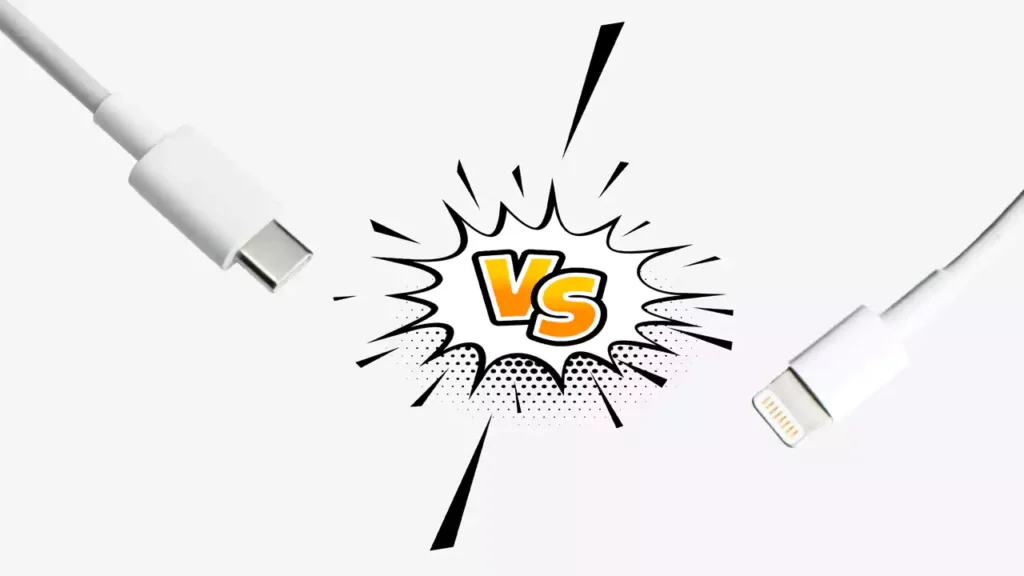
Table of Contents
In today’s tech-savvy world, cables might not be the first thing that comes to mind when upgrading your devices, but they’re crucial to performance. USB-C cable and Lightning cables have become staples in the world of charging and data transfer. Whether you’re an Android user, an Apple fans, or someone who uses a combination of both, understanding the differences between these two cable types is essential to make the best choice for your needs.
In this comprehensive guide, we’ll explore everything you need to know about USB-C cables and Lightning cables, including their specifications, compatibility, charging speed, data transfer rates, and more. Let’s dive in and compare these cables to help you choose the right one for your devices.
Introduction
USB Cables are the lifelines of our devices, enabling everything from charging to transferring data. When it comes to modern devices, two of the most commonly used cables are USB-C and Lightning. Understanding their differences and benefits is crucial for making informed decisions, whether you’re upgrading a smartphone, purchasing accessories, or looking for a cable to transfer large amounts of data.
Both USB-C and Lightning have their advantages, but they also come with certain limitations. This guide will cover everything you need to know about these cables, their specifications, pros and cons, and help you make the right choice based on your unique needs.
What is USB-C Cable?
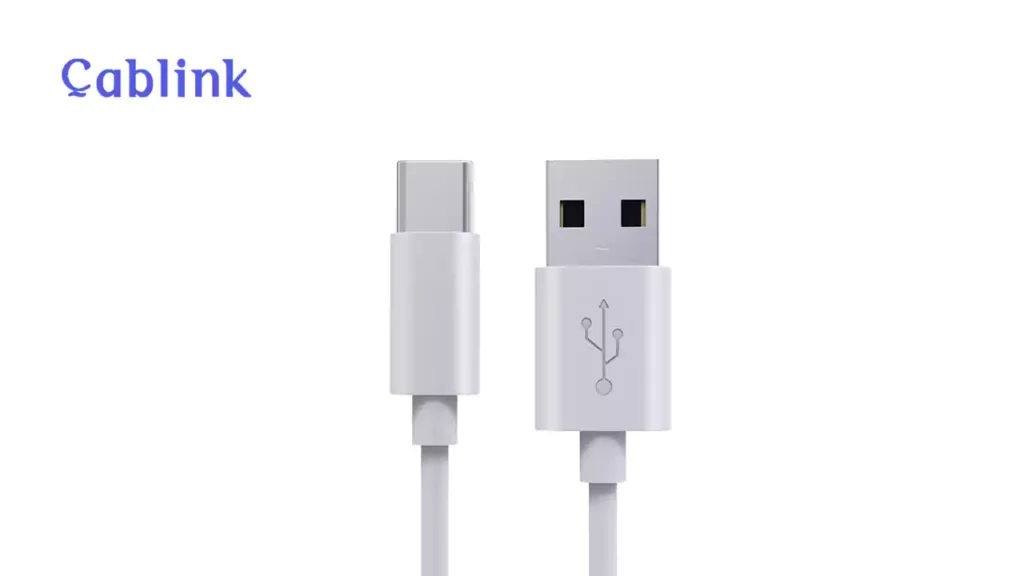
Key Takeaway: USB-C is a versatile, reversible 24-pin connector standard known for its high-speed data transfer, powerful charging capabilities, and universal adoption across modern electronic devices.
USB-C cable is a universal standard cord that is connect across many device types, from smartphones to laptops, and even tablets. Developed to replace the older USB-A and USB-B formats cables, USB Type C cable has become the go-to connector for many manufacturers due to its versatility and high performance.
Tips: Read our last post to learn more about the difference between USB-A and USB-C cables.
Key Specifications of USB-C Cable:
- Connector Type:
USB Type C cable is a small, reversible, oval-shaped connector that can be plugged into a device either way. This design makes it more user-friendly, as you no longer need to worry about orientation. - Transfer Speed:
USB-C supports various data transfer rates depending on the version:- USB 2.0: Up to 480 Mbps (common in older devices).
- USB 3.0: Up to 4.8 Gbps.
- USB 3.1: Up to 10 Gbps.
- USB 4.0: Up to 40 Gbps
- Thunderbolt 3 & 4: Up to 40 Gbps, providing ultra-fast data transfer suitable for heavy tasks like video editing or gaming.
| Standard | Transfer Speed | Also Known As | Release Year |
|---|---|---|---|
| USB 2.0 | 480 Mbps | High-Speed USB | 2000 |
| USB 3.2 Gen 1 | 5 Gbps | USB 3.0 / SuperSpeed | 2008 |
| USB 3.2 Gen 2 | 10 Gbps | USB 3.1 / SuperSpeed+ | 2013 |
| USB 3.2 Gen 2×2 | 20 Gbps | SuperSpeed USB 20Gbps | 2017 |
| USB4 | 40 Gbps | USB4 Gen 3×2 | 2019 |
As the table shows, Lightning’s reliance on USB 2.0 speeds puts it at a significant disadvantage for large file transfers compared to modern USB-C cables capable of leveraging USB4 technology.
- Power Delivery (PD):
USB-C cable supports Power Delivery (PD), a fast-charging protocol that enables faster charging for a range of devices. USB-C can deliver up to 100W (20V/5A) of power, allowing it to charge larger devices such as laptops and tablets much more efficiently than previous USB standards. - Video Output:
USB C cable is more than just a charging and data transfer cord. It can also support video output through DisplayPort Alternate Mode (DP Alt Mode). This means you can use USB-C to connect your laptop or phone to a monitor or TV, supporting resolutions up to 8K. - Durability:
USB-C connectors are designed to withstand more wear and tear than older USB formats. They are rated for up to 10,000 insertions, meaning they last much longer than traditional USB connectors.
Compatibility of USB-C Cable:
- Smartphones: Android devices, Google Pixel, and many other brands are moving to USB-C cable as their charging standard.
- Laptops: MacBooks, Windows laptops, and Chromebooks have adopted USB-C cable for both charging and data transfer.
- Tablets: iPad Pro, Microsoft Surface, and other tablets now use USB-C cable.
- Accessories: USB C cord is widely used in accessories like external hard drives, headphones, and monitors.
What is the Lightning Cable?
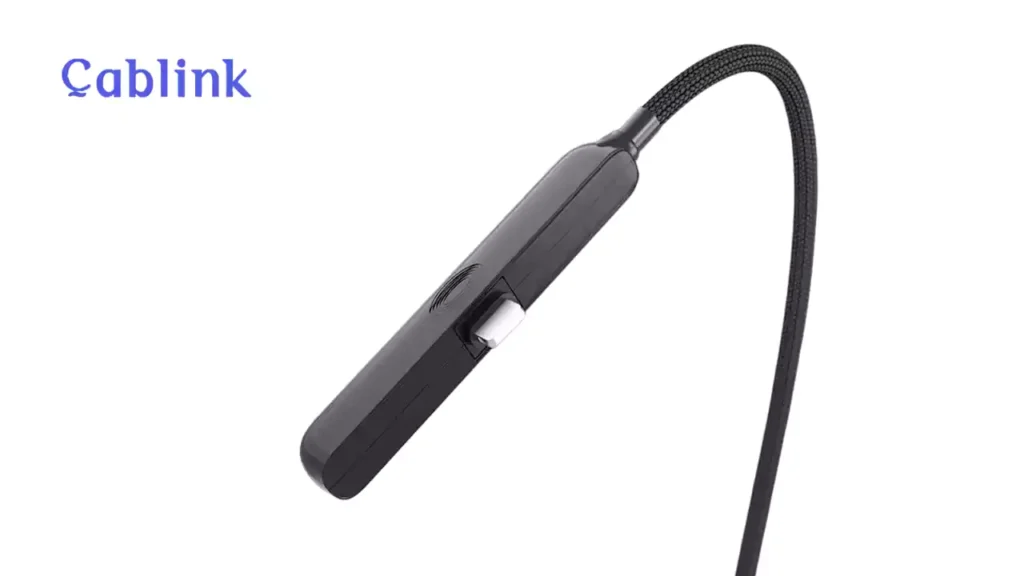
Key Takeaway: The Lightning cable is an 8-pin proprietary connector developed by Apple, primarily used for charging and data transfer on its mobile devices, but it is technically based on the much slower USB 2.0 standard.
The Lightning cable is Apple’s proprietary charging and data transfer connector, introduced in 2012 as a replacement for the older 30-pin connector. It was designed with smaller devices and portability in mind and has become an iconic part of the Apple ecosystem.
Key Specifications of Lightning Cable:
- Connector Type:
The Lightning cable has a compact, flat connector that is also reversible. Its slim design allows it to fit into thinner devices, a key feature that has made it a staple for iPhones, iPads, and other Apple products. - Transfer Speed:
The Lightning cable typically supports USB 2.0 speeds, which are up to 480 Mbps. This is considerably slower than USB-C, especially when you need to transfer large files like videos or high-resolution photos. - Power Delivery:
Unlike USB-C, Lightning cables do not support Power Delivery (PD) at the same level. They generally charge devices at a maximum of 12W (5V/2.4A), which is sufficient for charging most iPhones and iPads, but not as fast as USB-C cable. - Audio and Data:
The Lightning cable can carry both audio signals and data. This is especially useful for Apple’s wired headphones and accessories, allowing them to both charge and transmit audio through the same cable. - Durability:
While Apple cables are generally durable, Lightning connectors have a lower lifespan compared to USB-C. The Lightning cable is rated for about 1,000 insertions, so while they last quite a while, they wear out faster than USB-C kable.
Compatibility of Lightning Cable:
- iPhones: All iPhones, up to the iPhone 14 series, use Lightning connectors for charging and data transfer.
- iPads: Older iPad models (iPad 9 and earlier) also use the Lightning connector.
- Accessories: Many of Apple’s accessories, including AirPods, Beats headphones, and certain external drives, rely on the Lightning connector.
USB-C vs. Lightning Cable: Side-by-Side Comparison
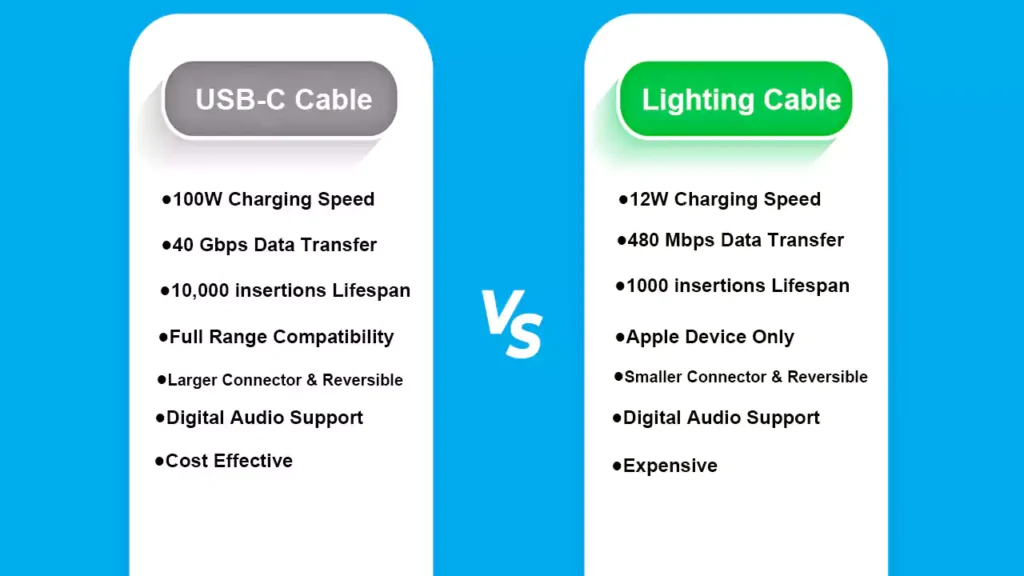
Key Takeaway: The core comparison reveals that USB-C is superior to Lightning in nearly every technical aspect, including data speed, power delivery, durability, and universal acceptance, positioning it as the modern, future-proof standard.
Now that we’ve discussed the specifications, let’s dive into a head-to-head comparison between USB-C and Lightning cables.
When choosing between USB-C and Lightning for your products, several key factors come into play. For a quick overview before we dive into the details, here’s a side-by-side comparison of their core features:
| Feature | USB-C | Lightning | Key Takeaway |
|---|---|---|---|
| Connector Design | Symmetrical, oval shape, more robust | Smaller, proprietary, less durable pins | USB-C is more durable and universally adopted. |
| Transfer Speed | Up to 40 Gbps (with USB4) | 480 Mbps (USB 2.0 speed) | USB-C is vastly superior for data transfer. |
| Power Delivery | Up to 240W with USB PD 3.1 | Typically up to 20W-27W | USB-C offers significantly higher power for faster charging. |
| Durability | Rated for 10,000+ insertion cycles | Generally less durable due to exposed pins | USB-C connectors are physically more resilient. |
| Universality | Industry standard for most new devices | Apple proprietary, being phased out | USB-C is the future-proof, universal standard. |
Now, let’s explore each of these aspects in more detail.
1. Charging Speed
- USB-C Cable: USB-C cord is capable of fast charging, thanks to the Power Delivery (PD) standard. With USB-PD, a USB-C charger can deliver up to 100W of power. This is particularly useful for charging larger devices like laptops and tablets quickly.
- Lightning: Lightning cables charge at a maximum of 12W for iPhones, which is slower than USB-C cable. However, it’s fast enough for most iPhones and iPads, though it doesn’t compete with the rapid charging speeds that USB-C offers for devices like the MacBook Pro or Pixel phones.
2. Data Transfer Speeds
- USB-C Cord: USB Type C cable excels in data transfer speeds. Depending on the version, it can transfer data at speeds ranging from 480 Mbps (USB 2.0) to 40 Gbps (USB 4). This is ideal for professionals who need to quickly transfer large files such as video footage, high-resolution images, or backups.
- Lightning: Lightning cables are limited to USB 2.0 speeds, which max out at 480 Mbps. While this is sufficient for everyday tasks like syncing photos and music, it’s slower than USB-C Kable for large file transfers.
3. Durability
- USB-C Cable: USB-C connectors are designed to handle more wear and tear, with a lifespan of around 10,000 insertions. This makes it more durable in the long run compared to Lightning cables. However, the outer shell and inner EMI shield has been improved year by year, it has been stable and durable.
- Lightning: Lightning connectors are rated for 1,000 insertions, meaning they can wear out more quickly with frequent use. Moreover, the outer shell is good quality but still has the risk of damaged.
Expert Insights:
According to our Chief Engineer, Kan Lee, ‘The single biggest point of failure we see in non-certified USB-C cables is the neglect of proper strain relief design. It’s an invisible feature that makes all the difference in a product’s lifespan.
4. Compatibility
- USB-C Kable: USB-C is a universal standard, meaning it works across a wide range of devices, including Android phones, laptops, tablets, and accessories. This makes USB-C more versatile and future-proof.
- Lightning: The Lightning cable is only compatible with Apple devices, including iPhones, older iPads, and certain accessories.
5. Design and Ergonomics
- USB-C: USB-C has a larger connector compared to Lightning, but its versatility and smaller size compared to USB-A make it a preferred choice for modern tech. It’s also reversible, allowing users to plug it in either way.
- Lightning: Lightning is smaller and sleeker, which is ideal for the compact design of Apple’s devices. It’s also reversible, making it easy to plug in without looking.
6. Audio Support
- USB-C Cord: USB-C cable supports digital audio output and can transmit both audio and video signals. It’s ideal for devices that require high-quality audio transmission, like USB-C headphones or external DACs.
- Lightning Cable: Lightning cord also supports both audio and data, making it essential for Apple’s ecosystem, especially for wired headphones and audio accessories.
7. Cost
- USB-C Cable: USB-C cables are generally more affordable, especially since they are produced by a wide variety of manufacturers.
- Lightning Cable: Lightning cables are typically more expensive, mainly due to their proprietary nature and limited manufacturing by Apple and licensed partners.
Advantages of USB-C Cable
- Universal Adoption: USB C cable is becoming the standard across many types of devices, including smartphones, laptops, and accessories.
- Versatility: USB Type C cord supports fast charging, data transfer, and video output, making it the go-to connector for modern tech.
- Future-Proof: As more and more devices move to USB-C cable, choosing this connector ensures your cables are compatible with a wide range of future products.
Advantages of Lightning Cables
- Apple Ecosystem: Lightning cables are perfectly integrated into the Apple ecosystem, making them the ideal choice for iPhone and iPad users.
- Compact Design: The small, sleek design makes the Lightning cable ideal for use with slim Apple devices.
- Audio Integration: Since Lightning cables can carry audio signals, they’re perfect for connecting Apple’s wired headphones and accessories.
Should You Upgrade to USB-C Cable?
Apple has already begun transitioning to USB Type C standard with the iPhone 15 series and other newer Apple products, which makes upgrading to USB-C a smart choice for future compatibility. If you use a mix of Apple and Android devices, USB-C’s universal compatibility makes it the better choice. However, if you’re committed to the Apple ecosystem, Lightning is still a viable option, especially if you own older iPhone models.
Sourcing USB-C Cables: A Buyer's Guide to Avoiding Quality Pitfalls
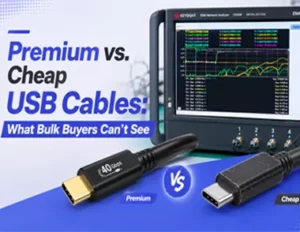
As USB-C becomes the undisputed standard, the market is flooded with options. For brands, distributors, and wholesalers, this presents a significant challenge: not all cables are created equal. Sourcing low-quality cables can lead to product failures, damaged customer trust, and costly recalls. Understanding the hidden risks is the first step to securing a reliable supply chain.
The Hidden Risks in Bulk Cable Sourcing
Behind the simple exterior of a USB-C cable lie complex components where corner-cutting is rampant. Here are three critical pitfalls to watch for:
- Material Fraud: The most common deception is the use of inferior conductors like copper-clad aluminum (CCA) or copper-clad steel (CCS) instead of pure, oxygen-free copper. While cheaper, these materials have higher resistance, leading to slower charging, data loss, and dangerous overheating.
- Certification Abuse: Many suppliers falsely claim to be USB-IF certified. They may use another company’s vendor ID or simply print the logo without undergoing rigorous compliance testing. Uncertified cables risk incompatibility and can even damage devices by not adhering to safety protocols.
- Component Corner-Cutting: A critical component for any cable delivering over 60W of power or high-speed data is the E-Marker chip. Unscrupulous manufacturers often omit this chip or use cheap, unreliable alternatives. This can result in the cable failing to negotiate the correct power profile, leading to slow charging or, in the worst case, over-voltage that can destroy a device’s charging port.
The Cablink Advantage: Your Partner in Quality & Reliability
How can you ensure the USB-C cables you source will enhance your product’s reputation, not damage it? By partnering with a manufacturer that prioritizes transparency and quality.
At Cablink, we address these industry risks head-on:
- Certified Excellence: As a verified USB-IF member (TID: [在此处插入你的TID号]), all our cables meet strict compliance standards. We provide full documentation for our UL, RoHS, and REACH certifications, guaranteeing safety and performance.
- Premium Materials Guaranteed: We use only high-purity, oxygen-free copper conductors and robust multi-layer shielding. We provide full material specification sheets for every batch, so you know exactly what you’re getting.
- Expert Engineering: Our cables feature high-quality E-Marker chips from industry-leading suppliers. Every design is engineered for maximum durability, with reinforced strain relief that undergoes rigorous testing for over 15,000 bends.
Don’t let subpar cables compromise your brand. Partner with a manufacturer that builds quality into every millimeter. Contact our engineering team today to discuss your custom OEM/ODM USB-C cable requirements and receive a no-obligation quote.
How to Choose Between USB-C and Lightning
There are 3 things you need to know before choose USB C and lighting cable:
- Device Compatibility: If you use an iPhone, iPad, or other Apple products, you’ll still rely on Lightning for most tasks. However, with newer models adopting USB-C, upgrading may be worthwhile.
- Charging and Speed Needs: If you need fast charging and data transfer, USB-C is the way to go.
- Audio: If you need a cable that supports audio, both USB-C and Lightning serve this purpose, but Lightning offers deeper integration with Apple products.
Conclusion
Both USB-C and Lightning cables have their advantages, and the right choice ultimately depends on your devices and how you use them. USB-C kable is more versatile, offering faster charging, higher data transfer speeds, and broader compatibility across different brands. However, Lightning remains the go-to cable for Apple users, with tight integration into the Apple ecosystem.
As more devices adopt USB Type C cable, it’s clear that this will be the connector of the future. If you’re looking for a universal solution, USB-C cord is the way to go. But for those committed to Apple’s ecosystem, the Lightning cable continues to serve its purpose effectively.