Saltar al contenido
Tabla de contenido
USB Cable 101 highlights the vital role that USB cables play in connecting and powering the devices you use daily. From smartphones to laptops, these cables ensure seamless communication and energy transfer. Over the years, USB technology has evolved significantly to meet the demands of modern devices. For example:
- USB 2.0 introduced faster data transfer rates of up to 480 Mbps.
- USB 3.0 increased speeds to 5 Gbps, supporting more powerful devices.
- USB 3.1 and 3.2 pushed limits further, achieving 10 Gbps and 20 Gbps, respectively.
- USB 4.0 now offers speeds up to 40 Gbps and supports advanced features like multi-display setups.
Understanding these advancements in USB Cable 101 helps you choose the right cable for your needs. Whether for charging, data transfer, or video output, USB cables remain indispensable in today’s tech-driven world.
Conclusiones clave
- USB cables help connect devices, transfer data, and charge batteries.
- USB 4.0 is the fastest, transferring data up to 40 Gbps.
- USB-C cables charge faster and give more power to devices.
- Always check your device’s port to pick the right cable.
- Good-quality cables work better and keep your devices safe.
- Shorter and thicker cables work faster and more efficiently.
- Handle cables gently and clean them to make them last longer.
- New ideas like wireless USB and eco-friendly designs are changing how we connect.
USB Cable 101: What Are USB Cables?
Definition and Purpose
USB cables, short for Universal Serial Bus cables, are essential tools for connecting and powering electronic devices. They serve two primary purposes: transferring data and delivering power. Whether you’re charging your smartphone, syncing files between devices, or connecting peripherals like keyboards and printers, USB cables make these tasks seamless. Their universal design ensures compatibility across a wide range of devices, making them a cornerstone of modern technology.
Evolution of USB Standards
The evolution of USB standards has significantly improved the performance and capabilities of these cables. Each new version introduced faster data transfer rates and enhanced functionality. Here’s a timeline of key milestones:
- USB 1.0 (1996): The first release, offering speeds of 1.5 Mbps and 12 Mbps.
- USB 1.1 (1998): Improved compatibility and broader adoption, especially in Apple devices.
- USB 2.0 (2000): Increased speeds to 480 Mbps, enabling faster data transfers.
- USB 3.0 (2008): Introduced SuperSpeed technology with rates up to 5 Gbps.
- USB 3.1 (2013): Enhanced speeds to 10 Gbps, supporting more demanding applications.
- USB 3.2 (2017): Achieved speeds of up to 20 Gbps.
- USB 4.0 (2019): The latest standard, offering speeds up to 40 Gbps and integrating Thunderbolt technology.
These advancements have made USB cables more versatile and efficient, meeting the growing demands of modern devices.
5 Common Types of USB Connectors
USB connectors come in various shapes and sizes, each designed for specific use cases. Here’s a quick overview of the most common types:
5 Common Types of USB Connectors
USB Connector Type | Descripción | Use Cases |
USB A-Type | Flat, rectangular interface for host devices. | PCs, IT peripherals |
USB B-Type | Square interface, often used with printers. | Printers, external hard drives |
USB Mini-B | Compact design for older devices. | Early smartphones, digital cameras |
USB Micro-B | Small 5-pin connector for portable devices. | Smartphones, game controllers |
USB C-Type | Reversible, symmetrical design. | Modern devices, replacing older USBs |
Among these, USB C-Type stands out as the most versatile. Its reversible design eliminates the frustration of incorrect orientation, and it supports faster data transfer rates and higher power delivery. As technology advances, USB C-Type is gradually replacing older connectors, becoming the new standard for modern devices.
Historical Context
Understanding the historical context of USB cables helps you appreciate their role in shaping modern technology. Before USB cables became the standard, connecting devices was a cumbersome process. Manufacturers relied on proprietary connectors, which often meant you needed a specific cable for each device. This lack of standardization created frustration and limited compatibility.
The introduction of USB technology in the mid-1990s changed everything. The Universal Serial Bus (USB) was designed to simplify connections between computers and peripherals. It replaced older interfaces like serial and parallel ports, which were slower and less user-friendly. USB offered a universal solution, making it easier for you to connect devices without worrying about compatibility.
Did you know? The first USB standard, USB 1.0, launched in 1996. It provided a modest data transfer rate of 1.5 Mbps, which was revolutionary at the time.
As USB technology evolved, it addressed the growing demands of consumers and industries. USB 2.0, introduced in 2000, marked a significant leap forward. It increased data transfer speeds to 480 Mbps and added support for more devices. This version became the foundation for many of the gadgets you use today.
The release of USB 3.0 in 2008 brought another wave of innovation. With speeds up to 5 Gbps, it enabled faster file transfers and supported high-performance devices like external hard drives and HD cameras. USB 3.0 also introduced backward compatibility, ensuring older devices could still connect seamlessly.
In recent years, USB-C and USB 4.0 have taken center stage. USB-C’s reversible design and ability to handle both power and data make it a game-changer. USB 4.0, launched in 2019, offers blazing-fast speeds of up to 40 Gbps and integrates Thunderbolt technology. These advancements reflect the USB standard’s commitment to staying ahead of technological trends.
The journey of USB cables highlights their adaptability and importance. From simplifying connections to supporting cutting-edge devices, USB technology has consistently evolved to meet your needs. By understanding this history, you can better appreciate the innovation behind the cables you use every day.
USB Cable 101: Key Features
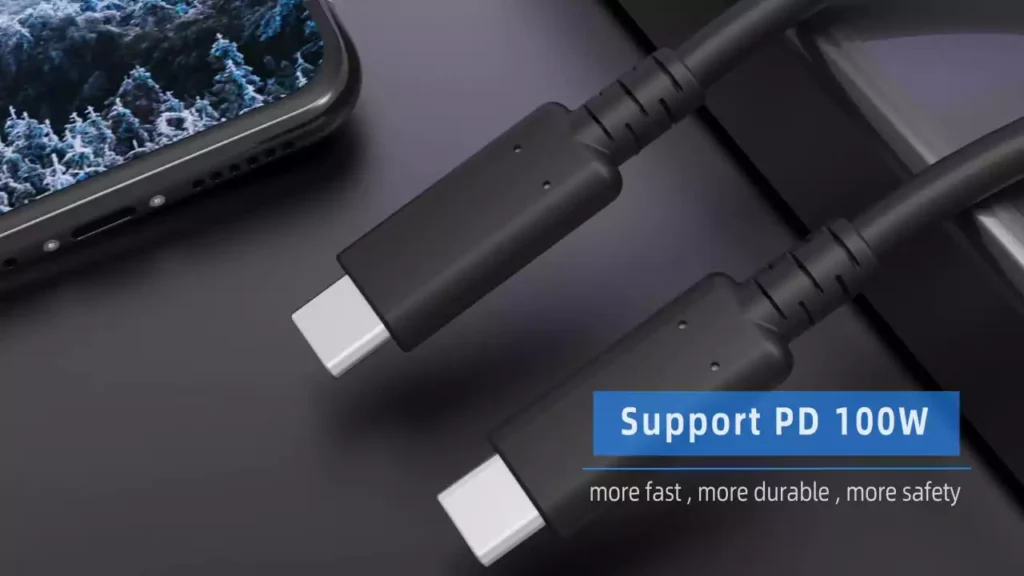
We are about to list 3 key features of USB cable, namely Data Transfer Speed, Power Delivery, Connector Types and Backward Compatibility.
Data Transfer Rates
Data transfer rates determine how quickly information moves between devices. USB cables have evolved to support faster speeds, making them essential for modern technology. For example, USB 2.0 offers speeds of up to 480 Mbps, which is suitable for basic tasks like transferring photos or documents. USB 3.0, on the other hand, delivers speeds of up to 5 Gbps, enabling faster file transfers and smoother performance for external hard drives or HD cameras. USB 3.1 and USB 3.2 take this further, reaching 10 Gbps and 20 Gbps, respectively. The latest USB 4.0 standard achieves blazing speeds of up to 40 Gbps, ideal for high-resolution video streaming or multi-display setups.
When choosing a USB cable, consider the devices you use. If you frequently transfer large files or work with high-definition media, a USB 3.0 or higher cable ensures optimal performance. For everyday tasks, USB 2.0 may suffice. Always check your device’s compatibility to match the cable’s speed capabilities.
Charging Capabilities
USB cables also play a critical role in charging your devices. Fast charging depends on several factors that influence power delivery. Here are some key considerations:
- Cable Length: Shorter cables (up to 2 meters) ensure better voltage and power transmission. Longer cables may cause a voltage drop, reducing charging efficiency.
- Cable Gauge: Thicker wires (lower AWG) reduce resistance and heat, improving charging speed. Thinner wires (higher AWG) can slow down charging and generate more heat.
- Material Quality: High-quality materials in the cable housing and sheath enhance durability and heat dissipation.
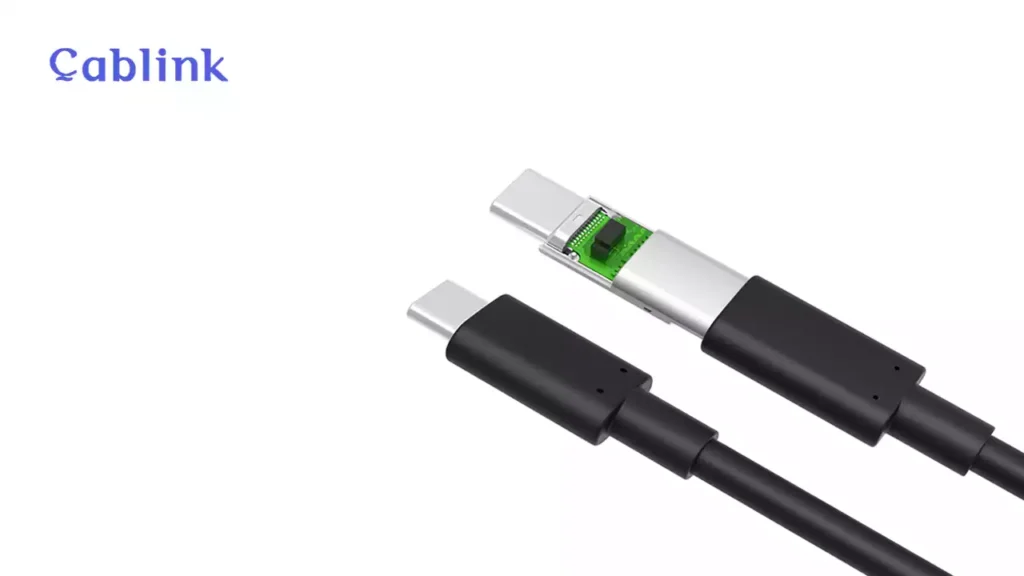
- Chipset Presence: Certified chips, like E-Marker chips in USB-C cables, ensure stable power delivery and protect your devices from overcharging.
When selecting a USB cable for charging, prioritize these features. A well-designed cable not only charges your device faster but also extends its lifespan by preventing overheating or power surges.
Compatibilidad
Compatibility ensures that your USB cable works seamlessly with your devices. USB cables come in various types, such as USB-A, USB-B, Micro-USB, and USB-C. Each type serves specific purposes. For instance, USB-A connectors are common in older devices, while USB-C has become the standard for modern gadgets due to its reversible design and versatility.
To avoid compatibility issues, always check your device’s port type before purchasing a cable. Many USB-C cables now support backward compatibility, allowing them to work with older USB standards. However, not all cables offer the same features. Some may support data transfer but lack fast charging capabilities. Reading the specifications ensures you get the right cable for your needs.
Tip: Investing in a high-quality, certified USB cable guarantees better compatibility and performance. Look for cables with universal certifications like USB-IF to ensure reliability.
Comparison
When choosing a USB cable, understanding the differences between various types can help you make an informed decision. Each USB standard and connector type offers unique features that cater to specific needs. Below is a detailed comparison of key USB cable characteristics:
4 Types of USB Cables Comparing List
Característica | USB 2.0 | USB 3.0 | USB 3.1/3.2 | USB 4.0 |
Velocidad de transferencia de datos | Up to 480 Mbps | Up to 5 Gbps | Up to 10-20 Gbps | Up to 40 Gbps |
Power Delivery | 2.5W | 4.5W | Up to 100W (USB-C PD) | Up to 100W (USB-C PD) |
Connector Types | USB-A, USB-B, Mini-B | USB-A, USB-B, Micro-B | USB-C | USB-C |
Backward Compatibility | Yes | Yes | Yes | Yes |
Use Cases | Basic tasks like file transfers and charging. | Faster file transfers, external hard drives, HD cameras. | High-speed data transfer, fast charging, video output. | Advanced tasks like 4K/8K video, multi-display setups, and gaming. |
Tip: If you need a cable for high-speed data transfer or fast charging, USB 3.0 or higher is the best choice. For basic tasks, USB 2.0 may still work well.
Conclusiones clave
- Data Transfer Rates: USB 4.0 offers the fastest speeds, making it ideal for demanding tasks like video editing or gaming. USB 2.0 works for simpler tasks like transferring photos or documents.
- Charging Capabilities: USB-C cables with Power Delivery (PD) support can charge devices faster and handle higher power levels, up to 100W. Older USB standards may not support fast charging.
- Compatibilidad: USB-C stands out for its reversible design and ability to support both data and power. It is gradually replacing older connectors like USB-A and Micro-USB.
By comparing these features, you can identify the USB cable that best suits your needs. Always consider your device’s requirements and the tasks you plan to perform. Investing in the right cable ensures better performance and a longer lifespan for your devices.
USB Cable 101: Performance Factors
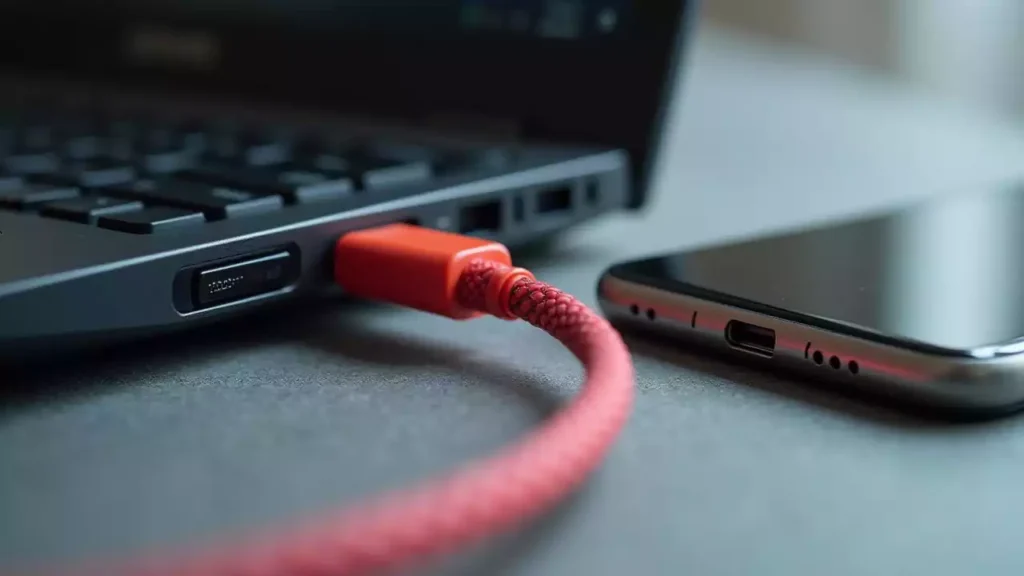
USB 2.0 vs USB 3.0 vs USB 3.1 vs USB 4.0
Understanding the differences between USB versions helps you select the right cable for your needs. Each version offers unique features and performance improvements. The table below highlights the key distinctions:
USB 2.0 vs USB 3.0 vs USB 3.1 vs USB 4.0 Performance
USB Version | Maximum Data Transfer Speed | Key Features |
USB 2.0 | 480 Mbps | Enhanced functionality, broader device compatibility, improved power efficiency |
USB 3.0 | 5 Gbps | Full-duplex communication, significant speed increase for large files |
USB 3.2 | 20 Gbps | Multi-lane operation for higher speeds |
USB 4.0 | 40 Gbps | Based on Thunderbolt 3, supports multiple protocols, significant speed and efficiency improvements |
If you need a cable for basic tasks like transferring photos or documents, USB 2.0 works well. For faster file transfers or high-performance devices, USB 3.0 or higher is ideal. USB 4.0 is the best choice for advanced applications like 4K video streaming or multi-display setups.
Cable Types and Materials
The type of cable and the materials used in its construction directly impact its performance and durability. High-quality materials ensure better conductivity, reduce resistance, and improve overall efficiency. Here are some factors to consider:
- Outer Sheath Material: Look for cables with durable outer sheaths made from materials like braided PVC, nylon or thermoplastic elastomer (TPE). These materials resist wear and tear, making the cable last longer.
- Connector Quality: Gold-plated connectors provide better conductivity and resist corrosion. This ensures a stable connection over time.
- Shielding: High-quality cables include multiple layers of shielding to reduce electromagnetic interference (EMI). This improves data transfer reliability.
When choosing a USB cable, prioritize those made with premium materials. They may cost more upfront but save you money in the long run by lasting longer and performing better.
Cable Length and Gauge
Cable length and gauge significantly affect performance. Longer cables increase resistance, which can reduce power delivery and data transfer efficiency. The gauge, measured in American Wire Gauge (AWG), determines the thickness of the wire. Lower AWG numbers indicate thicker wires, which offer better conductivity and less resistance.
How Cable Length Effect Performance
Cable Gauge | Effect on Performance |
Higher AWG | More resistance, may be more flexible |
Lower AWG | Better conductivity, lower heat production, better performance |
Longitud del cable | Longer cables increase resistance, affecting power delivery and efficiency |
- Thicker wires (lower AWG) are ideal for longer cables because they minimize voltage drop.
- High-quality materials help reduce resistance and improve performance.
- Shorter cables (up to 2 meters) are better for fast charging and efficient data transfer.
Consejo: If you need a longer cable, choose one with a lower AWG rating to maintain performance. Always check the specifications to ensure compatibility with your devices.
By understanding these performance factors, you can make informed decisions when selecting a USB cable. Whether you prioritize speed, durability, or compatibility, the right cable enhances your overall experience.
Durability and Build Quality
When choosing a USB cable, durability and build quality play a crucial role in ensuring long-term performance. A well-built cable not only lasts longer but also protects your devices from potential damage caused by poor connections or overheating.
Here are some key factors that determine a USB cable’s durability:
- Outer Sheath Material: High-quality cables often use materials like braided nylon or thermoplastic elastomer (TPE). These materials resist wear and tear, making the cable less prone to fraying or breaking.
- Connector Strength: Reinforced connectors with metal housings or strain relief designs prevent bending and snapping at the ends, which is a common failure point.
- Cable Flexibility: A flexible cable reduces stress on the internal wires, especially when used in tight spaces or frequently coiled.
- Heat Resistance: Premium cables are designed to handle heat generated during charging or data transfer. This prevents overheating and extends the cable’s lifespan.
Consejo: Look for cables with certifications like USB-IF (USB Implementers Forum). These certifications ensure the cable meets industry standards for safety and performance.
Durability also depends on how you use and store your cable. Avoid pulling the cable by its connector or bending it at sharp angles. Proper care can significantly extend its life.
4 Key Factor for USB Cable Durability
Característica | Impact on Durability | Recommendation |
Outer Sheath Material | Protects against physical damage | Choose braided nylon or TPE |
Connector Design | Prevents wear at connection points | Look for reinforced connectors |
Internal Wire Quality | Ensures stable performance over time | Opt for cables with thicker wires |
Heat Resistance | Reduces risk of overheating and failure | Select cables with certified safety |
By investing in a high-quality cable, you save money in the long run. A durable cable reduces the need for frequent replacements and ensures consistent performance.
Real-World Impact
The quality of your USB cable directly affects your daily tech experience. A poorly made cable can lead to slow charging, unreliable data transfers, or even device damage. On the other hand, a well-constructed cable enhances efficiency and convenience.
Imagine transferring a large video file to an external hard drive. A USB 2.0 cable might take several minutes, while a USB 3.0 or USB 4.0 cable completes the task in seconds. The difference in speed saves you time and improves productivity.
Charging is another area where cable quality matters. A low-quality cable may not support fast charging, leaving you waiting longer for your device to power up. High-quality USB-C cables with Power Delivery (PD) support can charge laptops, tablets, and smartphones quickly and safely.
Did you know? A USB-C cable with an E-Marker chip can deliver up to 100W of power, enough to charge a laptop in under two hours.
Durability also impacts portability. A sturdy cable withstands the rigors of travel, ensuring you stay connected wherever you go. Whether you’re working remotely, gaming, or streaming videos, a reliable cable ensures uninterrupted performance.
In real-world scenarios, the right USB cable simplifies your life. It ensures your devices work efficiently, saves you time, and protects your investments. By understanding the importance of durability and performance, you can make smarter choices when selecting a cable.
USB Cable 101: Practical Applications
USB cables have five typical applications: power charging, Data Transfer, Peripheral Devices, video and Audio Output, and Emerging Use.
Charging Devices
USB cables have revolutionized how you charge your devices. They provide a universal solution for powering everything from smartphones to laptops. With advancements like USB-C and Power Delivery (PD) technology, charging has become faster and more efficient. For example, a USB-C cable with PD can deliver up to 100 watts of power, enough to charge a laptop in under two hours.
Shorter cables often work best for charging. They reduce resistance, ensuring your device receives the maximum power. Thicker cables with lower AWG ratings also improve charging efficiency by minimizing heat and voltage drop. When selecting a cable, always check its specifications to ensure it supports your device’s charging requirements.
Consejo: Use certified cables to protect your devices from overheating or power surges. Look for labels like USB-IF certification for guaranteed safety and performance.
Data Transfer
USB cables make transferring data between devices quick and easy. Whether you’re moving photos from your phone to a computer or backing up files to an external hard drive, the right cable ensures a smooth process. USB 3.0 and higher standards offer faster speeds, making them ideal for large files or high-definition media.
For example, a USB 3.0 cable can transfer data at speeds of up to 5 Gbps, while USB 4.0 reaches an impressive 40 Gbps. These speeds save you time and improve productivity. However, the cable’s quality and length can affect performance. Longer cables may slow down data transfer due to increased resistance. High-quality materials and proper shielding reduce interference, ensuring reliable connections.
Did you know? USB-C cables support both data transfer and charging, making them a versatile choice for modern devices.
Peripheral Devices
USB cables connect a wide range of peripheral devices to your computer or other host systems. These include keyboards, mice, printers, external hard drives, and gaming controllers. The universal design of USB cables ensures compatibility with most devices, simplifying your setup.
For peripherals that require high-speed data transfer, such as external SSDs or HD webcams, USB 3.0 or higher cables work best. They provide the bandwidth needed for smooth performance. On the other hand, basic peripherals like keyboards or mice function well with USB 2.0 cables.
When choosing a cable for peripherals, consider the connector type. Many modern devices now use USB-C, but older peripherals may still rely on USB-A or Micro-USB connectors. Adapters can help bridge the gap between different standards, ensuring all your devices work seamlessly.
Nota: Always match the cable’s specifications to the peripheral’s requirements for optimal performance.
Video and Audio Output
USB cables have transformed how you connect devices for video and audio output. Modern USB standards, especially USB-C and USB 4.0, support high-definition video and crystal-clear audio. These cables allow you to connect laptops, tablets, or smartphones to external monitors, TVs, or projectors with ease.
USB-C cables stand out for their ability to handle multiple functions simultaneously. They can transmit video, audio, data, and power through a single connection. For example, USB-C cables with DisplayPort Alt Mode enable you to stream 4K or even 8K video to compatible displays. This feature makes them ideal for gaming, video editing, or professional presentations.
Consejo: When using USB-C for video output, ensure your cable supports DisplayPort Alt Mode or HDMI compatibility. Not all USB-C cables include these features.
Audio output also benefits from USB technology. Many modern headphones and speakers now use USB connections instead of traditional 3.5mm jacks. USB cables provide better sound quality by transmitting digital audio signals directly. This eliminates the interference often found in analog connections.
Here’s a quick comparison of USB capabilities for video and audio output:
4 Different Type of USB Cable Video & Audio Output
Característica | USB 2.0 | USB 3.0/3.1 | USB 4.0 |
Video Resolution | Not supported | Up to 1080p | Up to 8K |
Audio Quality | Basic digital audio | High-quality audio | Studio-grade audio |
Use Cases | Basic peripherals | HD video streaming | Professional setups |
By choosing the right USB cable, you can unlock the full potential of your devices for video and audio applications. Always check your device’s specifications to ensure compatibility.
Emerging Use Cases
USB cables continue to evolve, opening doors to new and exciting applications. One of the most promising areas is virtual reality (VR). High-speed USB-C cables now connect VR headsets to gaming PCs, delivering immersive experiences with minimal latency. These cables ensure smooth gameplay and high-resolution visuals, essential for VR enthusiasts.
Another emerging use case involves docking stations. USB-C cables with Power Delivery (PD) and data transfer capabilities allow you to connect multiple peripherals through a single hub. This setup simplifies your workspace by reducing cable clutter. You can connect monitors, keyboards, external drives, and even charge your laptop—all with one cable.
Did you know? USB-C cables with Thunderbolt 4 support can transfer data at 40 Gbps while powering multiple 4K displays simultaneously.
USB technology also plays a role in the automotive industry. Modern vehicles now use USB-C ports for charging devices, connecting infotainment systems, and even powering dashcams. These advancements make USB cables an integral part of your driving experience.
In healthcare, USB cables enable the use of advanced medical devices. High-speed data transfer allows doctors to analyze diagnostic images or monitor patients in real time. This improves the accuracy and efficiency of medical procedures.
The versatility of USB cables ensures they remain relevant as technology advances. By understanding these emerging use cases, you can stay ahead of the curve and make the most of your devices.
USB Cable 101: Choosing the Right Cable
Assessing Your Needs
Choosing the right USB cable starts with understanding your specific requirements. Think about how you plan to use the cable. Are you looking for fast charging, quick data transfers, or compatibility with multiple devices? Each purpose demands a different type of cable. For instance, if you need to charge a laptop, a USB-C cable with Power Delivery (PD) is essential. On the other hand, transferring large files quickly requires a USB 3.0 or USB 4.0 cable.
Consider the devices you own. Check the ports on your gadgets to determine the connector type. Older devices may use USB-A or Micro-USB, while newer ones often rely on USB-C. If you use multiple devices, a versatile USB-C cable with backward compatibility can simplify your setup. By assessing your needs, you can narrow down your options and avoid purchasing the wrong cable.
Consejo: Always match the cable’s specifications to your device’s requirements. This ensures optimal performance and prevents compatibility issues.
Understanding Cable Specifications
USB cables come with various specifications that affect their performance. Knowing these details helps you make an informed decision. Start by checking the data transfer speed. USB 2.0 supports speeds up to 480 Mbps, while USB 3.0 and USB 4.0 offer 5 Gbps and 40 Gbps, respectively. Faster speeds are ideal for tasks like transferring high-definition videos or backing up large files.
Power delivery is another critical factor. USB-C cables with PD can deliver up to 100 watts, making them suitable for charging laptops and other power-hungry devices. Look for cables with certifications like USB-IF to ensure safety and reliability. Certified cables meet industry standards and protect your devices from overheating or power surges.
The cable’s length and material also matter. Shorter cables reduce resistance, improving charging efficiency and data transfer reliability. High-quality materials, such as braided nylon or TPE, enhance durability and prevent wear and tear. By understanding these specifications, you can choose a cable that meets your needs and lasts longer.
Balancing Cost and Quality
When selecting a USB cable, balancing cost and quality is crucial. Price often reflects a cable’s quality, but not all expensive options guarantee superior performance. Budget cables may save money upfront but often compromise on durability and efficiency. Investing in a high-quality cable ensures consistent performance and longevity, saving you money over time.
Here are some key points to consider:
- High-quality cables with certifications provide better safety and reliability.
- Budget options may lack features like fast charging or robust materials.
- Research and reviews help identify cables that offer the best value for money.
- Expensive cables aren’t always better; focus on specifications and build quality.
Nota: Spending a little more on a certified, durable cable can prevent frequent replacements and protect your devices from damage.
By carefully evaluating your needs, understanding specifications, and balancing cost with quality, you can confidently choose the right USB cable. This ensures your devices perform at their best and remain safe during use.
Brand Comparison
When choosing a USB cable, the brand you select can make a significant difference in quality and performance. Some brands prioritize durability, while others focus on affordability or advanced features. Understanding the strengths of each brand helps you make an informed decision.
Here’s a comparison of some well-known USB cable brands based on key factors like durability, performance, and price:
5 Best USB Cable Brands List
Brand | Strengths | Best For | Price Range |
Anker | Durable materials, fast charging, wide compatibility. | Everyday use, fast charging. | 💲💲 (Gama media) |
Belkin | Calidad de fabricación superior, certificación USB-IF, excelente atención al cliente. | Dispositivos de alta gama, configuraciones profesionales. | 💲💲💲 (Gama alta) |
Amazon Basics | Asequible, de buena calidad y fiable para tareas básicas. | Opciones económicas. | 💲 (Bajo costo) |
UGREEN | Diseños versátiles, compatibles con funciones avanzadas como Power Delivery (PD). | Dispositivos modernos y multifuncionales. | 💲💲 (Gama media) |
Cablink | Transferencia de datos de alta velocidad, compatibilidad con Thunderbolt, conectores duraderos. | Entusiastas de la tecnología, grandes usuarios de datos. | 💲💲 (Gama media) |
Qué buscar en una marca
- DurabilidadMarcas como Anker y Belkin utilizan materiales de alta calidad, como nailon trenzado o conectores reforzados. Estas características garantizan una mayor durabilidad del cable, incluso con un uso frecuente.
- ActuaciónSi necesitas carga rápida o transferencia de datos a alta velocidad, marcas como UGREEN y Cablink son excelentes. Ofrecen cables con funciones avanzadas como USB-C Power Delivery y compatibilidad con Thunderbolt.
- AsequibilidadPara necesidades básicas, Amazon Basics ofrece cables fiables a bajo coste. Son ideales para tareas sencillas como cargar dispositivos o transferir archivos pequeños.
- CertificacionesBusque marcas con certificación USB-IF, como Belkin. Los cables certificados cumplen con los estándares de la industria en cuanto a seguridad y rendimiento.
ConsejoEvite los cables sin marca o extremadamente baratos. Estos suelen carecer de un blindaje adecuado y pueden dañar sus dispositivos con el tiempo.
Cómo elegir la marca adecuada para ti
Tu elección dependerá de tus necesidades específicas. Por ejemplo, si buscas un cable resistente para uso diario, Anker ofrece una excelente relación calidad-precio. Si necesitas un cable de alta gama para configuraciones profesionales, Belkin o Cablink ofrecen una calidad superior. Para quienes buscan ahorrar, Amazon Basics ofrece un rendimiento fiable sin que te cueste una fortuna.
Al comparar estas marcas, podrás encontrar un cable USB que se ajuste a tus necesidades. Prioriza siempre la calidad y la compatibilidad para garantizar la mejor experiencia con tus dispositivos.
3 problemas comunes con los cables USB y cómo solucionarlos
Carga lenta/Transferencia de datos
La carga lenta o la transferencia de datos lenta pueden ser frustrantes, especialmente cuando dependes de tus dispositivos para trabajar o entretenerte. Varios factores pueden causar estos problemas, y comprenderlos te ayudará a solucionarlos eficazmente. Estas son las causas más comunes:
- Cables USB-C defectuososLos cables dañados o de baja calidad a menudo no proporcionan la potencia ni la velocidad de datos adecuadas.
- Dispositivos incompatiblesEs posible que algunos dispositivos no sean compatibles con la entrega de energía o la transferencia de datos completas de los cables USB-C.
- Problemas de softwareEl software obsoleto o las aplicaciones en segundo plano pueden ralentizar la carga o la transferencia de datos.
Para solucionar estos problemas, comienza por inspeccionar el cable en busca de daños visibles. Reemplázalo si observas deshilachado o conectores doblados. A continuación, verifica la compatibilidad de tu dispositivo con el cable. Por ejemplo, es posible que los dispositivos más antiguos no sean compatibles con la carga rápida o la transferencia de datos de alta velocidad de USB-C. Finalmente, actualiza el software de tu dispositivo y cierra las aplicaciones innecesarias que se ejecutan en segundo plano. Estos pasos garantizan que el cable y el dispositivo funcionen correctamente juntos.
ConsejoUtilice cables USB certificados con las especificaciones adecuadas para evitar problemas de carga lenta o transferencia de datos.
Los cables USB no funcionan correctamente.
Cuando un cable USB deja de funcionar, interrumpe tu flujo de trabajo y genera estrés innecesario. Afortunadamente, a menudo puedes solucionar este problema con unos sencillos pasos:
- Prueba con un puerto USB diferente.Desconecta tu dispositivo y conéctalo a otro puerto. Esto ayudará a determinar si el problema reside en el puerto original.
- Reemplaza el cable USBSi el cable es viejo o está dañado, cambiarlo por uno nuevo podría solucionar el problema.
- Limpia el puerto USBEl polvo o la suciedad dentro del puerto pueden obstruir las conexiones. Utilice un cepillo suave o aire comprimido para limpiarlo.
- Reinicia tu ordenadorUn reinicio rápido restablece los controladores del dispositivo y puede solucionar problemas de reconocimiento.
- Analizar en busca de cambios de hardware (Windows)Abra el Administrador de dispositivos y busque cambios de hardware. Esto detectará cualquier problema que afecte la funcionalidad USB.
Estos pasos solucionan la mayoría de los problemas comunes con los cables USB. Si el problema persiste, pruebe el cable con otro dispositivo para confirmar si la falla reside en el cable o en el dispositivo.
NotaLimpiar regularmente los puertos USB y guardar los cables correctamente puede prevenir muchos de estos problemas.
Problemas de compatibilidad del cable USB-C
Los cables USB-C ofrecen una versatilidad increíble, pero pueden surgir problemas de compatibilidad. No todos los puertos o cables USB-C admiten las mismas funciones, lo que puede generar confusión. A continuación, se muestra una tabla que destaca los problemas de compatibilidad más comunes:
Compatibilidad con 3 cables USB comunes
Desafío | Descripción |
No todos los puertos USB-C admiten salida HDMI. | Solo los puertos con modos alternativos pueden emitir vídeo. |
No todos los cables USB-C admiten salida HDMI. | Los cables deben ser compatibles con el mismo modo alternativo que el puerto. |
No todas las funciones HDMI son compatibles con USB-C. | Es posible que algunas funciones avanzadas de HDMI no funcionen a través de conexiones USB-C. |
Compatibilidad con dispositivos heredados | Es posible que los dispositivos más antiguos solo sean compatibles con HDMI, lo que requiere adaptadores o convertidores. |
Para afrontar estos desafíos, puede tomar las siguientes medidas:
- Utilice adaptadores o convertidores para conectar dispositivos USB-C a pantallas HDMI.
- Utilice concentradores o estaciones de acoplamiento para ampliar sus opciones de conectividad.
- Actualiza a dispositivos más modernos que sean compatibles con USB-C y HDMI para una integración perfecta.
ConsejoSiempre verifique las especificaciones de su dispositivo y las características del cable antes de comprarlo para evitar problemas de compatibilidad.
Al comprender estos problemas comunes con los cables USB y sus soluciones, podrá mantener sus dispositivos funcionando sin problemas y evitar frustraciones innecesarias.
Consejos de mantenimiento
Un mantenimiento adecuado de tus cables USB garantiza una mayor durabilidad y un rendimiento fiable. Siguiendo unas sencillas prácticas, puedes evitar problemas comunes como el desgaste, las malas conexiones o la reducción de la velocidad de carga. Aquí tienes algunos consejos esenciales para mantener tus cables en óptimas condiciones:
- Tratar con cuidado
Al desconectar el cable, evite tirar de su conector. En su lugar, sujételo firmemente y tire de él hacia afuera. Esto evita la tensión en los cables internos y reduce el riesgo de daños. - Almacene los cables correctamente.
Mantén los cables bien enrollados cuando no los uses. Utiliza organizadores de cables o correas de velcro para evitar que se enreden. Evita los nudos apretados o las dobleces pronunciadas, ya que pueden debilitar el cableado interno con el tiempo. - Proteger de condiciones extremas
Mantenga los cables alejados del calor excesivo, la humedad y la luz solar directa. Las altas temperaturas pueden deteriorar la cubierta exterior, mientras que la humedad puede provocar corrosión en los conectores. - Limpie los conectores con regularidad.
El polvo y la suciedad pueden acumularse en los conectores, lo que provoca un mal funcionamiento. Limpie los conectores con cuidado utilizando un cepillo suave o aire comprimido. Evite usar líquidos u objetos punzantes que puedan dañar los pines. - Evite estirarse demasiado
No estire los cables más allá de su longitud recomendada. Estirarlos en exceso puede dañar los cables internos y reducir su eficacia. Si necesita mayor alcance, utilice un cable más largo. - Inspeccione si hay daños.
Revise periódicamente sus cables para detectar signos de desgaste, como cables deshilachados, conectores doblados o cableado interno expuesto. Reemplace los cables dañados de inmediato para evitar posibles riesgos como cortocircuitos o daños en los dispositivos.
ConsejoInvierte en cables de alta calidad con conectores reforzados y materiales duraderos. Estos cables tienen menos probabilidades de desgastarse o romperse, lo que te permitirá ahorrar dinero a largo plazo.
Lorem ipsum dolor sit amet, consectetur adipiscing elit. Ut elit tellus, luctus nec ullamcorper mattis, pulvinar dapibus leo.
Lista de verificación de mantenimiento rápido
Lista de verificación de mantenimiento rápido para cables USB
Tarea | Frecuencia | Por qué es importante |
Enrollar y almacenar correctamente | Después de cada uso | Evita enredos y daños en el cableado interno. |
Conectores limpios | Mensual | Garantiza conexiones y rendimiento fiables. |
Inspeccione si hay daños. | Semanalmente | Identifica los problemas antes de que se conviertan en inconvenientes. |
Evite las condiciones extremas | Siempre | Protege el cable de los daños ambientales. |
Al incorporar estos hábitos de mantenimiento a tu rutina, puedes prolongar la vida útil de tus cables USB y asegurar su óptimo rendimiento. Un poco de cuidado marca la diferencia a la hora de proteger tus dispositivos y evitar reemplazos innecesarios.
Cable USB 101: Tendencias futuras
Avances en USB-C y USB 4.0
USB-C y USB 4.0 representan el futuro de la conectividad. Estas tecnologías siguen evolucionando, ofreciendo mayor velocidad, mejor suministro de energía y mayor versatilidad. USB-C se ha convertido en el estándar para los dispositivos modernos gracias a su diseño reversible y su capacidad para gestionar múltiples funciones. Permite la transferencia de datos, la carga y la salida de vídeo a través de un solo cable. Esto simplifica la configuración y reduce el desorden.
USB 4.0 se basa en las ventajas de USB-C. Ofrece velocidades de transferencia de datos de hasta 40 Gbps, lo que lo hace ideal para tareas como la transmisión de vídeo 8K o la transferencia de archivos grandes. Además, integra la tecnología Thunderbolt 3, lo que garantiza la compatibilidad con una amplia gama de dispositivos. Con USB 4.0, puedes conectar varios monitores, discos duros externos y otros periféricos sin comprometer el rendimiento. Estos avances hacen que USB-C y USB 4.0 sean esenciales tanto para uso personal como profesional.
USB inalámbrico y alternativas emergentes
La tecnología USB inalámbrica está ganando popularidad como una alternativa práctica a los cables tradicionales. Elimina la necesidad de conexiones físicas, permitiendo transferir datos o cargar dispositivos de forma inalámbrica. Esta tecnología utiliza radiofrecuencias para establecer una conexión entre dispositivos. Ofrece flexibilidad y reduce el desgaste asociado a los cables.
También cabe destacar alternativas emergentes como los cables de carga magnéticos y los conectores modulares. Los cables magnéticos proporcionan una conexión segura y minimizan el riesgo de dañar el puerto del dispositivo. Los conectores modulares permiten personalizar el cable según las necesidades, lo que los convierte en una opción versátil para los entusiastas de la tecnología. Estas innovaciones buscan mejorar la experiencia del usuario ofreciendo soluciones más prácticas y duraderas.
Sostenibilidad en el diseño de cables USB
La sostenibilidad se ha convertido en un aspecto clave en el diseño y la producción de cables USB. Los fabricantes están adoptando prácticas ecológicas para reducir su impacto ambiental. Estas son algunas de las medidas que se están tomando:
Próxima tendencia en el diseño de cables USB
Paso hacia la sostenibilidad | Descripción |
Diseño duradero | Garantiza la durabilidad de los cables con una garantía de 5 años. |
Iniciativas de reforestación | Participamos en proyectos de reforestación en zonas afectadas por la minería. |
Abastecimiento de oro de comercio justo | Abastecerse de oro de comercio justo para mitigar el daño ambiental causado por la deforestación. |
Uso de materiales reciclados | El 63,21 TP3T del peso de cada cable está compuesto por materiales reciclados certificados, lo que reduce la huella de carbono en 9,281 TP3T. |
Procesos de fabricación eficientes | Minimiza las emisiones durante la producción. |
Métodos de envío ecológicos | Los productos se envían por vía marítima y mediante transporte terrestre local, métodos que generan menos emisiones de carbono. |
Al elegir cables diseñados con criterios de sostenibilidad, contribuyes a reducir los residuos y conservar los recursos. Busca marcas que prioricen los materiales reciclados y los procesos de fabricación eficientes. Estos esfuerzos no solo benefician al medio ambiente, sino que también garantizan un producto de alta calidad.
Comprender las características, el rendimiento y las aplicaciones de los cables USB te permite tomar decisiones más acertadas. Al conocer las diferencias en la velocidad de transferencia de datos, la capacidad de carga y la compatibilidad, puedes seleccionar un cable que se ajuste a tus necesidades. Prioriza siempre la calidad y los cables certificados para garantizar la seguridad y la durabilidad.
ConsejoAsegúrese de que las especificaciones del cable coincidan con los requisitos de su dispositivo. Busque la certificación USB-IF para un rendimiento fiable.
Elegir el cable USB adecuado mejora tu experiencia tecnológica, ahorra tiempo y protege tus dispositivos. Invierte hoy mismo en un cable de alta calidad para disfrutar de una conectividad perfecta y un rendimiento duradero.