Pular para o conteúdo

Índice
Introdução
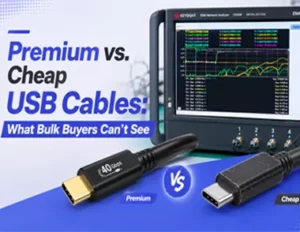
You’re about to see why two USB-C cables that look identical on a shelf behave very differently once they hit your fleet. We’ll break down how internal construction, electrical specs, and certification separate premium from cheap—and how to verify claims before you deploy.
Who this is for: US-based procurement, IT/AV, and operations teams buying at scale.
Why it matters now: Power Delivery (PD) 3.1 Extended Power Range (EPR) raises charging up to 240 W; USB-IF has consolidated performance and cable power-rating logos; and USB4 links push 40 Gbps over short passive runs. Each raises the cost of getting cable choices wrong.
Key idea: Power rating (amps/watts) and data speed (USB 2.0 → USB4/40 Gbps) are independent. A cable can be 5 A/240 W and still be only USB 2.0 for data—or vice versa. Match both to your use case.
Outcome: A simple framework to choose, verify, and test—so you cut RMAs and on-site support costs instead of creating them.
Principais conclusões
- Separate needs: Decide wattage first (3 A vs 5 A; 60 W vs 240 W), then data (USB 2.0, 5/10/20 Gbps, USB4 40 Gbps); don’t assume one implies the other.
- For USB-C cable quality for bulk procurement, tie construction to outcomes: Thicker conductors lower heat and drop; double shielding and a drain wire stabilize high-speed lanes; robust strain relief prevents intermittent faults.
- Verify labels with artifacts: Request a USB-IF TID, check Certified USB, and read the e-marker to confirm 5 A/EPR and data capability.
- Treat length as a performance parameter: Many passive USB4 40 Gbps links are reliable at ~0.8–1.0 m; longer typically needs active conditioning—test on your hardware.
- Make incoming inspection routine: Sample per ANSI/ASQ Z1.4, run e-marker/PD checks, four-wire resistance, and spot high-speed tests before rollout.
Inside the USB Cable

This section breaks down the physical construction differences between premium and cheap USB-C cables, focusing on conductor gauge (AWG) for power delivery and shielding architecture for high-speed signal integrity.
Premium vs. cheap isn’t about brand stickers; it’s about physics and build choices that show up as heat, dropouts, or longevity—especially at 5 A or 40 Gbps.
Specification / Parameter | Premium / Certified Construction | Cheap / Unverified Variant |
Power Conductor Gauge | Thicker Cross-Section (Low AWG) | Under-Gauged Wires (High Resistance) |
Thermal Performance | Low Resistance; Minimal Temp Rise at 5A | High I²R Heating; Thermal Throttling Risk |
Data Pair Geometry | Controlled Impedance; Low Insertion Loss | Subpar Dielectric Quality; Signal Distortion |
Shielding Architecture | Foil-Plus-Braid + Continuous Drain Wire | Single-Foil Wraps Only (Marginal Protection) |
EMI & Crosstalk Defense | Complete Isolation; Stable Link Integrity | Link Renegotiations; Screen Flicker / Dropouts |
Strain Relief Exit | Reinforced Geometry; Prevents Wire Fatigue | Flimsy Shell Exit; Intermittent Wire Breakage |
Conductors and gauge
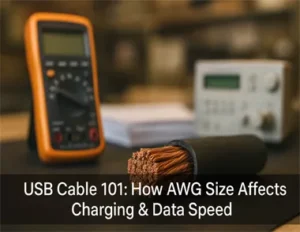
Copper cross‑section (AWG) sets DC resistance and I²R heating. Thicker conductors (lower AWG numbers) keep voltage drop and temperature rise in check at 3 A and especially at 5 A. Under‑gauged power lines look fine at idle yet run hot under sustained load, accelerating connector wear and causing throttling.
At the same time, SuperSpeed/USB4 differential pairs depend on controlled impedance and low insertion loss. Cheaper builds may skimp on dielectric quality and pair geometry, leading to eye closure and higher error rates at 20/40 Gbps. The result can be random disconnects or downshifts that are maddening to troubleshoot.
Shielding and EMI control
Shielding architecture and ground integrity dictate high‑speed stability. A foil‑plus‑braid combination with a continuous drain wire typically outperforms single‑foil wraps, especially in electrically noisy deskside installs or dense docking setups. Poor shielding allows external EMI and internal crosstalk to couple into the pairs, showing up as link renegotiations, display flicker, or storage dropouts.
Connectors, jacket, strain relief
Contacts, plating, and termination quality affect contact resistance drift over insertion cycles. Strain‑relief geometry and reinforcement keep internal conductors from work‑hardening and breaking at the shell exit—one of the most common intermittent failure points in field returns. Jackets and fillers (e.g., aramid yarns) add flex life but cost a little more up front.
USB Cable Specs that Separate

This section outlines the critical specifications that dictate cable performance, detailing data rate limitations for passive cables, Power Delivery (PD) 3.1 Extended Power Range (EPR) requirements, and the necessity of verifying USB-IF certification and e-markers.
When you’re buying by the pallet, specs are your guardrails—provided you interpret and verify them correctly.
Data rates and length limits
USB 2.0 can run several meters without special care, but SuperSpeed and USB4 are loss‑sensitive. In practice, many passive USB4 40 Gbps cables are reliable at roughly 0.8–1.0 m; longer runs usually demand active conditioning and strict certification. Treat vendor “max length” charts as guidance, not guarantees—validate on your target devices. See the USB‑IF’s interoperability and compliance materials for methodology context, and compare against certified 1 m product examples from reputable vendors.
- Reference overview: the USB4 architecture and rate definitions are summarized in the public encyclopedia entry on USB4, while certified product pages (e.g., StarTech 1 m USB4 40 Gbps/240 W) illustrate what’s achievable when properly engineered.
For procurement, standardize a small set of lengths (for example, 0.8 m and 1.0 m for 40 Gbps docking) and require certification evidence for any longer options.
Power delivery and e markers
PD 3.1 Extended Power Range lifts the ceiling to 240 W with fixed 28 V, 36 V, and 48 V profiles at up to 5 A. Cables that support more than 3 A and/or SuperSpeed features must carry an e‑marker reporting their capabilities. Your verification workflow should:
- Read the e‑marker (SOP’/SOP’’) to confirm 3 A vs 5 A and whether the cable is EPR‑capable.
- Confirm that the PD analyzer can negotiate to the intended PDO (e.g., 48 V/5 A) on representative hardware.
Authoritative background is available from the USB‑IF Power Delivery document library, with engineering primers from Texas Instruments and Renesas that explain EPR behavior and protection design.
USB-IF logos and certification
Since the USB‑IF consolidated branding, you should see both performance logos (e.g., “USB 40Gbps”) and cable power‑rating logos (e.g., “240W”) used correctly on certified products. Misuse on marketplace listings is common, so request a TID (test ID), verify it via the USB‑IF product search or Certified USB tools, and spot‑check that on‑product marks follow current guidelines. See the USB‑IF’s logo announcement and logo usage documents for the intent and form of these marks, and always treat the Certified USB search as the canonical source of truth.
- Sources: the USB‑IF Power Delivery library and logo usage materials; the Certified USB portal for certified listings.
Dicas profissionais: Want to learn more about USB-IF’s various requirements for USB cables? Read our expert insights on USB-IF Certified now!
Where Quality Matters for USB Cables
This section highlights high-stakes deployment scenarios—such as 240W charging, 40Gbps docking, and DisplayPort Alt Mode video streaming—where premium cable construction and strict certification are critical to prevent hardware damage and signal dropouts.
Not every deployment needs premium everything. But certain scenarios make build quality and certification non‑negotiable.
High watt charging devices
At 5 A, under‑gauge conductors and marginal contact metallurgy manifest as heat rise and voltage drop that reduce charging speed and can trip device protections. For 240 W EPR chargers, insist on 5 A e‑marked, EPR‑rated cables and verify temperature rise under a sustained load instead of trusting label copy. Engineering primers from TI and Renesas align on the need for compliant EPR signaling and 50 V insulation context.
High speed data and docking
USB4 docking and fast storage lean on signal integrity: insertion loss, impedance continuity, and shielding/grounding. Good practice is to TDR‑scan samples for discontinuities and run eye/BER spot checks at representative lengths. Vendor test overviews from Keysight, Teledyne LeCroy, and Rohde & Schwarz provide methodology context used across industry labs.
Video over USB C
DisplayPort Alt Mode doesn’t magically work on every cable. Bandwidth can be shared with USB 3.x data, and stability depends on cable length/quality, compression behavior (DSC), and GPU/driver support. Practical guidance from vendor knowledge bases and VESA workshops helps set expectations: start with a short certified cable, connect one display first, and add peripherals stepwise while watching for lane allocation changes.
Don’t let under-engineered cables bottleneck your hardware. See the actual data behind our signal integrity.
When Cheap is Fine of USB Cables
This section defines safe cost-optimization parameters for bulk deployments, identifying low-risk tasks such as legacy USB 2.0 peripheral pairing and low-amperage mobile device charging that do not require premium cable investments.
There are plenty of places to economize safely—if you bound the use case and verify basics.
Basic charging, short runs
For phones and tablets at ≤3 A on short runs (≤1 m), many low‑cost cables perform adequately. Confirm continuity, do a quick 4‑wire DC resistance check, and retire any units that show abnormal heating during a brief load test.
USB 2.0 sync and accessories
Keyboards, mice, and simple accessories are usually fine on inexpensive cables as long as connectors and strain relief aren’t flimsy. Do a functional check and a light mechanical flex/retention test during sampling to screen out the worst offenders.
USB Cable Procurement Playbook

This section provides a repeatable, objective workflow for procurement teams to verify USB cable quality before mass deployment, covering strict documentation gates, electrical testing, and mechanical checks to drastically reduce RMA rates.
Here’s a repeatable way to turn spec sheets into lower RMA rates—before anything reaches users.
Inspection Phase | Required Operational Metric | Verification Instrument / Method |
1. Documentation Gate | Verified USB-IF TID Scope Entry | Certified USB Global Database Portal Check |
2. Identity Validation | E-Marker SOP’/SOP” Register Match | Protocol Analyzer Log Export & Script Check |
3. Thermal Audit | Four-Wire DC Resistance Path Verification | Kelvin Bridge Ohmmeter (Post-5A Load Soak) |
4. High-Speed Integrity | Sustained Channel BER Target of ≤1e-12 | TDR Sampling Oscilloscope & Eye Diagram |
5. Structural Dissection | Foil+Braid Density & Drain Wire Presence | Destructive Metallurgical Sample Audit |
Need a specific length or a custom power profile? Let our engineering team validate your requirements against USB-IF compliance standards. 👉
Documentation gate
Request and archive before PO and at receiving:
- USB‑IF evidence: the product’s TID (screenshot or link) and scope (cable power rating, performance class); validate via the USB‑IF product search or Certified USB tools.
- E‑marker artifacts: screenshots/logs showing 3 A vs 5 A, data capability (USB 2.0/3.x/USB4), cable type/length.
- Lot/date codes and material spec sheets; declarations for RoHS/REACH and any UL jacket/flame ratings required by your environment.
Useful references include the USB‑IF Power Delivery library and Certified USB/compliance pages that explain program scope and how listings are maintained.
Electrical and high speed tests
- PD/e‑marker: Interrogate the e‑marker (SOP’/SOP’’) and run a PD negotiation script to verify target PDOs (e.g., 48 V/5 A for EPR).
- Four‑wire DC resistance: Measure per power conductor and ground at 20 °C; set an internal ceiling aligned with 5 A thermal limits for your standard lengths; repeat after a 10‑minute 5 A soak to catch marginal builds.
- TDR scan: Look for impedance jumps at connectors and along the run; compare to your historical acceptance bands.
- Eye/BER spot check (USB4): At your shortest and longest standard lengths, run eye diagrams and BER on a PRBS‑class pattern. Many teams use ≤1e‑12 as an internal BER target under test conditions. Treat this as an internal QA objective, not a USB‑IF rule; document fixtures, pattern, and environment in your lab log.
Methodology context is available in publicly accessible overviews from Keysight and Rohde & Schwarz, plus USB‑IF USB4 interop/CV materials.
Mechanical and safety checks
- Visual teardown (sampled): Confirm foil+braid coverage, presence of a drain wire, proper ground bonds, and solid strain‑relief geometry.
- Retention/tensile: Verify plug retention force and strain‑relief integrity against internal thresholds.
- Regulatory: Confirm RoHS/REACH; where relevant, UL jacket ratings.
Practical example — Cablink incoming inspection excerpt (Knowledge Base Source)
- Brand and positioning: Cablink — USB‑IF Certified USB Cable Manufacturer.
- Sampling: ANSI/ASQ Z1.4 (General Inspection Level II) with internal AQL; accept on c=0 for critical defects such as wrong e‑marker capability or failed ground continuity.
- Equipment: E‑marker reader/PD analyzer; four‑wire ohmmeter; TDR/eye/BER/cable analyzer.
- Key thresholds: set a conductor resistance ceiling for 5 A paths appropriate to your length spec; verify shielding coverage and ground continuity; use an internal 40 Gbps BER target for USB4 spot checks; include 3 A context for lighter‑duty SKUs.
This example is provided to illustrate how an objective, auditable workflow can be documented and repeated in production receiving without resorting to marketing claims.
Need a specific length or a custom power profile? Let our engineering team validate your requirements against USB-IF compliance standards before you place a bulk order.
USB Cable Bulk Buyer Check List

This section offers a targeted checklist tailored for wholesalers, OEMs, and distributors to manage cable procurement risks, emphasizing the separation of power and data specifications, stringent documentation requirements, and intelligent sampling strategies.
Strategic Buyer Profile | Core Sourcing Liability | Mandatory Risk Action Plan |
Wholesalers (Brand Portfolio) | Multi-Factory Variance & Lot Drifts | Lock BOM to single production lines; re-test on wire source changes. |
OEM Customers (Bundled Supply) | Warranty Fallouts & Device Interoperability | Define thermal & flicker rejection limits; perform early pre-production dock runs. |
Distributors (Enterprise Channels) | Traceability Gaps & Strict RFI Delays | Standardize inventory by length/class; archive TID/e-marker logs internally. |
This checklist is written for three buyer profiles that tend to “own” different parts of cable risk:
- Wholesalers (reselling under multiple brands): you’re exposed to variance across factories and lots.
- OEM customers (private label / bundling with devices): you’re accountable for the end-user experience and warranty fallout.
- Distributors (supplying enterprise/IT/AV channels): you’re judged on consistency, documentation, and traceability.
The goal isn’t to turn your receiving dock into a compliance lab. It’s to catch the failure modes that drive RMAs: wrong capability (no 5 A/EPR when promised), high resistance (heat and voltage drop), weak shielding/ground (USB4/DP Alt Mode instability), and poor strain relief (intermittents).
1) Define the SKU as two specs: power and data
Procurement teams get burned when a supplier treats “USB‑C” as a single SKU class. Lock down both axes in the item master and on the PO:
- Power axis: 3 A vs 5 A, and whether you need PD 3.1 EPR up to 240 W.
- Data axis: USB 2.0 vs 5/10/20 Gbps vs USB4 40 Gbps.
Industry practice: prevent “spec drift” by tying the approved BOM to a specific length e a specific performance class. A factory may be able to build a 0.8 m cable that passes 40 Gbps, but the same construction at 2 m won’t behave the same in the field.
2) Ask for three artifacts before you talk price
Seasoned buyers treat documentation as a filter, not paperwork. Require these up front:
- Certification evidence: a USB‑IF TID (plus the scope—power rating and performance class) and a screenshot of the listing from the USB‑IF product search.
- E‑marker readout: a screenshot/log from an e‑marker reader showing current rating (3 A/5 A), claimed data capability, and cable type/length.
- Lot traceability: how the supplier encodes factory/line/date/lot on packaging (and whether they can keep that mapping for your warranty window).
If a vendor can’t produce these without friction, expect the same friction when you’re trying to root-cause a return spike.
3) Incoming inspection: sample smart, not just often
For bulk programs, the best ROI usually comes from a consistent sampling plan plus a few decisive “go/no-go” checks.
- Use ANSI/ASQ Z1.4 sampling (General Inspection Level II is common) with your internal AQL.
- Set c=0 acceptance for critical defects that create expensive downstream work: wrong e‑marker capability, failed ground continuity, or a missing/incorrect label on a certified SKU.
This is a procurement strategy more than a test strategy: it tells suppliers, in writing, which failures are non-negotiable.
4) Power-path reality check: four-wire resistance and heat
Cheap cables often “work” until they see sustained current. Two practical checks catch a lot:
- Four-wire (Kelvin) DC resistance on VBUS and GND conductors, measured at room temperature, then repeated after a short high-current soak.
- A controlled load check: run a representative device or load at 3 A or 5 A and confirm it holds the expected PD profile without abnormal connector heating.
Procurement insight: you don’t need to publish a universal mΩ threshold. You need an internal ceiling tied to your lengths and your acceptable temperature rise, then enforce it consistently.
5) High-speed sanity checks for USB4 and video use cases
If your customers use docks, fast storage, or DP Alt Mode displays, treat signal integrity as a first-class procurement requirement.
- USB4 40 Gbps: spot-check samples at your shortest and longest standard lengths on representative host+dock combos. Where you have lab access, a TDR scan and an eye/BER spot check make failures explainable instead of mysterious.
- DP Alt Mode: validate with one monitor first using a short certified cable, then add peripherals to see if lane sharing or noise triggers flicker/black screens.
Distributor lesson learned: testing on “known-good” reference rigs (one Intel laptop, one AMD laptop, one popular dock) catches interoperability edge cases that a single bench setup misses.
6) Mechanical durability: screen for intermittent failures
Intermittents are where support costs explode because they’re hard to reproduce. Buyers usually get the biggest wins by screening for the common mechanical root causes:
- Strain-relief robustness at the plug exit (flex and pull).
- Plug retention feel and consistency (no loose shells, no wobble).
- Packaging and handling controls (kinks and tight ties can damage high-speed pairs).
7) Buyer-specific playbooks
For wholesalers: control variance
- Qualify one factory and one construction per SKU (don’t allow “equivalent” substitutions without re-approval).
- Require golden samples and a re-test trigger when the supplier changes wire source, connector vendor, or molding compound.
For OEM customers: tie quality to warranty cost
- Define acceptance criteria around the failures your support team pays for: overheating reports, disconnects under load, display flicker, and bent/loose connectors.
- Require a small pre-production run and run it through the same docks/chargers your customers actually use.
For distributors: win on traceability and documentation
- Standardize SKUs by length and performance class; publish a one-page “what this cable is for” spec sheet for your sales and support teams.
- Keep certification proof and e‑marker logs in your internal product file so you can answer enterprise RFIs quickly.
8) How procurement teams make this repeatable
Make the checklist auditable:
- Put the required artifacts (TID proof, e‑marker readout, lot coding) into your receiving SOP.
- Record pass/fail by lot and length.
- Escalate with data: resistance numbers, PD negotiation logs, and (when relevant) USB4 test results.
Want to share this with your QC team? Contact our engineer team to claim the audit list.
Conclusão
A practical example from a cable manufacturer’s incoming inspection SOP is the kind of thing you want to emulate: Cablink’s workflow (Knowledge Base Source) pairs ANSI/ASQ Z1.4 sampling with routine e‑marker/PD checks, four‑wire resistance, and USB4 spot checks to reduce post-deployment surprises. The specific thresholds and sample sizes should be set by your environment and hardware mix, but the structure—document gate → sample → objective tests → traceability—is broadly transferable.
FAQs: USB Cable Quality for Bulk Buyers
Quais testes de recepção detectam a maioria das falhas reais para compradores em grande quantidade?
The highest-ROI screens for many programs are:
- E‑marker + PD negotiation check (capability verification)
- Four‑wire (Kelvin) DC resistance on VBUS/GND (heat/voltage-drop risk)
- Basic mechanical screening focused on strain relief and connector integrity (intermittent faults)
If USB4/video is in scope, add a targeted high‑speed spot test on your reference platforms.
O que os atacadistas, os fabricantes de equipamentos originais (OEMs) e os distribuidores devem fazer de forma diferente?
- Wholesalers should focus on reducing variance: lock construction to a specific factory/lot process and require re‑approval when components change.
- OEMs should tie acceptance to warranty outcomes: test on the same chargers/docks customers use and define “critical defects” (overheat, disconnect, flicker) up front.
- Distributors should win on traceability: keep certification proof and e‑marker logs in the product file so enterprise customers get fast, consistent answers during RFIs.
If you want a single operational rule: define the SKU by power + data + length, then enforce it with documentation gates and sampling-based incoming inspection.
Como posso verificar a capacidade real de produção de cabos de alta velocidade de um fabricante?
Não confie apenas em folhetos de vendas. Um fabricante qualificado de cabos de alta velocidade deve ser capaz de fornecer relatórios de testes de laboratório internos mediante solicitação. Peça por varreduras recentes de Reflectometria no Domínio do Tempo (TDR), relatórios de diagrama de olho e procedimentos de amostragem ANSI/ASQ Z1.4 documentados para seus lotes de produção em massa.
Uma fábrica certificada de USB pode personalizar o comprimento dos cabos sem perder desempenho?
Sim, mas dentro de limites físicos rigorosos. Embora fábricas de alta qualidade possam personalizar comprimentos para hardware OEM específico, protocolos de dados como o USB4 de 40 Gbps são altamente sensíveis à perda de inserção. Um parceiro OEM confiável realizará simulações de integridade de sinal e testes de protótipos para garantir que o comprimento personalizado atenda às suas metas específicas de Taxa de Erro de Bit (BER) antes da produção em massa.
Um cabo USB-C pode ter "240 W", mas ainda ser apenas USB 2.0 para transferência de dados?
Yes. USB‑C is a connector, not a performance guarantee. Power capability and data capability are independent, E muitos cabos de alta potência são intencionalmente enviados como USB 2.0 porque são mais baratos de fabricar e mais fáceis de usar em distâncias maiores. Em termos de compras, considere a potência (60 W vs. 240 W) e a classe de dados (USB 2.0 vs. USB 4.0 40 Gbps) como dois requisitos separados na ordem de compra.
Como posso saber rapidamente se um cabo é de 3A ou 5A?
A maneira confiável é leia o marcador eletrônico do cabo com um leitor de e-marker ou um analisador de PD. Um e-marker é um pequeno chip dentro de certos cabos USB-C que informa para que o cabo foi projetado. Para compras em grande quantidade, não confie apenas na descrição do produto no marketplace; solicite uma captura de tela/log mostrando corrente máxima (3A vs 5A).
Dica em linguagem simples: se um vendedor afirma "240 W" (o que implica até 5 A em tensões mais altas), mas não consegue fornecer a leitura do marcador eletrônico ou comprovante de certificação, considere o produto de alto risco.
O que é EPR e preciso de um "cabo EPR" para 240W?
EPR significa Faixa de potência estendida em USB Power Delivery (PD) 3.1. Permite até 240W usando tensões fixas mais altas (28V/36V/48V) com até 5A. Se o seu programa realmente precisar de 240W (e não apenas de "classe de 100W"), você deve especificar Suporte para PD 3.1 EPR e verificar a negociação com um analisador de PD em hardware representativo.
Tradução para iniciantes: EPR é o modo "mais novo e de maior voltagem" que possibilita 240W. Sem o cabo e os dispositivos corretos, o sistema reduzirá a potência.
Um cabo de 240W pode danificar um laptop/celular de 60W ou 100W?
Em operação normal de USB-PD, não. O USB-PD funciona por negociação: o carregador oferece opções de energia e o dispositivo solicita o que pode aceitar. Um cabo com classificação superior é simplesmente um cabo com mais margem de segurança.
Atenção ao processo de aquisição: o verdadeiro risco é o oposto — um cabo de construção inadequada que superaquece ou causa queda de tensão quando alguém tenta puxar uma corrente alta.
Por que alguns cabos USB-C carregam, mas não transferem dados ou vídeos?
Porque muitos cabos são somente para cobrança ou Somente USB 2.0 Por projeto. Podem incluir apenas os fios necessários para alimentação (e talvez dados básicos USB 2.0), mas omitem os pares extras de alta velocidade necessários para USB 3.x/USB4 e muitos cenários de vídeo/acoplamento.
Se o seu caso de uso incluir docks, monitores ou armazenamento rápido, exija uma especificação de dados explícita (por exemplo, “USB 10Gbps” ou “USB4 40Gbps”) e verifique por meio de marcador eletrônico e/ou certificação.
Qual a maneira mais confiável de verificar a alegação de "USB4 40Gbps"?
Utilize duas verificações:
- Certification evidence: solicite um TID USB‑IF e verifique-o através de USB certificado ou a pesquisa de produtos USB‑IF.
- Validação funcional: teste pontual em seu próprio host de referência + dock + conjunto de dispositivos. Se você tiver acesso a um laboratório, adicione TDR mais uma verificação pontual de olho/BER.
Tradução para iniciantes: não confie apenas nos "40Gbps" impressos na embalagem — confirme se é certificado e depois comprove isso no seu equipamento.
Qual o comprimento máximo de um cabo USB4 passivo de 40 Gbps?
Na prática, muitos cabos de cobre passivos de 40 Gbps são mais confiáveis em torno de 0,8–1,0 m, e corridas mais longas geralmente exigem ativo Condicionamento. Considere todas as afirmações sobre "duração máxima" como orientações práticas, não como uma garantia universal — valide-as nos seus dispositivos alvo.
Dica em linguagem simples: com 40 Gbps, o comprimento não é apenas uma questão de conveniência; é uma questão de desempenho.
O que é um marcador eletrônico e por que as equipes de compras se importam com isso?
Um e-marcador (Conjunto de cabos com marcação eletrônica) é o "chip de identificação" do cabo. Ele informa características como a corrente nominal (3A ou 5A) e, dependendo do tipo de cabo, os recursos de dados suportados. As equipes de compras se preocupam com isso porque é uma das únicas maneiras escaláveis de identificar cabos que "parecem certos, mas funcionam errados". antes Implantação.
Referências
- Biblioteca de documentos USB‑IF Power Delivery: especificações e atualizações oficiais sobre PD e EPR — USB‑IF Power Delivery
- CertifiedUSB e portais de busca de produtos: verifique os TIDs e o escopo da certificação — Portal USB certificado e USB‑IF product search
- E-book de engenharia da Texas Instruments sobre fundamentos de USB Type-C/PD (2024) — Guia do Engenheiro para USB Type-C®
- Visão geral do Renesas PD 3.1/EPR e nota de aplicação de 240 W — Documento técnico PD 3.1 EPR e Nota de aplicação de 240 W
- Wikipedia: Comprimento do USB4/exemplo de produto certificado USB4 (entrada da enciclopédia)