跳至内容
跳至内容 
目录
您必须确保收到的每根HDMI线缆都符合严格的标准,并能为您的客户提供可靠的性能,尤其如果您是…… HDMI线缆批发商. 随着对高质量流媒体、游戏和商务设备的需求日益增长,认证HDMI线缆的重要性显而易见。未经认证的线缆往往无法满足需求,尤其是在长距离传输时,会导致昂贵的退货和设备故障。研究还表明,屏蔽不良的HDMI线缆会导致数据泄漏。选择信誉良好的HDMI线缆制造商可以帮助您避免这些问题,并维护您业务的稳定运行。.
关键要点
- 务必选择经过认证的HDMI线缆。这有助于确保连接安全可靠,也能为您的客户提供良好的性能。.
- 根据客户需求选择合适的HDMI线缆类型。考虑分辨率、带宽、长度以及以太网或eARC等特殊功能。.
- 选择质量好的线缆。寻找镀金接头和强力屏蔽层。这些都有助于减少信号损耗,延长线缆的使用寿命。.
- 长距离传输时,请使用光纤HDMI线缆。这样可以保持信号清晰,并防止干扰。.
- 务必仔细核查供应商的背景。这有助于避免买到假冒电缆,以免损害您的商业声誉。.
- 精心规划库存和发货。这有助于平衡成本、交货时间和客户需求,尤其对于定制线缆而言更是如此。.
- 紧跟HDMI 2.1等最新HDMI发展趋势和标准,这将有助于您提供最好的产品,并在商业竞争中保持领先地位。.
- 遵循简单的采购清单。向供应商询问重要问题,以确保您购买到符合客户需求的优质线缆。.
认证与标准
为什么认证很重要
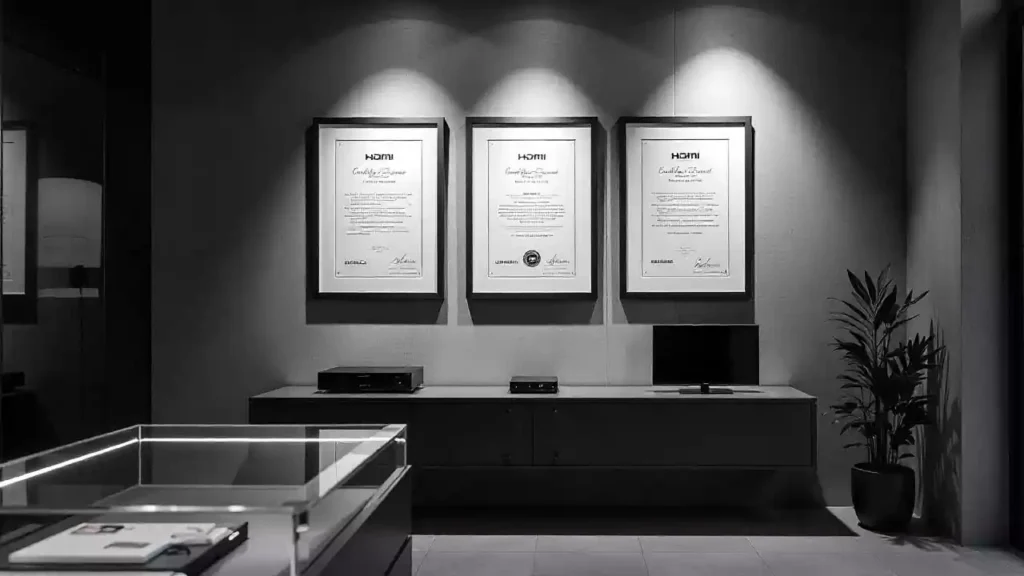
批发购买线缆时,请选择经过认证的产品。认证意味着线缆安全可靠,性能优异。认证线缆可提供清晰的音画效果,有效防止信号丢失和图像失真。您可以放心使用认证线缆,它们能够完美兼容 8K 和 HDR 技术。.
认证线缆都经过严格的测试。这些测试确保它们符合相关规范,并能与多种设备兼容。.
- 经过认证的电缆以其可靠性而闻名。.
- 它们有助于降低退货率和投诉率。.
- 您可以放心地提供保修服务并为客户提供帮助。.
经过认证的线缆能让您的企业脱颖而出。它们表明您对质量的重视,并赢得客户的信任。.
认证类型
HDMI线缆认证有多种类型,每种类型都满足特定的需求:
- 标准:适用于基本的高清视频和音频。.
- 高速:支持 1080p、4K 30Hz 和 3D。.
- 高级高速:支持 4K 60Hz、HDR,并能有效阻挡电磁干扰。.
- 超高速支持 8K、动态 HDR 和更高的带宽。.
HDMI 授权管理机构 (HDMI LA) 和 HDMI 论坛制定了最高标准。HDMI LA 负责审核授权和测试。HDMI 论坛则制定新规则,主要针对 HDMI 2.x。这些机构确保认证线缆满足新的行业需求。.
真实性检查
假冒线缆在市场上是一个很大的问题。许多假冒产品使用诸如UL或ETL之类的虚假标志来欺骗消费者。这些线缆使用劣质材料,可能存在安全隐患。.
研究表明,网上充斥着大量假冒伪劣和未经认证的线缆。这会损害消费者信任,并可能对您的业务造成损失。.
为了确保安全,请在权威机构网站上核实认证编号。寻找“优质高速”或“超高速”等标签。选择记录清晰且提供批次检测报告的供应商。注重认证和质量的品牌能帮助您避免买到劣质产品,让客户满意。.
4 种常见的 HDMI 线缆类型
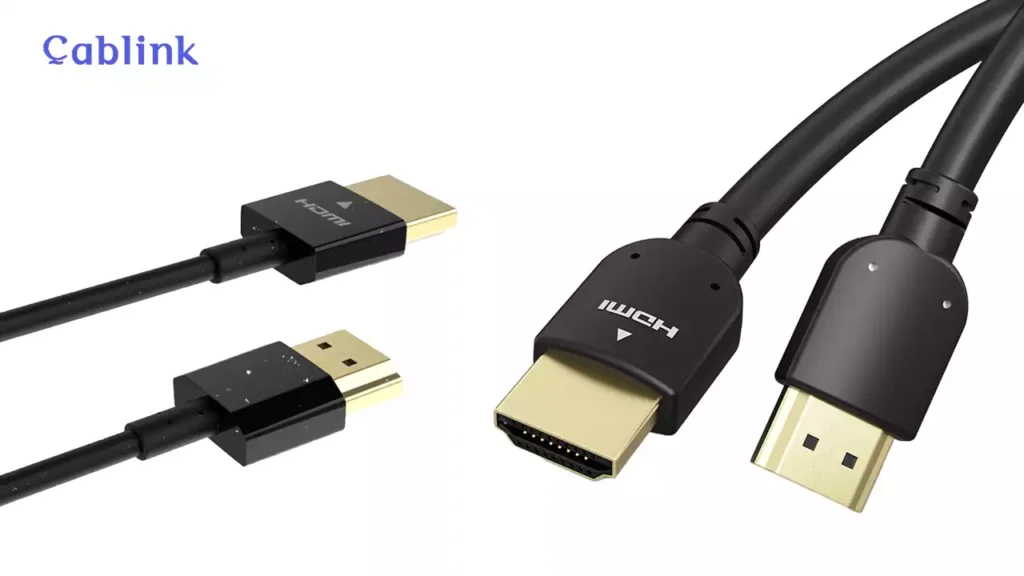
你需要了解的 4 种不同的 HDMI 线缆类型
市面上有很多种HDMI线缆。每种线缆的传输速度和图像质量都不同。选择合适的线缆能确保您的客户顺利使用设备。下表列出了主要线缆类型及其功能:
HDMI线缆类型 | 最大带宽 | 支持的分辨率 | 刷新率 | 支持的HDMI版本 | 主要特性和应用案例 |
标准HDMI线缆 | 约 4.95 Gbps | 最高支持 1080i 或 720p | 约30赫兹 | 1.0 至 1.2a | 传统设备,基本高清视频 |
约 10.2 Gbps | 最高支持 4K 24Hz 和 1080p | 最高 30Hz | 1.3 至 1.4a | 3D、深色、4K24、蓝光、上一代游戏主机 | |
约 18 Gbps | 4K 60Hz,4:4:4 色度,部分 8K | 最高可达 60Hz | 2.0b | 支持HDR、扩展色域,并通过EMI抑制认证 | |
约 48 Gbps | 无压缩 8K60、4K120,最高可达 10K | 最高可达 120Hz 或 240Hz | 2.1 及更高版本 | 支持HDR、VRR、eARC以及所有HDMI 2.1功能,并通过最高性能认证。 | |
光纤HDMI线缆 | 最高可达 48 Gbps | 4K、8K、远距离 | 最高可达 120Hz | 2.0, 2.1 | 长距离电缆传输,商业音视频应用,信号损耗极小 |
列表下方列出的线缆类型,数据传输能力依次增强。光纤HDMI线缆最适合远距离传输信号,尤其适用于大型房间或商店等场所。.
提示: 卡布林克 它包含了所有这些类型的线缆。这方便您找到客户想要的产品。.
应用场景
人们使用HDMI线缆的方式多种多样。您需要根据不同的用途选择合适的线缆。例如,家庭影院可能需要高速HDMI线缆来播放4K电影。会议室可能需要超高速HDMI线缆来支持8K屏幕和流畅的视频通话。光纤HDMI线缆则适用于线缆较长的场所,例如大型大厅或指示牌。.
专业提示: 想要 了解更多关于HDMI线缆类型和应用的信息点击上方链接阅读我们的最新文章。.
满足客户需求
想想您的客户使用什么产品以及在哪里使用。下表展示了选择合适的线缆如何帮助您的客户:
方面 | 场景示例 | 满足客户需求 |
有线版 | HDMI 2.1 用于 8K 电视,HDMI 2.0 用于 4K 显示器 | 为每台设备提供最佳的图像和声音质量 |
电缆长度 | 适用于大型会议室布置的光纤HDMI | 远距离保持信号强度和清晰度 |
特别功能 | 用于智能电视的以太网线缆,用于条形音箱的ARC线缆 | 减少线缆杂乱,提升音视频集成度 |
认证与质量 | 适用于办公环境的认证电缆,具有强大的屏蔽性能 | 确保可靠性并减少停机时间 |
带宽要求 | 4K游戏支持18Gbps带宽,8K视频墙支持48Gbps带宽 | 保证运行流畅,避免超支 |
兼容性 | 将线缆规格与设备端口匹配 | 防止投资浪费,并确保所有功能按预期运行。 |
您可以信赖像Cablink这样的供应商。他们提供多种选择,因此您总能为每位客户找到合适的线缆。.
HDMI线缆技术规格
HDMI带宽和分辨率
为您的企业选择 HDMI 线缆时,了解带宽和分辨率至关重要。带宽决定了线缆能够传输的数据量。更高的带宽意味着更清晰的图像和更高的分辨率。例如,HDMI 2.1 线缆的传输速度最高可达 48 Gbps,这意味着它们可以传输未压缩的 8K 视频和清晰的音频。HDMI 2.1b 采用新型固定速率链路 (RFL) 技术,传输速度最高可达 96 Gbps。这意味着您可以销售适用于 8K60、4K120 甚至 16K 显示屏的线缆。.
下表列出了最新HDMI版本的主要技术特性:
功能类别 | 细节 |
带宽 | 新一代HDMI固定速率链路技术可实现高达96 Gbps的传输速率 |
支持的分辨率 | 8K60、4K120、最高可达10K、12K@120、16K@60 |
色彩深度和色度 | 10 位和 12 位颜色深度的未压缩全色度格式(例如,8K@60/4:4:4) |
电缆支架 | Ultra96 HDMI 线缆支持高达 96 Gbps 的带宽,低电磁干扰,向下兼容 |
延迟改善 | 用于改进音视频同步的延迟指示协议 (LIP) |
音频增强 | 增强型音频回传通道 (eARC) 可提供卓越的音频质量 |
游戏功能 | VRR、ALLM、QFT、QMS |
电缆电力 | 有源HDMI线缆直接由HDMI接口供电,无需单独的电源线。 |
现代显示器需要更高的带宽才能正常工作。HDMI 2.0 线缆的传输速度最高只有 18 Gbps,无法传输未压缩的 8K 视频。要流畅播放 4K 和 8K 视频,您需要更高带宽的线缆。例如,4K 视频流传输大约需要 15 到 68 Mbps 的带宽,而 8K 视频流传输则需要更多的数据。.
尖端: 对……感到困惑 4K 和 8K HDMI 线缆有什么区别? 没问题,您可以点击上面的链接阅读我们之前的文章了解详情。.
HDMI线缆长度
线缆长度对信号质量至关重要。过长的线缆容易造成信号丢失或信号减弱。新型HDMI线缆采用更优质的材料和设计,即使在较长的线缆长度下也能保持良好的信号传输。这对于会议室、教室和数字标牌等需要长线缆的场所尤为重要。.
- 新型HDMI线缆采用坚固的材料和巧妙的设计,可防止信号损失。.
- 人们想要更好的屏幕,所以公司生产即使很长也能正常工作的线缆。.
- Features like eARC and HDRneed cables that keep the signal strong, even if the cable is long.
- Companies keep making cables better to fight signal loss and keep quality high.
Engineers test HDMI cables to make sure the signal stays good. They use special tests like data eye diagrams and jitter checks before and after the cable. These tests help make sure the cable meets tough rules. Longer cables can lose more signal, so always check the specs and test results before you buy.
Build Quality
Build quality is important for how well an HDMI Cable works and how long it lasts. Good cables use strong materials and tough connectors. Gold or silver on the connectors helps keep the signal steady. High-quality cables also use thick wires and better shielding. This blocks outside noise and keeps the signal clear.
- Gold-plated connectorsstop rust and help the connection stay strong.
- Thick, shielded cables block outside signals.
- Strong materials help the cable last longer, even if used a lot.
When you pick cables with good build quality, you lower the chance of problems and returns. Your customers get a cable they can trust for any setup.
Connector Types
When picking HDMI cables for your business, you should know about connector types. Each connector type works with different devices. Choosing the right one helps your customers connect things easily. This stops problems and makes sure everything works well.
4 Common HDMI Connector Types
- Type A (Standard HDMI):
You see this connector on most TVs and monitors. It is also on projectors and home theater gear. It has 19 pins and supports all HDMI features. Most home electronics use this connector. - Type C (Mini HDMI):
This smaller connector is used with tablets and DSLR cameras. Some laptops also use it. It lets people connect small devices to bigger screens. - Type D (Micro HDMI):
This tiny connector is found on smartphones and action cameras. It is also on other small devices. It saves space but still gives good video and sound. - Type E (Automotive HDMI):
This connector is made for cars and trucks. It has a locking tab and extra shielding. This helps it handle bumps and tough places.
提示: Always look at the device’s port before picking a cable. The wrong connector can cause returns and upset customers.
Why Connector Quality Matters
The connector’s quality changes how well the cable works. Good connectors keep the signal strong and last longer. Gold-plated connectors are strong and work well. Lab tests show gold-plated connectors last through many uses. They keep a steady connection even after thousands of times. Tin-plated connectors wear out faster and lose signal quality.
Here is a comparison of gold-plated and tin-plated connectors:
Performance Metric | Gold-Plated Connectors | Tin-Plated Connectors |
Mechanical Wear | Little wear after 10,000 uses; gold stays strong | More wear after 5,000 uses; material rubs off and rust appears |
Contact Resistance | Resistance stays low after 10,000 uses | Resistance goes up after 5,000 uses because of rust and damage |
Signal Integrity (Jitter & Eye Pattern) | HDMI signal stays clear with little jitter during tests | More jitter and signal loss after 5,000 uses, gets worse by 10,000 uses |
You want to sell cables that last a long time. Gold-plated connectors help with this. They keep the signal clear and lower the chance of problems. Your customers will have fewer issues and better results.
Key Takeaways for HDMI Cable Connector:
- Pick the right connector type for each device.
- Use gold-plated connectors for longer life and better signal.
- Make sure the connector fits tight and is built well.
By focusing on connector types and quality, you help your customers have a better experience. This builds trust and means fewer returns for your business.
Logistics & Supply Chain Considerations

Lead times for customized cables
When you order customized HDMI cables, you should expect longer wait times. Custom cables need extra steps, like making special lengths or adding colors. Factories must get the right materials and set up their machines. They also check the quality before sending the cables out. Always ask your supplier how long it will take before you order. Most suppliers need two to six weeks to make custom cables. The time depends on how hard the job is and how many you order.
If you want your logo or special packaging, you may need to see a sample first. This can add a few days or even a week to your wait. You can help things go faster by giving clear instructions and quick feedback. Good suppliers will tell you what is happening at every step. Talking often with your supplier helps you avoid delays and keeps your customers happy.
提示: Always check when your order will arrive. Ask if you can pay extra for faster shipping if you need the cables soon.
Inventory management: Just in Time vs. buffer stock for peak seasons
You need to choose how much cable stock to keep. There are two main ways: Just in Time (JIT) and buffer stock. JIT means you only order cables when you need them. This saves space and money but can cause problems if you run out. If demand goes up or shipping is late, you might not have enough cables.
Buffer stock means you keep extra cables in your warehouse, especially before busy times. This helps you fill orders fast and not lose sales. Look at your sales history to guess when you will sell more, like during holidays or back-to-school. Many wholesalers use both ways. They keep a small buffer for normal sales and add more stock before big events.
You can work with your supplier to set up automatic orders or flexible delivery times. This helps you save money and still serve your customers well.
Shipping options: FOB, EXW, CIF
Shipping terms affect how much you pay in the end. You will see words like FOB, EXW, and CIF on your quotes. Each one changes who pays for shipping, insurance, and customs. Picking the right term helps you control your costs and avoid surprises.
Here is a table that shows common shipping terms for international HDMI cable orders:
Benchmark Category | Details / Examples |
Shipping Terms (Incoterms) | DAP, DDP, FAS, FOB, CIF |
Critical Selection Factors | Supplier credibility, MOQ, lead times, packaging options |
Logistics Considerations | Port of dispatch (e.g., China), packaging types (bulk, custom, eco-friendly), pricing by volume |
You should also watch out for extra costs. These can be customs duties, taxes, money exchange fees, inspection fees, and payment charges. Many wholesalers save money by shipping in bigger groups, asking for discounts, or teaming up with others to buy more.
- Extra costs to think about:
- Customs duties and taxes
- Money exchange rates
- Quality check fees
- Packaging and handling fees
- Payment fees
Smart shipping choices and good planning help you keep your costs low and your profits high.
Special Features for HDMI Cable
ARC & eARC
Audio Return Channel (ARC) and Enhanced Audio Return Channel (eARC) make sound setups easier. ARC lets your TV send sound to your soundbar or AV receiver with just one HDMI cable. You do not need extra wires for audio. This is good for most home theaters and smart TVs. eARC is even better than ARC. It works with high-quality sound like Dolby Atmos and DTS:X. You get clearer sound and more details. eARC also helps keep voices and pictures in sync. It can send sound to more speakers at once. If your customers want the best sound, tell them to use HDMI cables that support eARC. Pick cables marked “Ultra High Speed” to make sure eARC works.
提示: Always check if both the TV and sound device have ARC or eARC. The right cable makes sure all features work right.
Ethernet Channel
Some HDMI cables have an Ethernet Channel. This lets devices share the internet through the HDMI cable. You can connect smart TVs, game consoles, and streaming boxes without extra network wires. This means fewer cables and a cleaner setup. It also makes installing everything faster and easier. The HDMI Ethernet Channel is great for home theaters and meeting rooms where many things need the internet. It can go up to 100 Mbps, which is enough for most streaming and games.
特征 | Benefit |
Shared Internet | Fewer cables, cleaner setup |
Device Networking | Easy connection for smart devices |
Simple Installation | Less time spent on wiring |
Not every HDMI cable has Ethernet. Choose “High Speed with Ethernet” or “Ultra High Speed” cables if you want this feature.
Fiber Optic Options
Fiber optic HDMI cables are best for sending signals far. These cables use light instead of electricity to move data. This keeps the signal strong, even when the cable is long. Here are some main benefits of fiber optic HDMI cables: 1. They stop signal loss and keep sound and picture clear over long distances. 2. You can use them for 4K and 8K video without losing quality. 3. They block outside interference that can bother copper cables. 4. Fiber optic HDMI cables work well in big places like meeting rooms, auditoriums, and home theaters. They keep the signal steady even if the cable is over 50 to 100 feet long. 5. These cables are lighter and bend more easily, so they are simple to put in tight spots.
New fiber optic technology lets you send 8K@60Hz and 4K@120Hz signals up to 164 feet or more. Many new cables now meet these high standards, so fiber optic HDMI cables are a smart pick if you want to be ready for the future.
If you need to run HDMI cables through walls or across big rooms, fiber optic cables help you avoid signal loss and keep everything working great.
Customization Services
Customization helps your business stand out in the HDMI cable market. Many people want cables that fit their needs. You can give them more value by picking cables with special features, different lengths, or custom branding.
Why Customization Matters
You have many types of customers. Some need cables for home theaters. Others need them for schools, offices, or big events. Each group wants something different. Customization lets you meet those needs.
笔记: Custom cables help you get business from clients who want something special. You can also charge more for these services.
Popular Customization Options
There are many ways to customize HDMI cables. Here are some of the most popular options:
- Length:Offer cables in any size, from short ones to long ones for big rooms.
- Color:Pick colors to match rooms, help organize, or follow safety rules.
- Branding:Put your logo or your customer’s logo on the cable, connectors, or box.
- Packaging:Choose bulk packs for installers or retail packs for stores. You can also pick eco-friendly packaging.
- Special Features:Ask for cables with extra shielding, in-wall ratings (CL2/CL3), or waterproof jackets for outdoor use.
Customization Scenarios
Here are 4 scenario for customer services,
Scenario | Customization Needed | Benefit to Customer |
In-wall installation | CL2/CL3-rated, plenum-rated jackets | Meets building codes, safer setup |
Harsh environments | Waterproof, ruggedized cables | Longer life, fewer replacements |
Branding for resellers | Custom logo, unique packaging | Stronger brand, repeat business |
Large venues | Extra-long cables, color coding | Easy setup, less confusion |
How to Order Custom Cables
- Decide what features your customers want.
- Tell your supplier all the details. Include length, color, branding, and any special needs.
- 大量订购前请索取样品或样稿。.
- 查看需要多长时间以及您可以下的最小订单量。.
- 在将成品发送给客户之前,请检查最终产品质量。.
提示: 与了解定制服务的供应商合作。他们可以帮助您避免出错。.
定制化服务能帮助您服务更多客户,提升品牌形象。它展现了您对品质和细节的重视,从而增强您的业务实力,赢得更多信赖。.
批量购买HDMI线缆前你需要知道的3件事
假冒产品
从不知名的卖家那里购买HDMI线缆风险很大。假冒线缆外观逼真,但性能却远不如正品。这些假货可能会给您的业务带来诸多问题。.
- 顾客反映假冒线缆会导致图像质量差,这会引起顾客不满并导致投诉。.
- 有些卖家不接受假冒线缆的退货。这会导致纠纷,也给你增加额外的麻烦。.
- 有时候买家必须向制造商询问线缆的真伪。单凭包装盒并不能证明它是正品。.
- 假冒或破损的线缆问题会导致更多退货,这会增加客户服务的难度。.
假冒HDMI线缆会损害您的企业声誉,并导致客户不满。您可以从信誉良好的卖家处购买,并检查其是否具有真实认证,从而避免这些问题。.
兼容性问题
您需要为每台设备使用正确的线缆。如果选错了线缆,客户可能看不到图像或屏幕闪烁。支持 8K 视频或高刷新率的新设备需要专用线缆。.
- 旧电缆可能无法与新设备良好兼容。.
- 有些线缆不具备eARC或以太网等功能,这可能会让用户感到不满。.
- 错误的线缆往往会导致更多的退货和销售损失。.
购买设备前务必先确认所需配件。这个简单的步骤既能省钱,又能让顾客满意。.
忽视趋势
HDMI线缆市场瞬息万变,每年都有新的功能和标准推出。如果不及时跟进,您可能会被其他卖家抢占市场。.
- 越来越多的人想要购买 8K HDMI 线缆,以获得更好的速度和画质。.
- 现在游戏和家庭影院都需要使用 HDMI 2.1 线缆。.
- 顾客喜欢使用寿命更长、外观更美观的线缆,例如编织线缆或细线缆。.
- 不跟上新趋势会导致业绩不佳和销量下降。.
密切关注新趋势,并经常更新您的线缆。这有助于您满足客户需求,并促进业务增长。.
HDMI线缆购买清单
购买步骤
按照以下步骤,帮助您为您的企业选购合适的线缆:
1.检查认证
选择经过 HDMI 授权管理机构认证的线缆。这意味着该线缆符合国际标准,并能提供真正的高品质。.
2.评估制造商
选择拥有训练有素的员工和精良设备的供应商。强大的研发团队有助于确保电缆性能良好。.
3.检查芯材
选择采用无氧铜(OFC)芯线的电缆。OFC 的信号传输性能优于铜包钢或铜包铁。.
4.核对密码数量
请确保线缆具有完整的 19+1 针接口。如果针脚少于 19 针,则可能无法正常工作声音或图像。.
5.评估防护措施
选择具有多层屏蔽层的线缆。良好的屏蔽层可以防止信号损耗并阻挡外部干扰。.
6.考虑光纤方案
对于长距离布线,请使用光纤HDMI线缆。光纤可以保持信号强度高,画面清晰。.
遵循这份清单可以帮助您避免错误,并确保您的客户获得优质产品。.
供应商问题
点餐前请询问以下问题:
- 你们会给每根电缆都贴上认证标签吗?
- 你们的电缆核心材料是什么?
- 能否提供测试和检验结果?
- 你们如何处理OEM或ODM订单?
- 你们的HDMI线缆产品提供什么保修?
- 你们是否遵循某些特定场所的特殊安装规则?
- 客户购买后,您如何帮助他们?
好的供应商会回答这些问题,并在你要求时提供证明。.
质量提示
记住以下几点,以保持高标准:
- 务必选择带有“高级高速”或“超高速”认证的线缆。这些标签表示该线缆支持 4K 或 8K 超高清分辨率。.
- 查看供应商是否以良好的客户服务而闻名。.
- 请确保线缆符合最新的HDMI标准。.
- 购买前请查看电缆的材质和制作工艺。.
- 索取样品并在实际环境中进行测试。.
- 购买后,务必确保供应商提供强有力的保修和良好的售后服务。.
优质线缆意味着更少的退货、更满意的客户和更强大的企业。.
结论
选择符合规格且经过认证的HDMI线缆,可以保障您企业和客户的安全。由于无需频繁更换故障线缆,您还能节省成本。选择提供真实认证的供应商,不仅方便您批量订购,还能有效避免各种问题。.
- 经认证的电缆遵循安全和工作规则。.
- 严格按照规格操作可以确保各个部件协同工作,长期来看还能省钱。.
- 好的供应商能提升你的企业形象。.
购买线缆时务必使用检查清单。检查线缆的到货方式,并运用这些技巧来赢得信任,助力业务增长。.
常问问题
高速HDMI线缆和超高速HDMI线缆有什么区别?
高速HDMI线缆最高支持4K 30Hz分辨率。超高速HDMI线缆最高支持8K 60Hz和4K 120Hz分辨率。超高速线缆数据传输量更大,更适用于新型设备。.
如何查看HDMI线缆是否通过认证?
检查包装盒上是否有真正的认证标签。您可以扫描二维码或在HDMI授权管理机构网站上输入代码。认证线缆带有清晰的标记和文件,以证明其真实性。.
我可以使用同一根HDMI线连接所有设备吗?
您需要确保为您的设备选择合适的线缆。对于 8K 电视或游戏主机,请使用超高速 HDMI 线缆。高速或标准线缆适用于较旧的设备。购买前务必查看您的设备需要哪种线缆。.
为什么HDMI线缆的长度很重要?
长线缆容易造成信号衰减。如果您的线缆超过 15 英尺(约 4.5 米),请选择屏蔽效果好的线缆或使用光纤线缆。这样即使使用长线缆,也能保证图像和声音清晰。.
镀金连接器有区别吗?
镀金接头不会生锈,连接牢固。它们使用寿命更长,故障更少。尤其是在频繁插拔的情况下,它们有助于保持信号稳定。.
什么是eARC?我需要它吗?
eARC 指的是增强型音频回传通道。它可以让电视将更优质的音频信号传输到音响系统。如果您想要获得最佳音质,请选择支持 eARC 的 HDMI 线缆。.
所有HDMI线缆都向下兼容吗?
是的,HDMI 线缆可以兼容旧版本的 HDMI 接口。您可以将新线缆连接到旧设备上。线缆只会使用所连接设备中较旧版本的功能。.
如何避免买到假冒的HDMI线缆?
务必从您信任的卖家处购买。购买时一定要查看真实的认证标签,并索取测试报告。假冒线缆通常没有正确的标识或文件。知名品牌和值得信赖的卖家能帮助您远离假货。.