Saltar al contenido

Tabla de contenido
Does Your HDMI Cable Actually Support 4K?
For consumers, identifying a 4K HDMI cable is as simple as looking for the “Premium High Speed” (HDMI 2.0, 18Gbps) or “Ultra High Speed” (HDMI 2.1, 48Gbps) labels on the packaging.
However, for bulk buyers, distributors, and AV integrators, labels are never enough. To guarantee a batch of cables truly supports stable 4K transmission without signal dropouts, procurement managers must rely on verified ATC (Authorized Testing Center) certificates, comprehensive Eye Diagram test reports from the factory, and strict incoming quality control (IQC) procedures.
Key Takeaways for Procurement & Engineers:
- Consumer vs. B2B Verification: Packaging logos are for retail; Fluke network testers and Time Domain Reflectometer (TDR) reports are for bulk procurement.
- Factory-Level QC is Crucial: True 4K stability relies heavily on inline production testing, particularly high-frequency soldering precision and EMI shielding integrity.
- Certification Matters: Always cross-reference the HDMI adopter status and QR code validation before placing high-volume OEM/ODM orders.
What Does 4K Support Mean for HDMI Cables?
Before we dive into how to identify if your HDMI cable supports 4K, it’s important to understand what 4K support means in the context of HDMI cables.
What is 4K?
4K resolution (also known as Ultra High Definition or UHD) refers to a display resolution of 3840 x 2160 pixels. This provides four times the pixel count of Full HD (1920 x 1080 pixels), offering sharper and more detailed images. The term “4K” has become the gold standard for high-quality content, and to fully experience 4K resolution, both your TV and the device sending the signal need to support it.
HDMI Versions and 4K
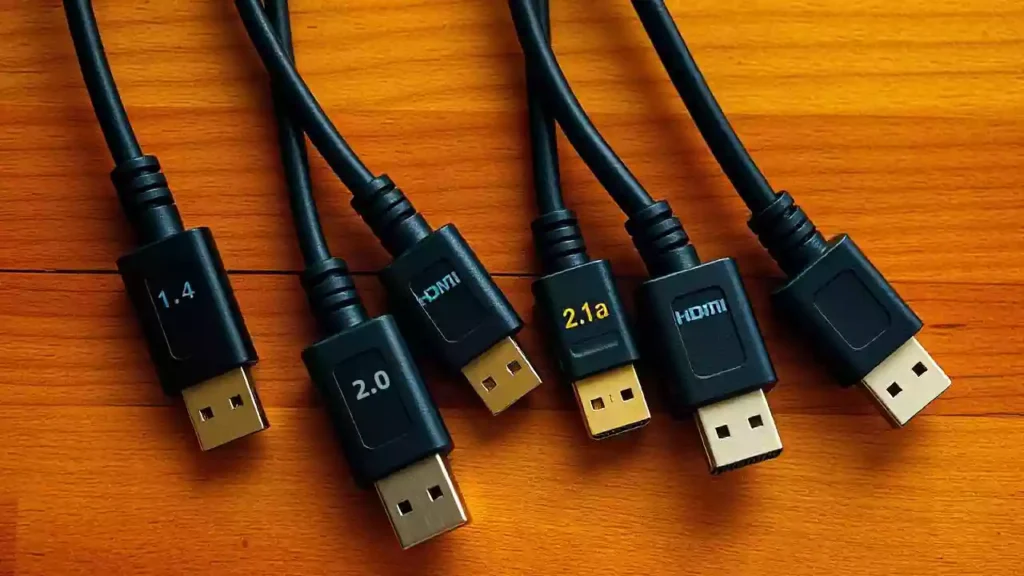
The HDMI specification has evolved over time, with different versions supporting various features. When it comes to 4K content, the key versions HDMI cables are HDMI 1.4, HDMI 2.0, and HDMI 2.1.
- HDMI 1.4: Introduced in 2009, HDMI 1.4 can support 4K at 30Hz, but it’s not ideal for smooth 4K playback. If you’re looking for a solid 4K experience, HDMI 1.4 might not cut it.
- HDMI 2.0: This version, released in 2013, is the real game-changer for 4K. HDMI 2.0 supports 4K at 60Hz, which is crucial for smooth motion and high-quality video.
- HDMI 2.1: The latest version, HDMI 2.1, supports 4K at 120Hz and even higher resolutions like 8K, along with advanced features such as Dynamic HDR and enhanced bandwidth for gaming.
Bandwidth Requirements for 4K
4K video requires a lot of data to be transferred between devices. For 4K at 30Hz, you’ll need a bandwidth of at least 10.2 Gbps. To fully enjoy 4K at 60Hz, your HDMI cable needs to support up to 18 Gbps. HDMI 2.1 increases the bandwidth to 48 Gbps, which is essential for 4K at higher refresh rates and future-proofing your setup.
How to Identify Your HDMI Cable Version
So, how do you figure out which version your HDMI cable is? Here are a few ways to identify it:
Look for Labels on the Cable
HDMI cables often have some form of labeling printed directly on them. The most common labels you’ll encounter include:
- Standard High Speed HDMI Cable: Typically supports 1080p or 4K at 30Hz.
- High Speed HDMI Cable: Supports 4K at 30Hz or 60Hz, depending on the cable.
- Premium High Speed HDMI Cable: Designed to deliver 4K at 60Hz, including HDR support.
- Ultra High Speed HDMI Cable: Supports 4K at 120Hz, 8K, and higher refresh rates, and is certified to handle the latest HDMI 2.1 features.
Cable Length and Performance
The length of the cable can affect its performance, especially with 4K content. Longer cables (over 10 feet) may suffer from signal degradation, which can impact video quality. For the best 4K experience, stick to shorter cables (less than 10 feet) unless you’re using a high-quality, well-shielded cable designed for longer distances.
Proceso de dar un título
Look for HDMI certification logos on the packaging, such as the Premium HDMI Cable or Ultra High Speed HDMI Cable logo. These certifications ensure that the cable meets strict standards for 4K or 8K support.
Key Signs Your HDMI Cable Supports 4K
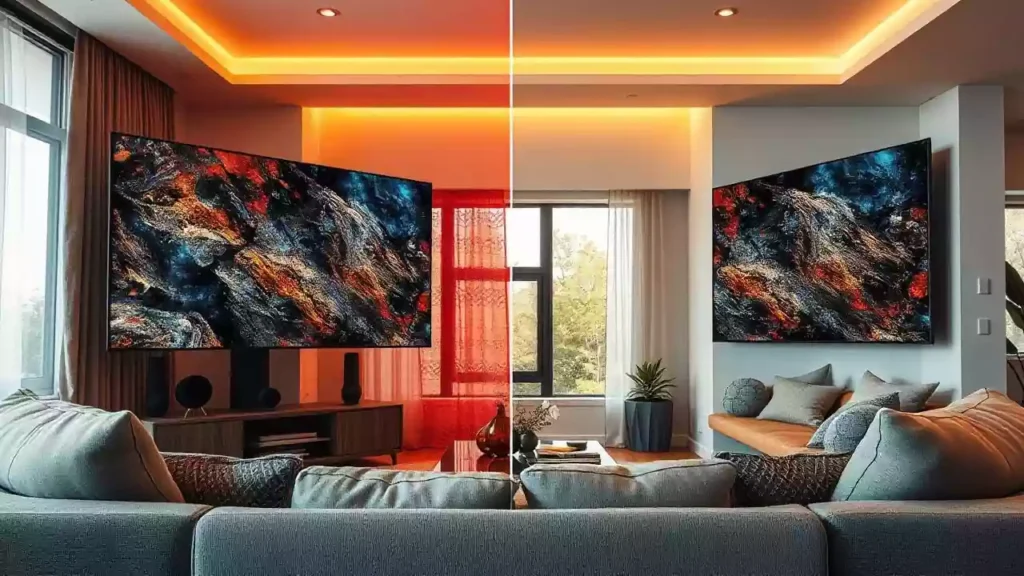
Not sure whether your HDMI cable supports 4K? Here are some key indicators:
Supports 4K Resolution & Refresh Rate
The most obvious sign your HDMI cable supports 4K is whether it can transmit 4K resolution. But it’s not just about the resolution. You also need to consider the refresh rate. A cable that supports 4K at 60Hz (or higher) is necessary for smooth playback of fast-moving content such as sports or gaming.
HDMI 2.0 or 2.1 Support
For full 4K support, your cable must be HDMI 2.0 or HDMI 2.1. HDMI 1.4 cables might support 4K, but only at lower refresh rates (typically 30Hz). HDMI 2.0 and 2.1 allow you to enjoy 4K at 60Hz or higher, with HDMI 2.1 providing support for higher resolutions and refresh rates (up to 120Hz for 4K).
HDR Compatibility
High Dynamic Range (HDR) enhances the color and contrast of your picture, and it’s an important feature for a true 4K viewing experience. HDR requires a compatible HDMI cable, and cables that support HDR10 or Dolby Vision are essential for full 4K support.
Color Depth
4K content typically uses a 10-bit color depth, which allows for smoother gradations of color. If your HDMI cable supports 10-bit or 12-bit color depth, it is likely compatible with 4K content.
Tests to Check if Your HDMI Cable Supports 4K
To be absolutely sure your HDMI cable supports 4K, here are some simple tests you can perform:
| Inspection Stage | B2C / End-User Method | B2B / Bulk Buyer Method | Required Equipment / Documents |
|---|---|---|---|
| Visual & Labeling | Check for “Premium High Speed” or “Ultra High Speed” hologram. | Verify supplier’s HDMI Adopter status and valid ATC certification. | HDMI Licensing Administrator portal, Certificate of Compliance. |
| Physical Integrity | Check cable thickness and connector plating. | Destructive testing: Inspect aluminum foil + braid coverage (EMI shielding) and wire gauge (AWG). | Calipers, stripping tools, Factory BOM analysis. |
| Bandwidth & Signal | Plug into a 4K TV and Apple TV to see if it works. | TDR testing for impedance mismatch; Eye Pattern testing for signal integrity at 18Gbps/48Gbps. | Oscilloscope, Fluke Network Cable Tester. |
| Batch Reliability | Read Amazon reviews. | Implement AQL (Acceptable Quality Limit) sampling upon incoming delivery (IQC). | High/Low-temperature testing chambers, plug-cycle testing machines. |
Use a 4K TV and Source
The first test is to connect your HDMI cable to a 4K-compatible TV and source device (like an Apple TV 4K, gaming console, or Blu-ray player). Set the TV to its native 4K resolution, and ensure the source device is outputting a 4K signal. If the image looks sharp and clear, your cable is likely up to the task.
Adjust Display Settings
On your 4K TV, go to the display settings and check the resolution. If the TV detects 4K resolution and the image appears without any issues (such as flickering or distortion), your HDMI cable is likely 4K-ready.
Test Bandwidth and Signal Strength
Use software or diagnostic tools designed to test the bandwidth and signal strength of your HDMI cable. These tools can identify whether your cable is transmitting the required bandwidth for 4K video.
Try Different HDMI Ports
Sometimes, certain HDMI ports on a TV or device only support certain features. Check the specifications of your TV to ensure you’re using the HDMI port that supports 4K (usually labeled as HDMI 2.0 or HDMI 2.1).
Behind the Scenes: The Complete Factory Testing Process for True 4K HDMI Cables
For serious buyers, understanding a manufacturer’s internal quality control logic is far more critical than reading marketing spec sheets. A reliable 4K HDMI cable must survive a rigorous testing matrix before it leaves the factory. The routine testing process generally follows three stages:
- IQC (Incoming Quality Control): Inspecting raw materials. This includes verifying the AWG (American Wire Gauge) of the copper conductors, testing the density of the tinned copper braid for EMI shielding, and ensuring the connector housings meet dimensional tolerances.
- IPQC (In-Process Quality Control): The critical inline assembly checks. This involves high-voltage isolation tests to prevent VBUS/GND short circuits, precise wire stripping, and connector soldering inspection.
- FQC/OQC (Final/Outgoing Quality Control): The finished product stage. Random samples undergo mechanical durability tests (10,000+ bending/swing tests, salt spray tests for gold-plated connectors) and, crucially, high-frequency electrical tests using Time Domain Reflectometry (TDR) and Eye Diagram analysis to guarantee flawless 18Gbps/48Gbps signal integrity.
The Cablink Expert Insight: The Secret Lies in Precision Soldering
While the above routine tests are standard for decent factories, the real difference in 4K signal stability (preventing micro-impedance mismatches that cause screen flickering) comes down to inline craftsmanship. Let’s focus on the most critical step in IPQC: Connector Soldering.
Many standard factories still rely on manual soldering, resulting in inconsistent impedance and potential cold joints. At Cablink’s engineering department, we mandate high-frequency automated soldering machines strictly governed by our internal SOPs:
- Material: ≤0.5mm lead-free high-purity solder wire.
- Time & Temp Control: Soldering time strictly set at 0.2–0.6 seconds, with an identical 0.2–0.6s cooling time.
- Power Output: 7–10W with heat regulation locked between 70%–90%.
Furthermore, every soldered joint undergoes 100% visual inspection via magnification before the overmolding process. Cablink enforces a zero-tolerance policy: if an inline quality inspector detects more than 2 defective pieces (e.g., bridging, excessive tin, or insufficient solder), the entire production line is halted for recalibration. This microscopic attention to the simplest procedures is how we ensure zero signal dropouts in bulk shipments.
Experiencing high RMA rates due to signal dropouts with your current supplier? Hand soldering inconsistencies might be the root cause. Contact Cablink’s Engineering Team today to schedule a virtual factory tour and receive a sample batch manufactured under strict industrial automation.
3 Common HDMI Cable Issues with 4K Content

If you’re encountering issues with your HDMI cable while streaming 4K content, here are some common problems and solutions:
Signal Dropouts
Signal dropouts can happen if your cable is not capable of handling the high bandwidth required for 4K. To fix this, try using a shorter cable or a higher-quality, certified Ultra High Speed HDMI cable.
Picture Artifacts
Artifacts like screen tearing, pixelation, or color inconsistencies can occur if your cable can’t support the resolution or refresh rate. Upgrading to a Premium or Ultra High Speed HDMI cable can resolve this issue.
Compatibility Problems
Sometimes, even a 4K-capable cable might not work correctly if your TV or device isn’t fully compatible. Make sure both your TV and source device are set up for 4K output, and that your HDMI cable is properly inserted into the correct HDMI port.
How to Choose the Right HDMI Cable for 4K
For Consumers: The Quick Checklist
When shopping for an HDMI cable that supports 4K, keep these factors in mind:
- Ensure it supports HDMI 2.0 (18Gbps) for standard 4K@60Hz, or HDMI 2.1 (48Gbps) if you game at 4K@120Hz.
- Look for the official QR code hologram on the packaging and scan it with the HDMI Cable Certification app.
- Keep the length under 3 meters (10ft) for passive copper cables.
For Procurement Managers & Engineers: How to Audit a Reliable HDMI Supplier
When sourcing high-volume OEM/ODM 4K HDMI cables, evaluating a new supplier goes far beyond the initial prototype testing. To ensure batch-to-batch consistency and avoid costly recalls, buyers must audit suppliers based on the following professional criteria:
- Verify Certifications & Adopter Status: Never take a “4K Support” claim at face value. First, verify if the factory is an official HDMI Adopter listed on the HDMI Licensing Administrator portal. Second, request the specific ATC (Authorized Testing Center) Certificate for the exact length and specification of the cable you are purchasing. A factory claiming 4K readiness without ATC backing is a massive red flag for compliance and customs clearance.
- Audit Craftsmanship and In-House Testing Equipment: A true factory does more than just assemble parts. Ask for photos or videos of their production lines. Do they use automated high-frequency soldering machines, or do they rely on manual labor? More importantly, check their lab equipment. Reliable suppliers invest heavily in in-house testing tools, such as Tektronix/Keysight Oscilloscopes y Fluke Network Cable Testers, rather than outsourcing high-frequency signal testing.
- Evaluate the Quality Control & Traceability System: Inspect their ISO 9001 compliance and actual QC implementation. A professional supplier should provide clear documentation of their AQL (Acceptable Quality Limit) standards for bulk production. Furthermore, they must have a robust ERP system. In the event of a defective return, can the factory trace the exact batch number back to the specific production date, soldering machine, and raw copper supplier? Full traceability is the hallmark of an industrial-grade manufacturing partner.
Recommended Brands
Brands like Cablink, which specialize in high-quality HDMI cables, often offer premium options for 4K video. Look for cables that have been certified to meet HDMI 2.0 or 2.1 standards.
Future-Proofing
For those planning to upgrade their setup or future-proof their gear, opt for HDMI 2.1 cables. These cables support next-gen technologies, including higher resolutions, higher refresh rates, and enhanced gaming features.
Conclusión
Knowing whether your HDMI cable supports 4K is crucial for getting the best viewing experience from your devices. By understanding HDMI versions, recognizing key features, and performing simple tests, you can easily determine if your cable is 4K-ready. For a future-proof setup, always opt for a high-quality, certified HDMI cable—like those from reputable brands such as Cablink—that meets the HDMI 2.0 or 2.1 standards.
Make sure you’re using the right cable for your 4K content, and you’ll enjoy a stunning visual experience.
Supplier Audit Check List
Do your buyers really know how to audit suppliers? Click here to download the complete Supplier Audit Guide in PDF format!